6. LSServer, Scanner Shell and Download
6-20 Operating Manual for the LS Series Scanner No. 30001798 Rev. No. 1.5 2004-11
Adapter Prescan
In the Measurement Control dialog box, click Prescan and select Adapter
Prescan to scan the currently used MTP adapter.
The Adapter Prescan serves to define the current slide adapter format (.saf) file.
The adapter prescan procedure scans the complete traverse path of the Tecan
LS. It is performed using the following default measurement parameters:
• Single Scan mode
• 40 µm scan resolution
• Large pinhole
• Optimize integration time selected
• No autofocus
• Scan Settings from Channel 1 only
On the displayed traverse path it is possible to define the slide areas.
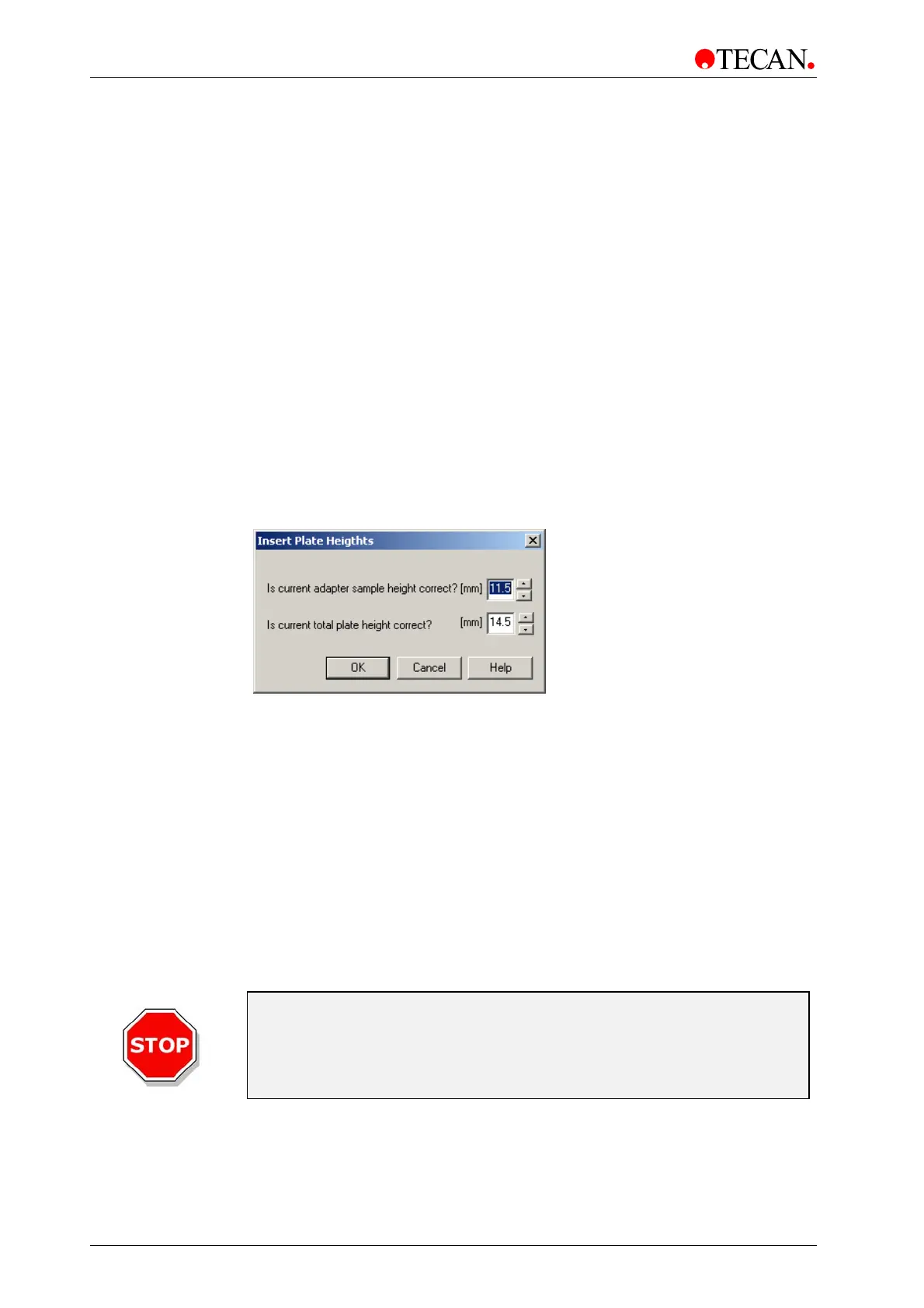
Enter the correct adapter height and sample height.
The chosen sample height of this dialog is taken as default height for the
following adapter scan. The total height is only taken into account to avoid
damaging the optics.
Maximum Values for total height = 16.0 mm
Maximum Value for sample height = 16.0 mm
Minimum Value for sample height = total height – 5.00 mm
Differences greater than 5.00 mm must be aborted, because of possible damage
to the optics. The software produces a warning message for differences in the
interval of 5.0 mm.
Caution
If the heights inserted in this dialog are not correctly entered, the
instrument may either become damaged or may no longer be able to
perform Its procedures correctly and the accuracy of the instrument
can no longer be guaranteed.



 To Next Page