p
Model 880 DEPOSITION CONTROLLER
y
SECTION 3.XX
e page 102 of 275 ^
SECTION 3.14
System Configuration
System configuration is a category that generally includes parameters that are not deposition
process related, but it has also been the recipient of other miscellaneous parameters that are not strictly
system related. If the Model 880 is moved among systems, these system configuration parameters need to
be checked for the appropriate system environment. Program checksums can be used to verify integrity
each of the parameter groups.
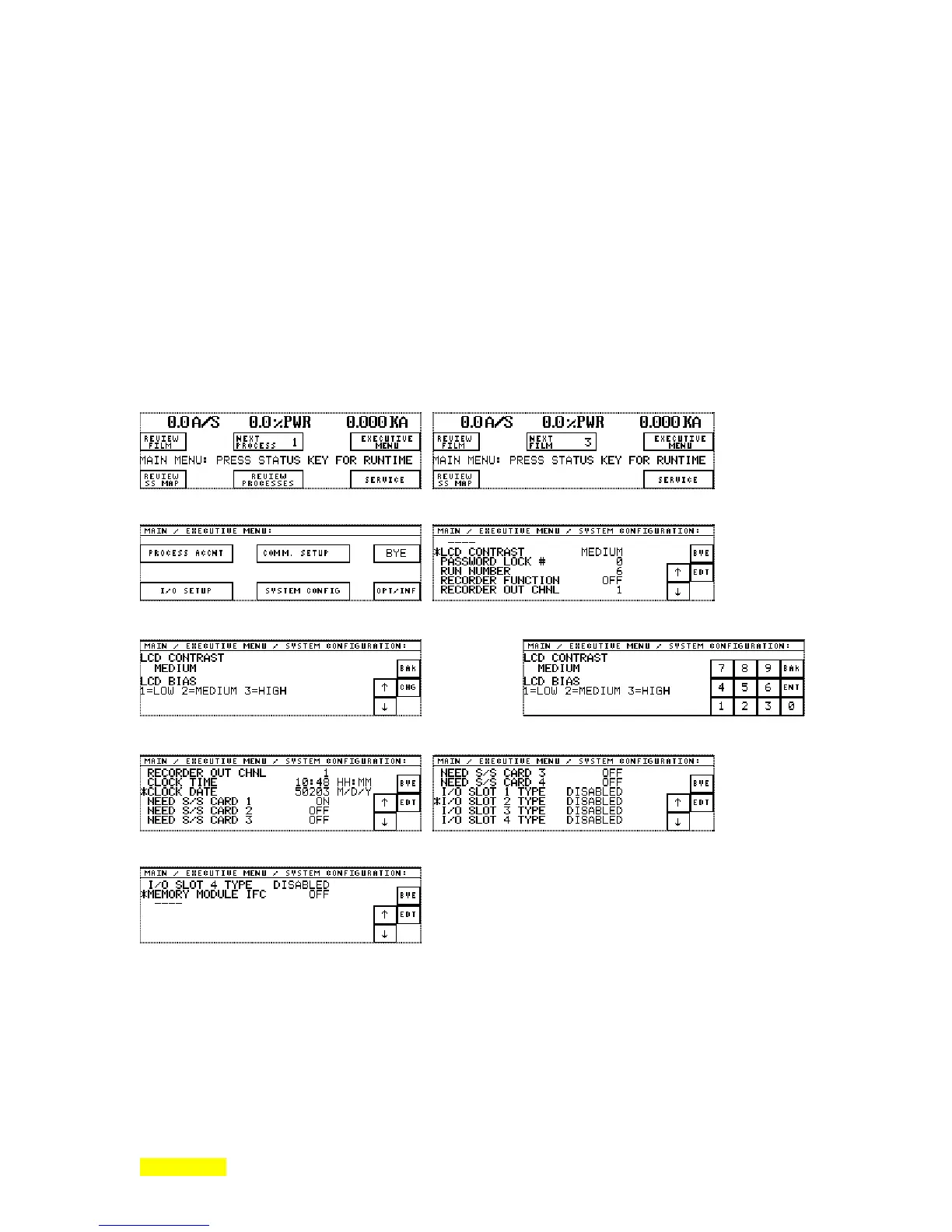
In order to access this parameter group, start at the RunTime display. Press the fixed MENU key
and the MAIN menu will appear. With the MAIN menu displayed, press the EXECUTIVE MENU key.
When the EXECUTIVE MENU appears, press the SYSTEM CONFIGURATION key and the SYSTEM
CONFIGURATION menu will be displayed. There are 12 parameters that have to do with system type
parameters that are programmable. The fixed STATUS key returns the Run Time Screen.
Main Menu: Sequencing Mode Main Menu: Non-sequencing Mode
Executive Menu System Configuration Menu
press EDIT
Edit LCD Contrast Change LCD Contrast
press CHANGE
System Configuration (scroll down) System Configuration (scroll down)
System Configuration (scroll down)



 To Next Page