p
Model 880 DEPOSITION CONTROLLER
y
SECTION 3.XX
e page 69 of 275 ^
NON-SEQUENCING MODE:
SELECTING THE ACTIVE FILM
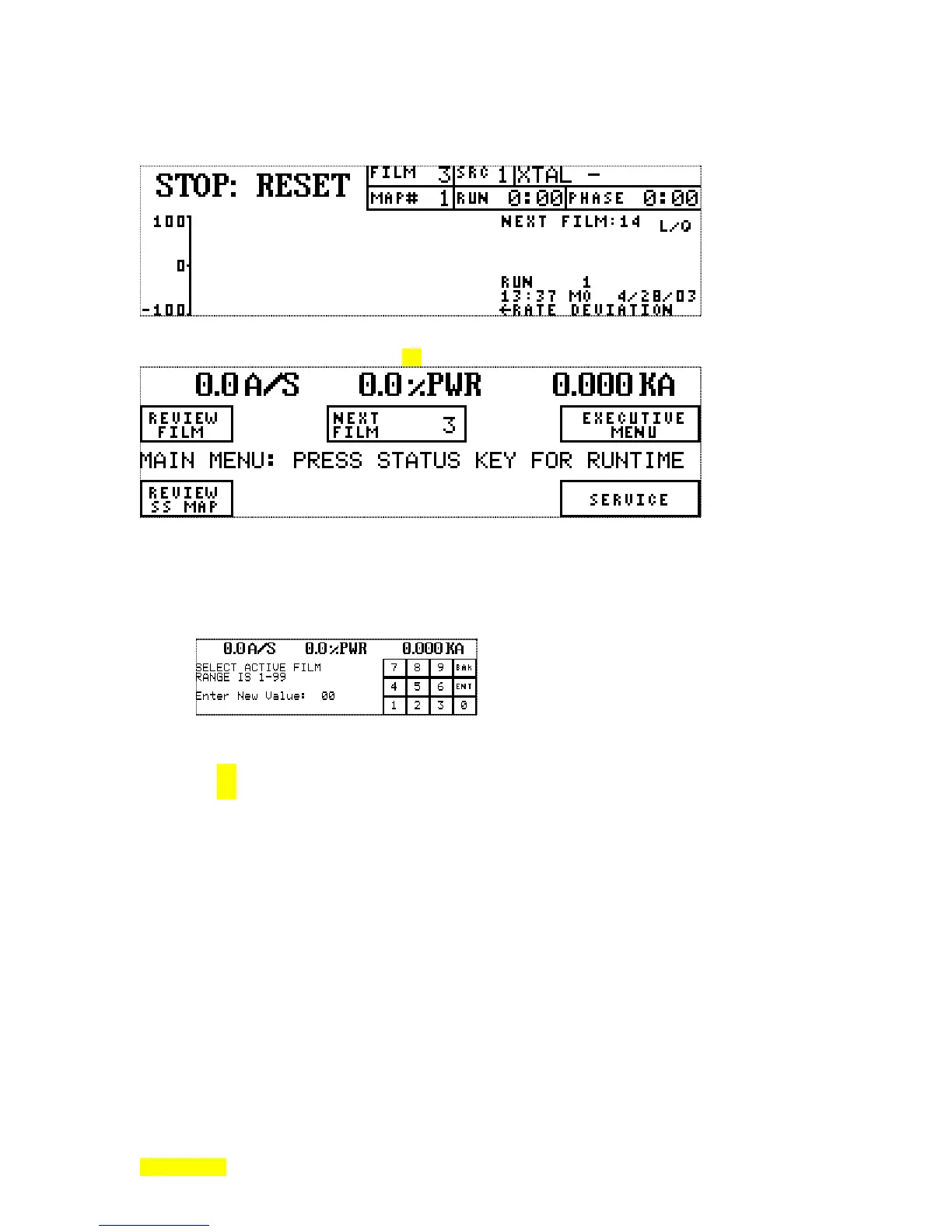
NON-SEQUENCING MODE Runtime screen.
NON-SEQUENCING MODE Main Menu (note missing REVIEW PROCESSES and change from NEXT
PROCESS to NEXT FILM). (See section 2.1 for description of modes.)
To select the next active film in non-sequencing mode, begin by pressing the NEXT FILM key on the Main
Menu above. This action will result in the following numeric entry screen. The entry made here will
become the active film following the next START sequence. The BAcK key returns to the Main Menu
without change. The ENTer key accepts the entry and returns to the Main Menu. The numeric entry, if
made, will show itself within the "NEXT FILM" key legend and on the runtime screen following the text
"NEXT FILM:" (see above).
When the running, this will become the active film and appear after the text "FILM".
Film Parameter values after memory purge:
[non-SEQ adds "Final Thick Limit=0.0 KÅ"]
See Section 1.8 for Programmable Parameter Lists and Programmable Parameter Dependency Lists.
See Section 2.2 for Menu Parameter Values & Programming After Memory Purge and ...After Factory
Restored Memory.
Film parameter difference (from purge) with a factory restore:
max power limit set to 50% (purge = 0%).
Related System Configuration values after memory purge:
LCD Contrast Medium
Password Lock # 0
Run number 0
Recorder Functions Rate
Recorder Output Channel 1
Need Source Sensor Card X Off
I/O Slot X Type Unused



 To Next Page