p
Model 880 DEPOSITION CONTROLLER
y
SECTION 3.XX
e page 83 of 275 ^
Review or Edit Processes
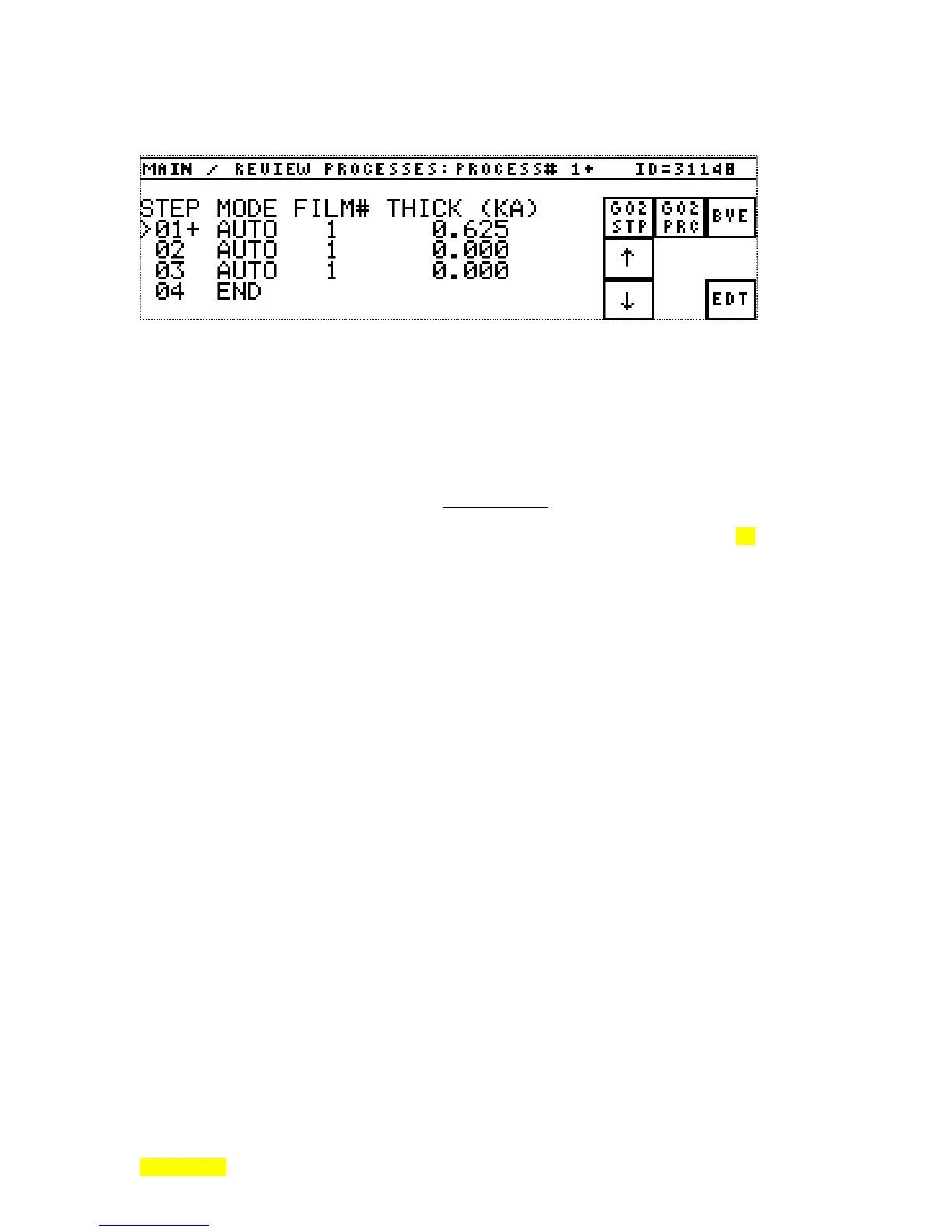
Figure- 3.12: Main Process Review/Edit Screen.
SECTION 3.6
Editing Processes
The Model 880 has the capability of sequencing through many layers of film. The sequential
arrangement of films is called a process. The Model 880 has the capability of storing 9 processes. The
maximum length of a single process is 99 layers. The total number of layers in use by the 9 processes is
250 layers. The following are equivalent: a layer, a process step, a line of process programming.
To operate the Model 880, a process of at least one layer
must be programmed. If a process is
started with no layer information programmed, the message ERROR IN RECIPE will occur in the process
status area of the screen. This also assumes the Model 880 is in Sequencing mode ( See section 2.1).
[Memory Purge reduces all process programming to a 1 line process with an END command as the only
function (program starts and ends itself). Factory defaulted memory yields 9 process programs each with
an auto mode, a film number = process number, a thickness = 0.1 multiplied by the process number.]
To edit or review a process, press the REVIEW PROCESSES key on the Main Menu. The screen
appears initially as shown in Figure 3.11. Other sub-menu keys appear as needed. See below for a detailed
description of menu keys. To select a different process for review/edit, press the GO2 PRC (go to process)
key. This will bring forth a numeric entry screen whose number entry will select the needed process by its
number name.
Each process step (also called layer) has 3 programmable parameters associated with it and is a
line in the process program. The steps range from 1 to 99. The programmable parameters available are:
Start Mode, Film#, and Thickness. Pressing the EDT (EDIT) key invokes the Process Edit screen that
allows line insertion, deletion and passage into the change/edit menu to modify and build steps using the
CHG (change) key as the entry point. The change/edit menu provides entry of Mode, Film number and
Thickness. The two editing selections that are available for inserting or deleting layers are intended for use
in an existing process or a new process.
When the mode key is pressed, there are five selections as to how the starting of the film will be
handled by the layer sequencing of the Model 880. The mode choices appear as key legends after the mode
key is pressed.
The five choices for modes which control the layer starting are: END, AUTO, WAIT, SKIP,
STOP. By selecting the appropriate start mode, a layer can be sequenced automatically or designed to wait
for a Front Panel break-wait or remote break-wait to proceed to the next step or layer. Generally, in an
actual process, only the first three start modes would be used.



 To Next Page