p
Model 880 DEPOSITION CONTROLLER
y
SECTION 3.XX
e page 50 of 275 ^
Model 880 Front Panel
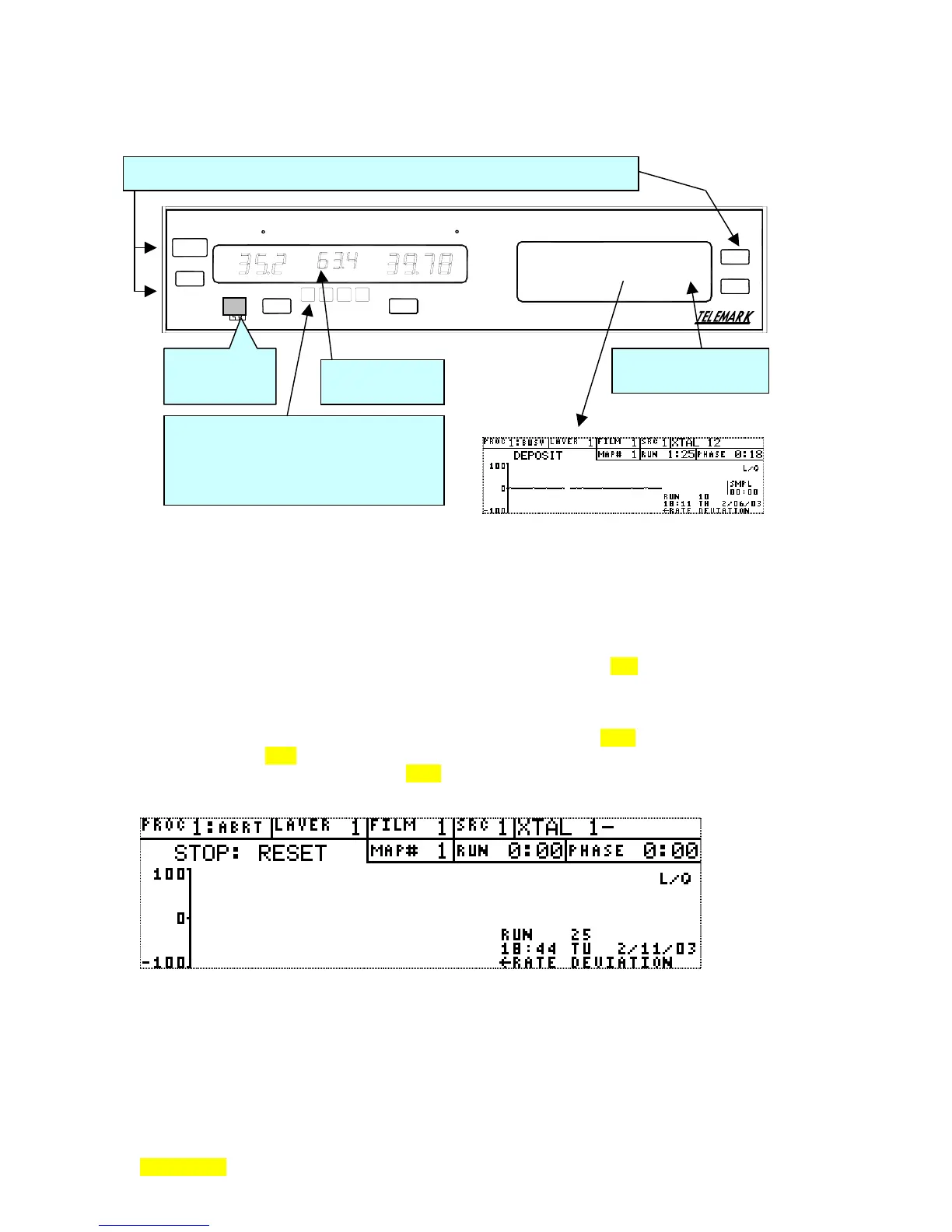
There are several areas of interest on the Front Panel. These are illustrated in Fig. 3.1.
MANUAL
CONTROL
RATE-A/SEC POWER-% THICKNESS-KA
START
STOP
MANUAL
ZERO
MODEL 880
DEPOSITION CONTROLLER
MENU
STATUS
Figure- 3.1: Model 880 Front Panel
and Key Descriptions
Fixed Keys and Software Controlled Keys (Touch Screen)
The software controlled touch keys and the fixed MENU key are used for programming entries,
numeric and otherwise, and to navigate through the programming menus of the Model 880. When the
Model 880 is initially turned on or generally when it is in operation, the display on the screen will be
similar to the display shown in Figure 3.1. This is called the RunTime screen. It shows most of the vital
parameters of the deposition process and is described more fully in Section x2.3. When the fixed MENU
key is pressed the unit enters its programming menu tree. The touch keys select the menus and/or program
the parameters. When the RunTime screen is displayed, some touch keys are active such as the area
containing the text "L/Q". Pressing this area on the RunTime screen brings forth sequential text for the
various control loop quality factors (crystal stability modes) (see Section. x2.10). This allows selection of
the alternate modes (1-4). Forcing a sample, if crystal sample and hold is implemented, can also be selected
by pressing the text "SMPL" (see Section. x2.10).
Typical Runtime screen.
The fixed STATUS key returns the Run Time Screen from any menu screen, when the Run Time screen is
displayed, the STATUS key brings forth 2 consecutive screens: the first showing source control output/
pocket/ power and the next sensor channel contribution and status before returning to the RunTime screen.
To reiterate, the fixed front panel STATUS key is a multifunction key. The different navigational
functions are based on the screen (or category of screen) that is displayed when the STATUS key is
Fixed Keys: STOP, START, MANUAL, ZERO, MENU, STATUS
pendant jack
(manual mode)
LCD Display/Touch
Screen
Fixed USER programmable software
controlled keys (4) and yellow LED
indicators (4). Software control
is accomplished by user entered
I/O programming.
LED displays
(3 sections)



 To Next Page