p
Model 880 DEPOSITION CONTROLLER
y
SECTION 3.XX
e page 51 of 275 ^
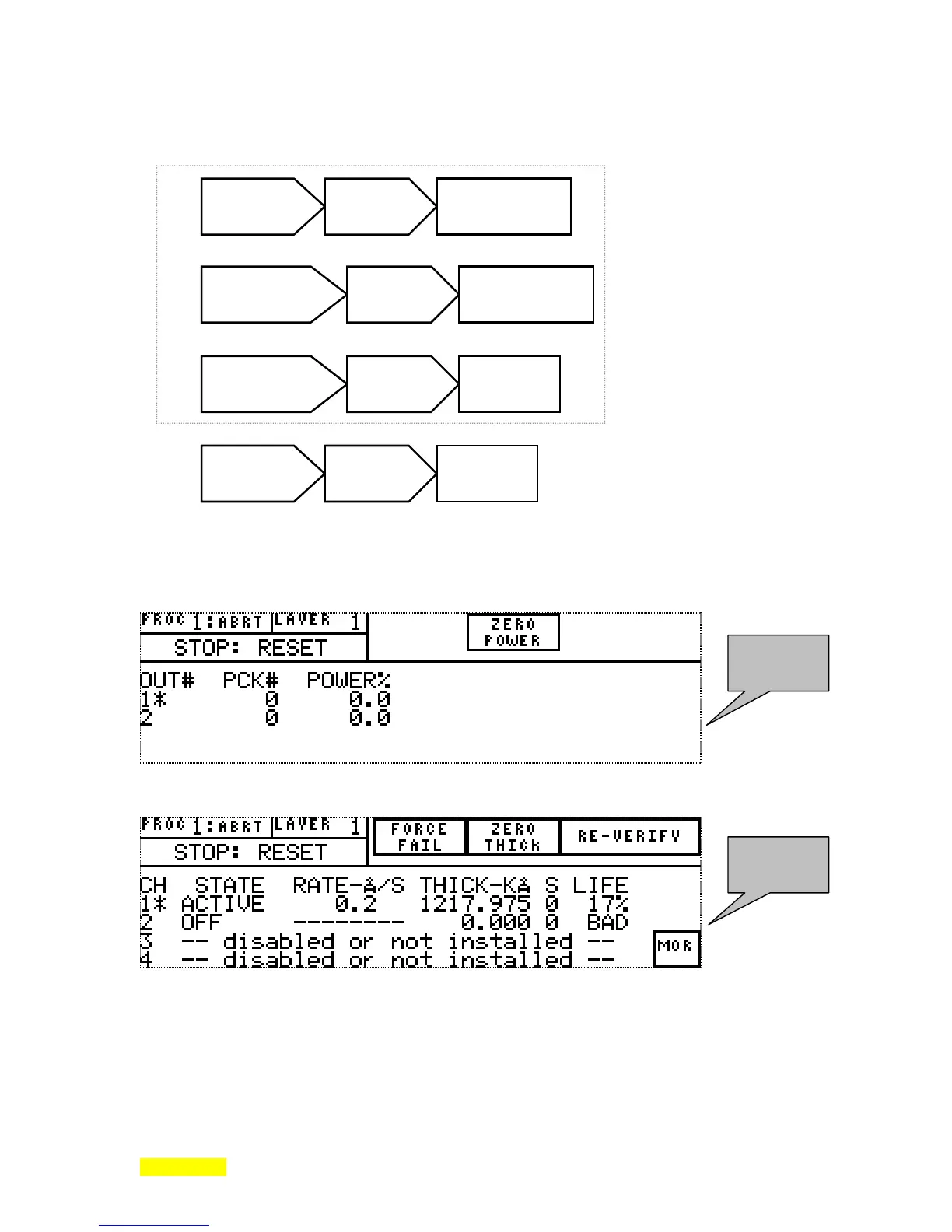
pressed. The following illustrates the 4 possibilities. Three are part of a sequence that begins with the
RunTime screen and returns to the RunTime screen.
The following 2 LCD screen depictions show the second and third parts of the above 3 part sequence.
The following 2 screens will be called the 1
st
STATUS screen and the 2
nd
STATUS screen respectively.
1
st
press of STATUS key from Runtime screen brings forth this screen.
2
nd
press of STATUS key from Runtime screen brings forth this screen.
The following shows a RunTime screen that was put into manual mode by pressing the fixed front panel
MANUAL key while running a deposition cycle. The text MANUAL appears on the screen in place of the
text messages: rise 1, soak 1, rise 2, soak 2, deposit, etc.
1
st
STATUS
screen
2
nd
STATUS
screen
RunTime
Screen
STATUS
key pressed
1
st
(detailed)
STATUS Screen
1
st
(detailed)
STATUS Screen
STATUS
key pressed
2
nd
(detailed)
STATUS Screen
2
nd
(detailed)
STATUS Screen
STATUS
key pressed
RunTime
Screen
Any Menu
Programming
Screen
STATUS
key pressed
RunTime
Screen
3 Part Circular Sequence



 To Next Page