p
Model 880 DEPOSITION CONTROLLER
y
SECTION 3.XX
e page 90 of 275 ^
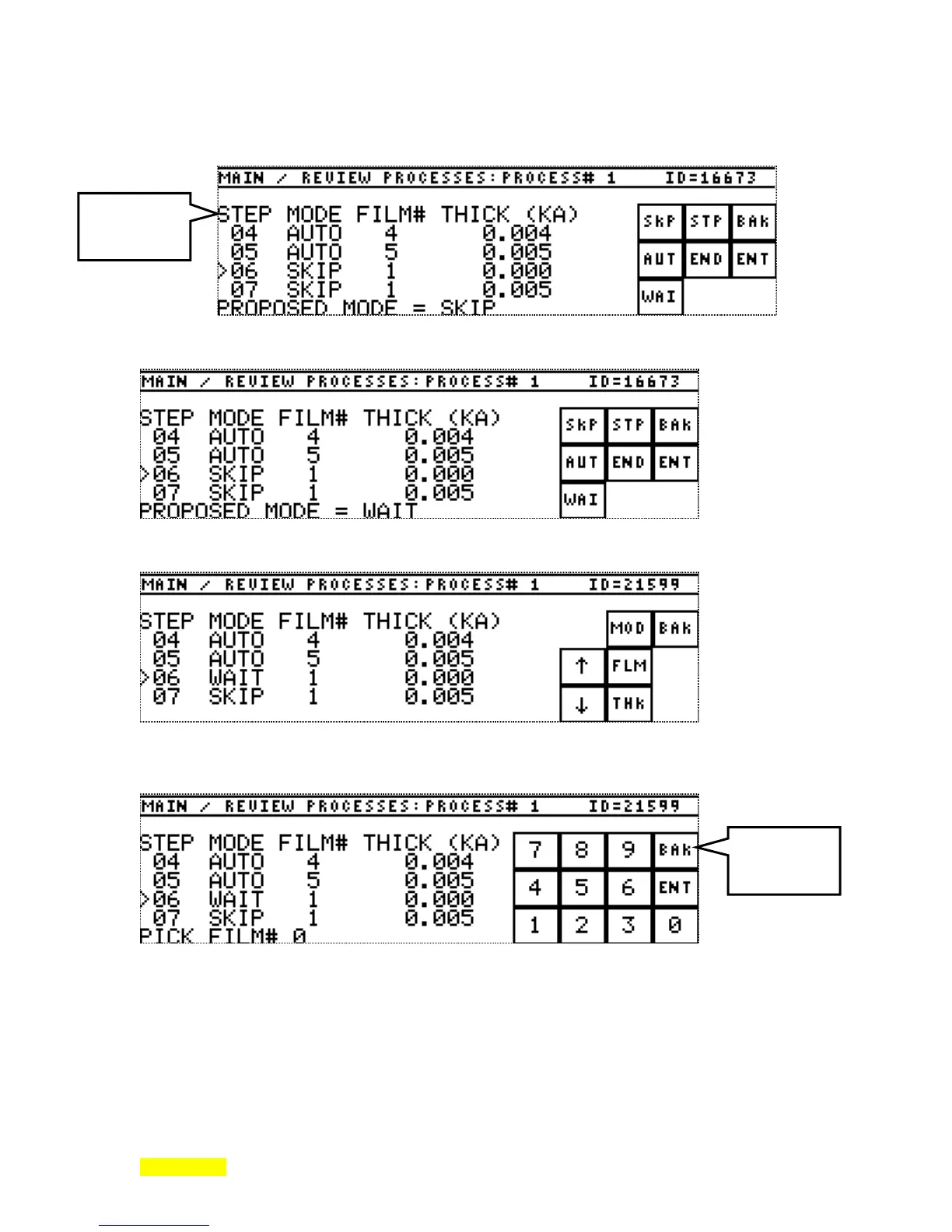
Pressing the MOD (mode) key brings forth the mode select menu as follows. SKIP is the default mode
value used when the INSert key creates a new line.
Pressing the WAI (wait) key changes the proposed mode value as seen next on the edit line.
Now press ENT (enter) to accept WAIT.
Notice that WAIT replaces SKIP on the edited line. MOD (Mode) could be pressed again or FLM (Film) or
THK (thick) could be pressed. The following screen shows the result of pressing the FLM (Film) key.
Enter a "3" for film number 3 by pressing the "3" key. Note change in edit line on the following screen. Up
to 2 digits can be entered here as there can be up to 99 films.
Process
MODE
menu
Process
FILM#
entry



 To Next Page