9 MPH200 series video encoders WebUI user manual
General
The MPH series video encoders can be fully congured using Web
user interface (WebUI). You can access the Web user interface via
your web browser, eg. Mozilla Firefox (recommended), Internet
Explorer, Apple Safari and Google Chrome. The Secure HTTP
(HTTPS, SSL 3.0 or TLS 1.0) feature is supported in MPH encoders.
System requirements for WebUI
• Network connection
• Ethernet cable
• Browser installed (Mozilla Firefox recommended)
Operation
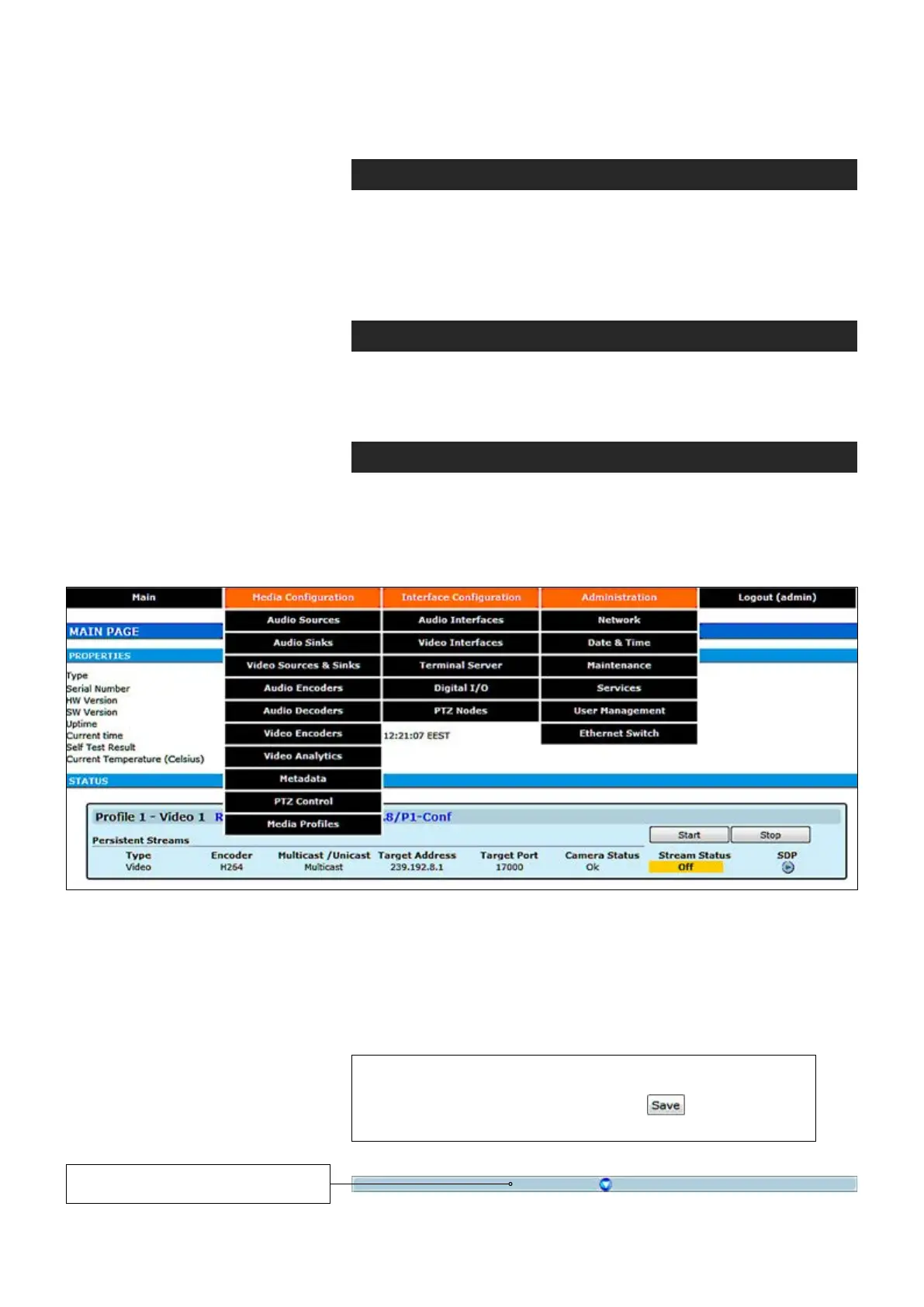
Web user interface consists of several menus and pages. Only one
page can be loaded at the same time. You can open a page by clicking
the related menu (see picture below).
The Web user interface has the following menu structure:
Web user interface (WebUI)
The information on conguration pages is shown in data elds or boxes.
The settings can be changed in the data elds and boxes having white
background. The unavailable or read-only options are grayed out. Place
the cursor in the desired data eld or box and enter a new setting.
Settings are entered by ticking a checkbox or clicking on a radio button,
by selecting from a pull-down list or by scrolling digits with the help of
spin buttons.
Press keyboard’s F5 button to refresh the WebUI page view.
When changing the settings, always click button to
conrm settings.
By clicking this button on a page
you can see more settings.



 To Next Page