46 MPH200 series video encoders WebUI user manual
Metadata congurations
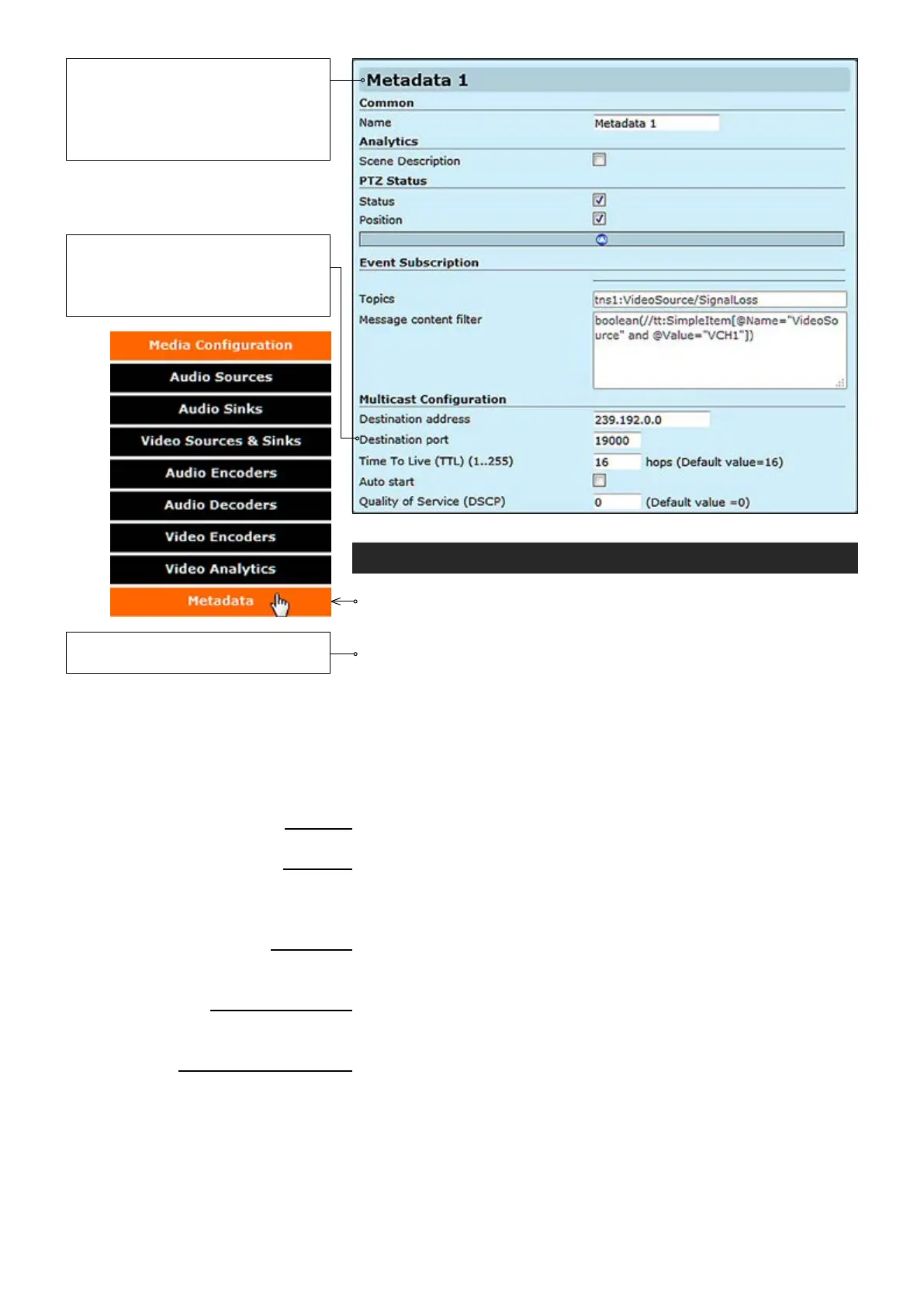
Click “Metadata” under the Media Conguration menu. Metadata
Congurations page appears on the screen. You can add a metadata
conguration to an existing media prole, adding a metadata conguration
to a prole means that streams using that prole contain metadata. Four
metadata congurations are supported. In addition to video analytics
information, metadata can transmit PTZ camera status and position to the
Onvif client. Carrying other events such as “loss of video signal” is done by
metadata channel. Metadata transmits video analytics information like
motion detection over RTP stream in XML format. Currently MPH transmits
motion detection information, PTZ camera status (feedback) and video loss
event over metadata channel.
_________________________________________________________
User dened alias name for metadata conguration (max 64 chars).
_________________________________________________________
Enable/disable scene description. When enabled, adds video analytics
results from each analyzed frame to metadata. With motion detection this
includes amount of motion detected and dened threshold level.
_________________________________________________________
Enable/disable PTZ control status.
Enable/disable PTZ camera position.
Event subscription denes which events are included to metadata stream.
Event subscription topics.
Event subscription message content lter.
_________________________________________________________
You can set a multicast address and port number for a Metadata stream,
the multicast address can be the same as video stream multicast address
but with different port number.
Multicast Time-To-Live for metadata packets.
If enabled, metadata streaming starts automatically after reboot (does not
immediately start or stop streams).
Denes QoS class in differentiated services (DiffServ) trafc management.
DSCP/DiffServ (Differentiated Services Code Point) is a eld in the IP
headers that affects the priority of packet in the network per hop basis.
Common
Name:
Analytics
Scene Description:
PTZ Status
Status:
Position:
Event Subscription
Topics:
Message content lter:
Multicast Conguration
Destination address:
Destination port:
Time To Live (TTL) (1..255):
Auto start:
Quality of Service (DSCP):
Metadata is a data channel and one
of the Onvif features which can carry
events, PTZ status, and/or video
analytics data for network video
devices.
Note! Parameters cannot be
changed when streaming is active.
Note! Only even port numbers can
be used for RTP, and then the
following odd port number shall be
used for RTCP (RFC 1889).



 To Next Page