54 MPH200 series video encoders WebUI user manual
User management
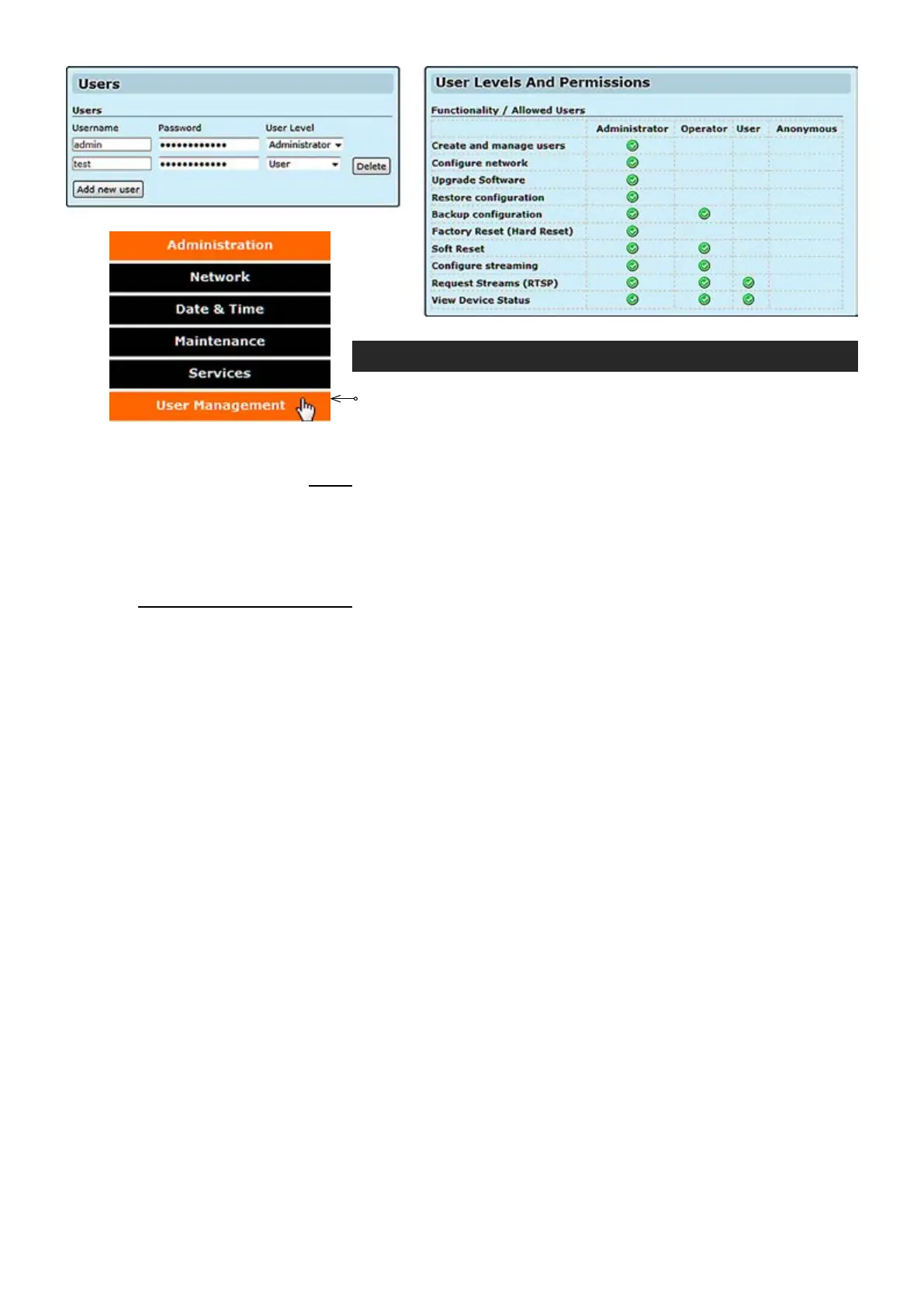
Click “User management” under the Administration menu. User
management page appears on the screen.
This page allows you modify
user settings.
_________________________________________________________
Shows device user accounts. All user accounts are protected by a user
name and a password. Administrator user can create and remove user.
Set username for user.
Set password for user.
Select user level for user.
_________________________________________________________
Shows permissions for different users.
Users
Username:
Password
:
User Level:
Functionality / Allowed users



 To Next Page