12 MPH200 series video encoders WebUI user manual
Event management system
MPH event management system
MPH encoders internally controls events as specied by ONVIF. Events
are generated from Digital IO inputs, motion detection, tampering
detection and video signal loss and each of those generate event with
different Topic. In addition to event topics, events contain data describ-
ing the event such as the video interface related, amount of motion and
threshold, etc.
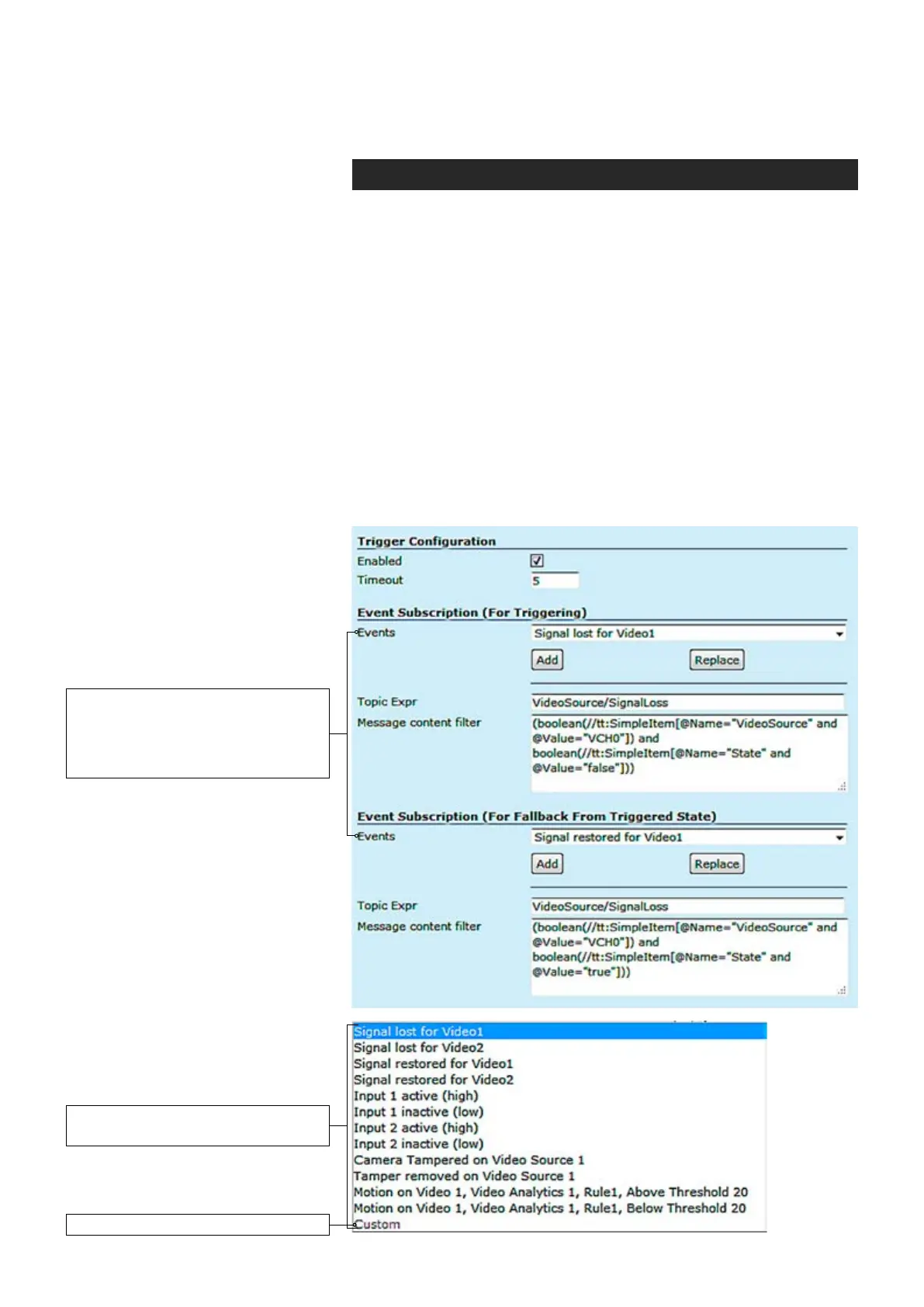
The event data is available in the “Message Content lter” box, which is
XPath format for matching XML content. Triggering occurs when dened
“Topic expression” and “message content lter” matches the internal event.
MPH encoder can trigger actions for video, audio (only MPH200 series)
and contact closers (Digital I/O) output. These events are also avail-
able for video management system to trigger congurable alarms. You
can add multiple event at the same time and each one triggers action.
Available events for triggering. First
choose the required event from the list
and then click Add button to select the
event -> The event data appears on
the Message content lter box.
Custom = Modied event for triggering.
The list of available events
for triggering.



 To Next Page