45 MPH200 series video encoders WebUI user manual
Video analytics congurations
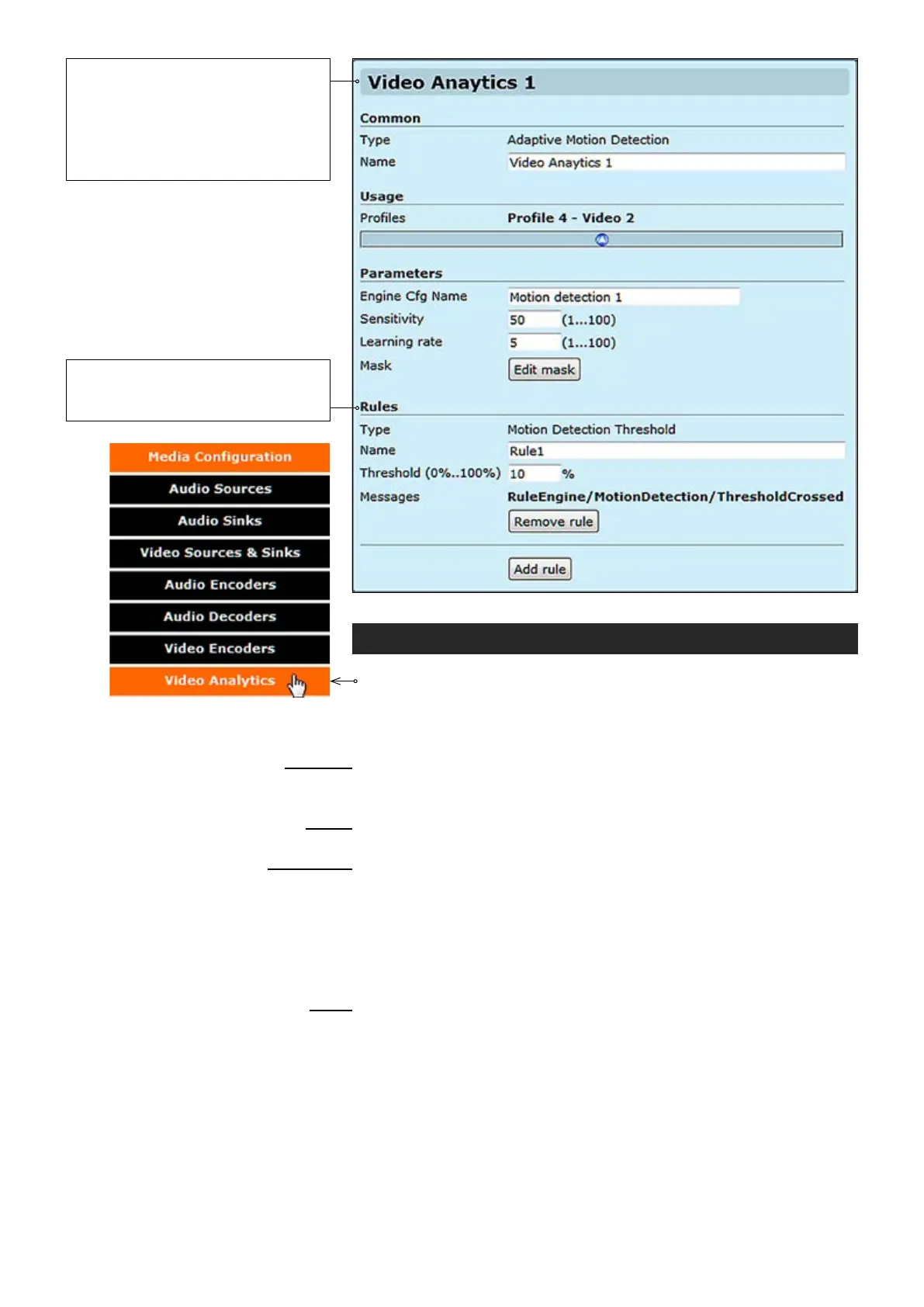
Click “Video Analytics” under the Media Conguration menu. Video
Analytics Congurations page appears on the screen. Video Analytics
settings can be congured on this page. All the parameters can be
congured dynamically i.e. when video analytics conguration is active.
_________________________________________________________
Adaptive motion detection.
User dened name for video analytics conguration object (max 64 chars).
_________________________________________________________
It shows the media prole which the video analytic is associated with .
_________________________________________________________
User dened name for video analytics engine conguration (max 64 chars).
Motion detection algorithm sensitivity. Range is 1-100%
Motion detection algorithm learning rate.
When monitoring an area for security, there may be certain parts within
the camera’s eld of view that need to be kept private. Masking is a
feature that enables these areas to be concealed from view.
_________________________________________________________
Motion detection threshold.
User dened name for
rule (max 64 chars).
Threshold percentage to trigger rule. Range is 0-100%
Common
Type:
Name:
Usage
Proles:
Parameters
Engine Cfg Name:
Sensitivity:
Learning time:
Mask:
Rules
Type:
Name:
Threshold (0%..100%):
Messages:
User can add/remove rules
(maximum of 5 rules are supported
per conguration).
Video Analytics conguration is
activated if the conguration is included
in at least one of the proles.
Note! Prole does not need to be
activated when conguring video
analytics settings.



 To Next Page