20 MPH200 series video encoders WebUI user manual
Video encoders
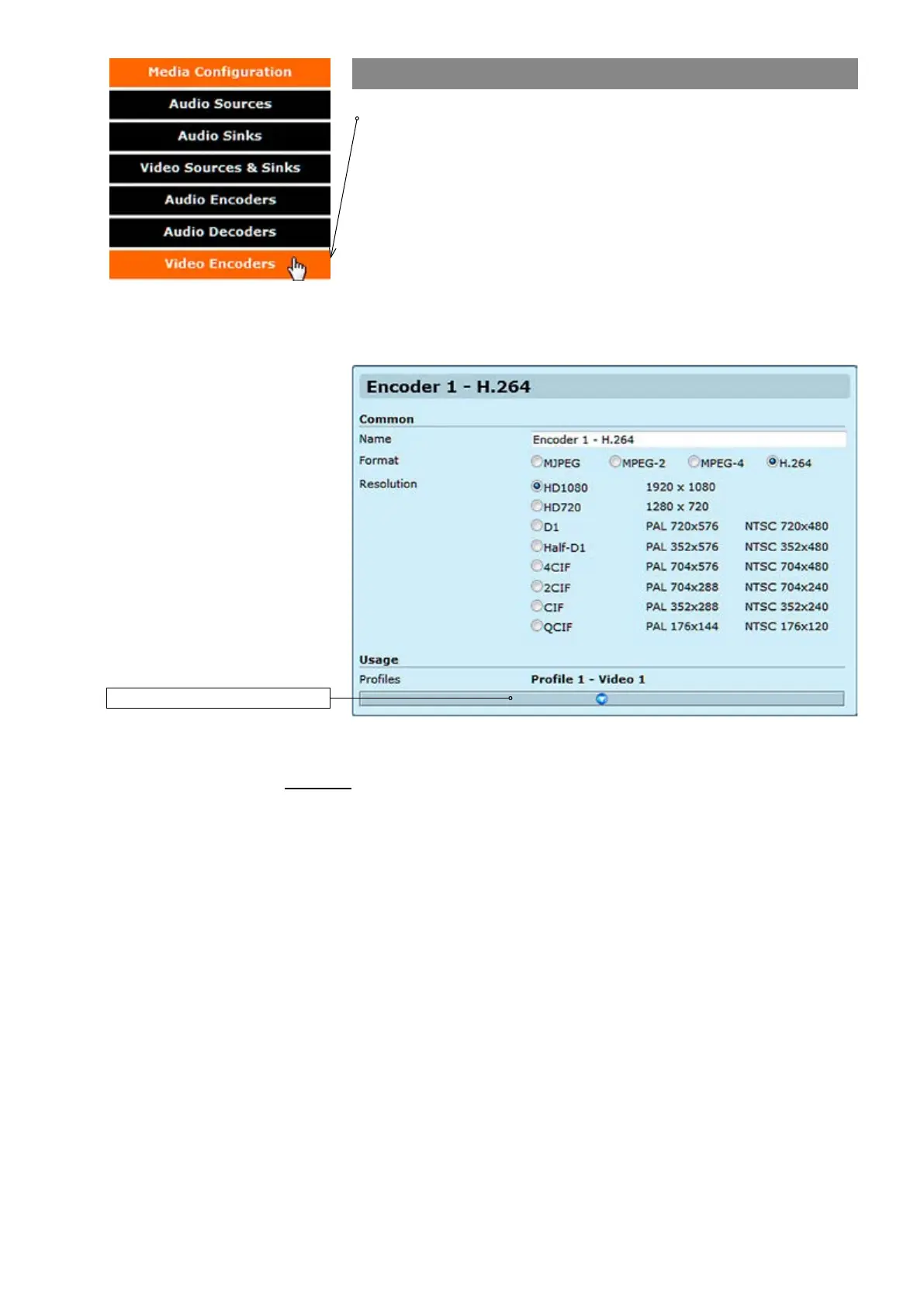
Click “Video Encoders” under the Media Conguration menu. Video
Encoder Congurations page appears on the screen. Video encoding
settings can be congured on this page, e.g. select format (MJPEG,
MPEG-2, MPEG-4 and H.264), set resolution, bit rate, frame rate and
multicast IP/port settings for each prole.
This page contains (by default) six different customizable encoding
proles. This feature allows you to set six different video encoding
combinations, each with their own settings.
On this page you can also add multiplied multicast/unicast streams from
each encoder.
Common
Name:
Resolution:
Click this to see more settings.
VIDEO ENCODER CONFIGURATIONS page.
_________________________________________________________
User dened alias name for
video prole (max 63 chars).
Video resolution, either digital HD1080 or HD720, or analog D1, Half-
D1, 4CIF, 2CIF, CIF or QCIF.



 To Next Page