10 MPH200 series video encoders WebUI user manual
Starting WebUI session
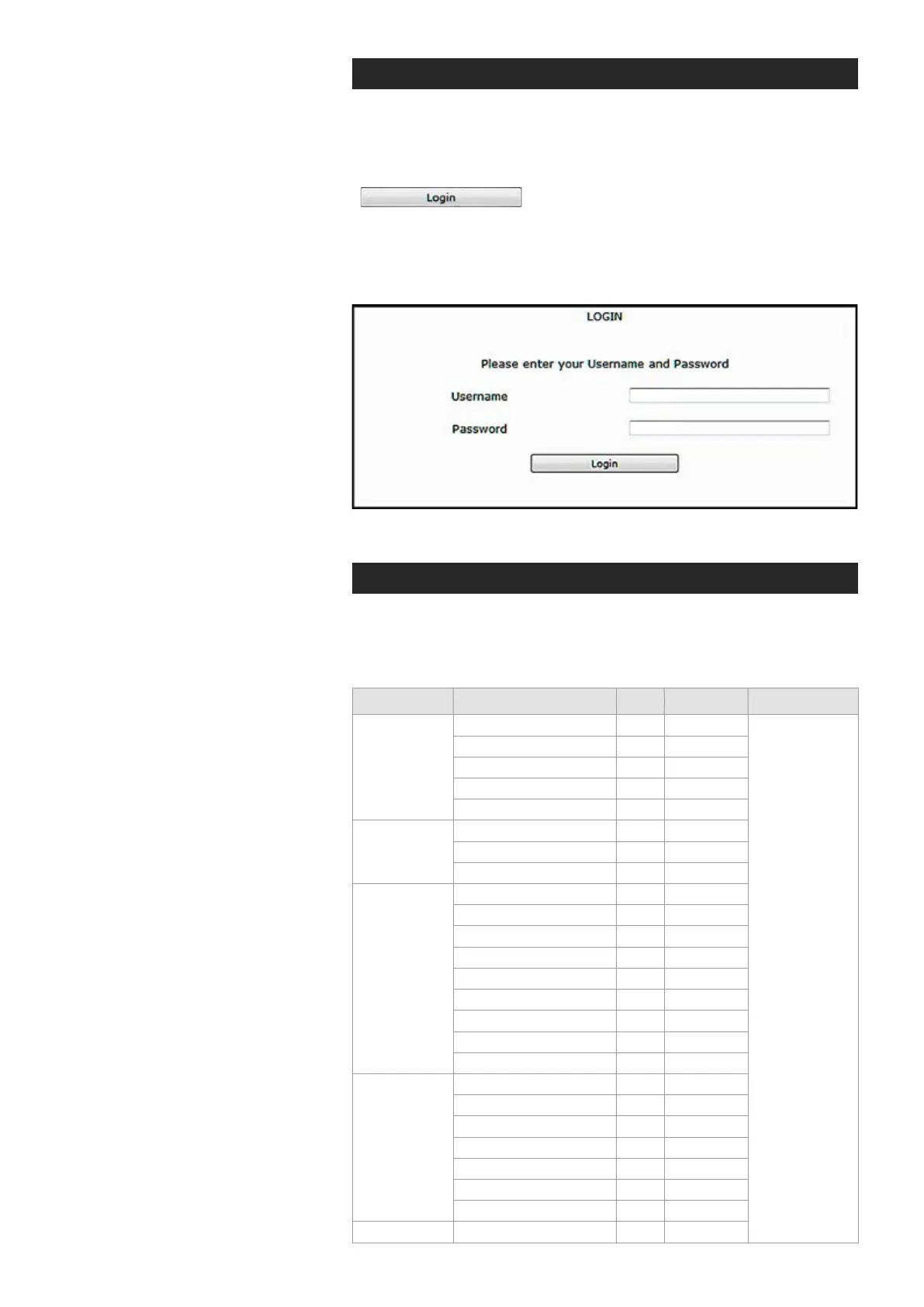
To create a WebUI session, rst enter the device IP address into the
web browser’s address bar (see section Device’s IP address). The
following LOGIN window appears on the screen. Enter the required
username and password (see bottom) in the elds and then click
to continue --> Web user interface’s MAIN
PAGE appears on the screen.
The Web user interface session to MPH series video encoder is
now activated.
Login window with the default username and password (for administrator).
User levels and permissions
The user management supports three different user levels of which each
has specic priviledges as shown below. The individual usernames, pass-
words and approved user level can be changed via the WebUI and CLI.
admin
admin
Page Operation User Operator Administrator
Main
General Access
x
x
Read and write
access to all
pages and
all settings
SDP download
x
x
Log download
x
x
Start/Stop
x
x
RTSP link copy
x
x
Video & Audio
Encoder
General Access
-
x
Save
-
x
Cancel
-
x
Maintenance
General Access
-
x
Backup
-
x
Restore
-
x
Reboot device
-
x
Soft factory reset
-
x
Hard factory reset
-
-
Software upload
-
-
Software download
-
-
License install
-
-
User
Management
General Access
x
x
Save
x
x
Cancel
x
x
Change password
x
x
Change user group
-
-
View/Edit other users
-
-
Add User
-
-
Ethernet switch Conguration
-
-



 To Next Page