47 MPH200 series video encoders WebUI user manual
Network settings
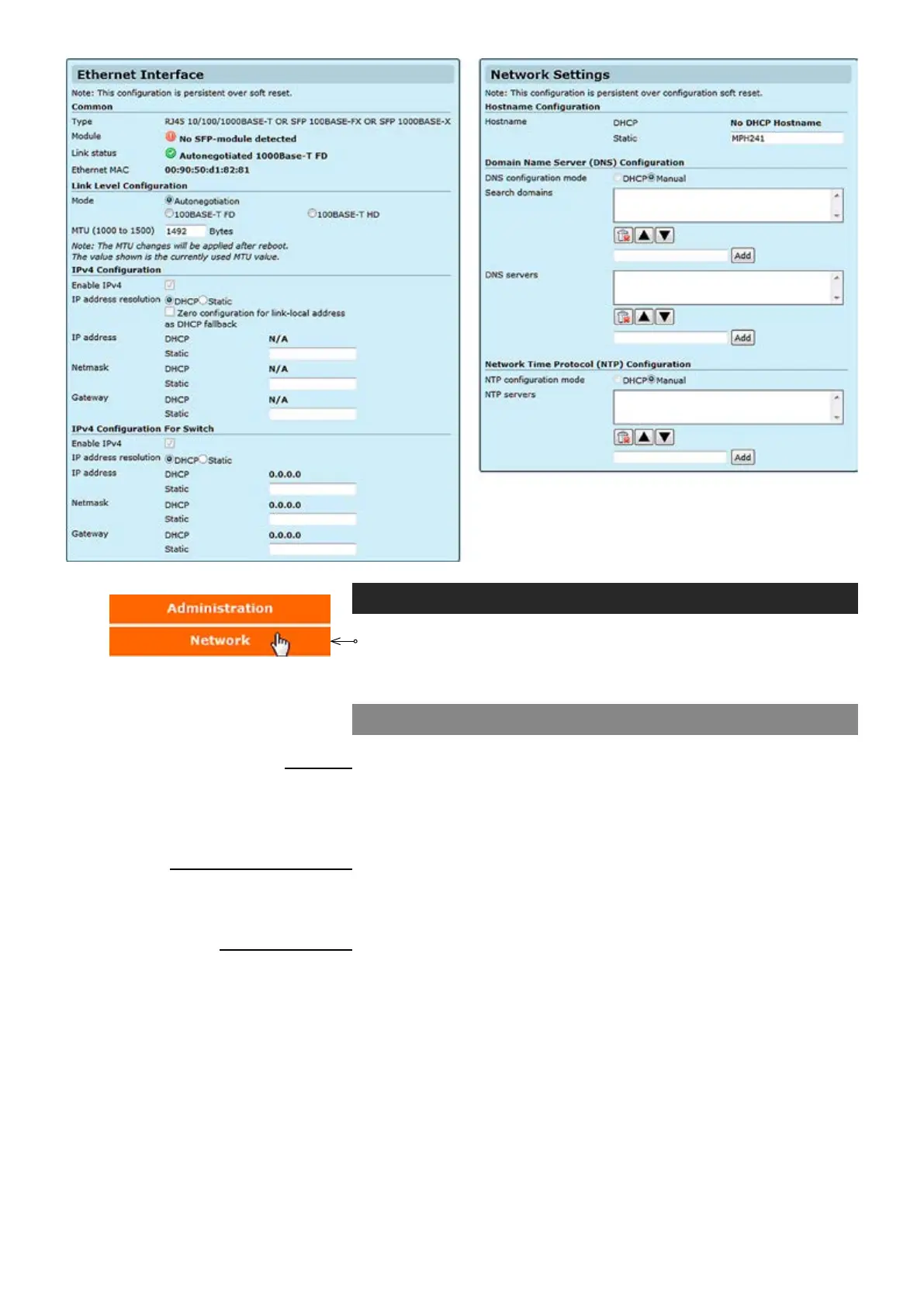
Click “Network” under the Media Conguration menu. Ethernet Interface
& Network Settings pages appears on the screen.
Device’s network
settings
can be changed on thess pages.
Ethernet interface
_________________________________________________________
Device’s Ethernet Interface type
.
Shows the status of SFP module.
Shows the current link status and connection type.
MAC address of the device.
_________________________________________________________
You can select the connection mode, Auto negotiation or xed rate.
You can adjust he maximum transmission unit based on your connection
type, default value is 1492 bytes. The MTU range is from 68 to 1500.
_________________________________________________________
IPv4 enabled (change not supported).
You can set a static IP address for the unit (in case of static IP the user
can set IP address, subnet mask and gateway address) or select DHCP
mode to obtain IP address automatically. When you enable ZeroConf
protocol, the device will set an IP address randomly to itself if it fails to
nd the DHCP server after few trials.
IP address of the device.
Netmask address of the device.
Gateway address for router denition.
Common
Type:
Module
:
Link status:
Ethernet MAC:
Link Level Conguration
Mode:
MTU (1000 to 1500):
IPv4 Conguration
Enable IPv4:
IP address resolution:
IP address:
Netmask:
Gateway:



 To Next Page