51 MPH200 series video encoders WebUI user manual
Services settings
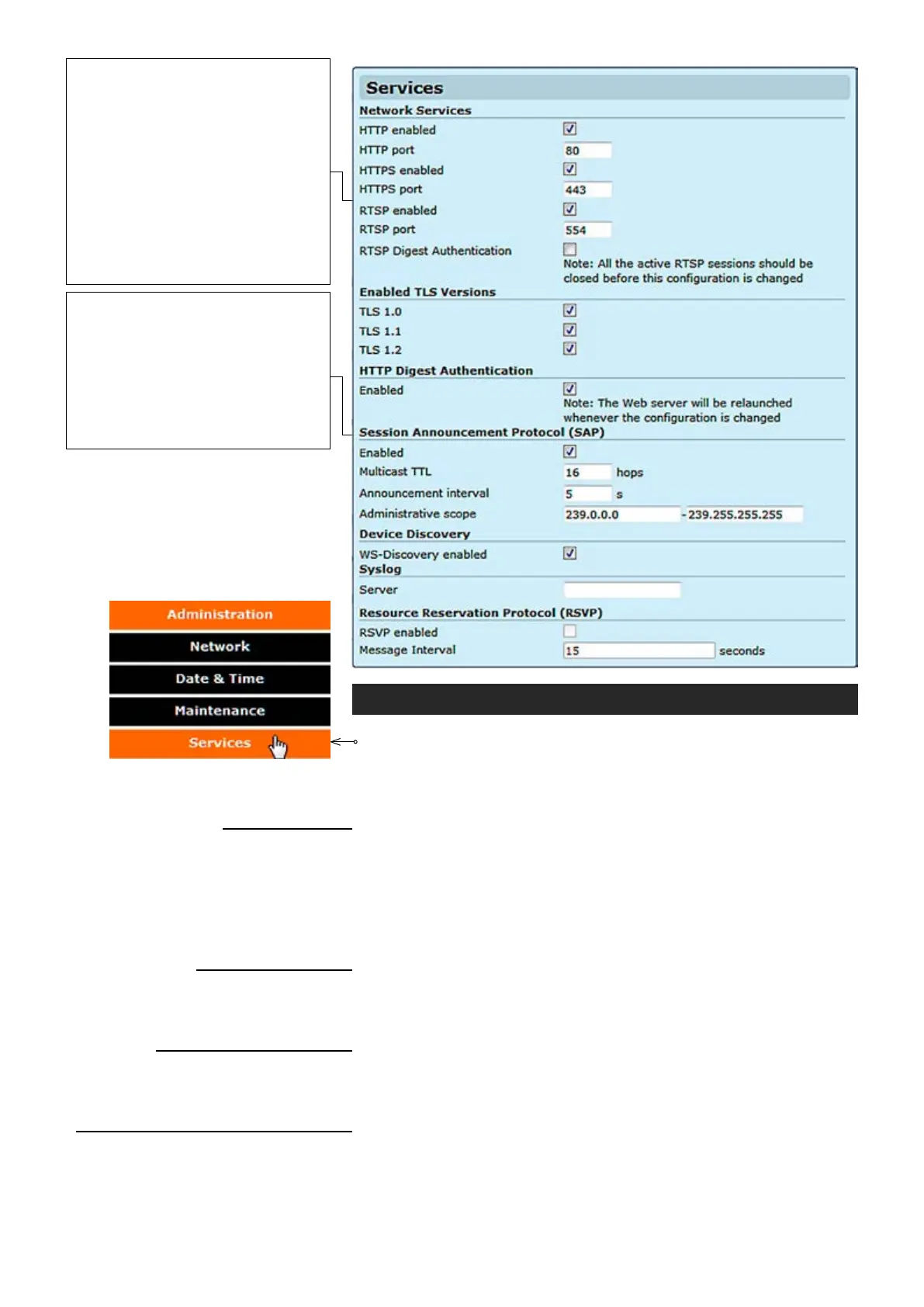
Click “Services” under the Administration menu. Services Settings
page appears on the screen. This page allows you to enable/disable
different network services available and congure following parameters
of services:
_________________________________________________________
HTTP is always enabled.
Port 80 is used always.
Enable/disable HTTPS.
Congure HTTPS server port.
Enable/disable RTSP (Real time streaming protocol) server.
Congure RTSP server port.
_________________________________________________________
Enable/Disable Transport Layer Security protocol 1.0 (RFC 2246).
Enable/Disable Transport Layer Security protocol 1.1 (RFC 4346).
Enable/Disable Transport Layer Security protocol 1.2 (RFC 5246).
_________________________________________________________
Enable/Disable HTTP digest access authentication (RFC 2069).
Note! When is enabled, authentication is mandatory for all prole
based JPEG snapshot download.
_________________________________________________________
Enable/Disable Session Announcement protocol (RFC 2974).
Multicast Time-To-Live for SAP packets (1...255).
SAP timing in seconds (1...999). Retransmit time of SAP-packet. This
time has to be same at both encoder and decoder pairs.
Network Services
HTTP enabled:
HTTP port
:
HTTPS enabled:
HTTPS port
:
RTSP enabled:
RTSP port
:
Enabled TLS versions
TLS 1.0:
TLS 1.1:
TLS 1.2:
HTTP Digest Authentication
Enabled:
Session Announcement Protocol (SAP)
Enabled:
Multicast TTL:
Announcement interval:
The Real Time Streaming Protocol
(RTSP) ia a network protocol used to
establish and control media sessions
between devices. For example, a video
Decoder sends RTSP play command
to the video Encoder.
Note! If port clash is detected while
conguring RTSP server port, device
gives an error message and disables
RTSP server. After that you have to
give an unused (valid) port and enable
RTSP server again.
Session Announcement Protocol (SAP) is a
protocol for broadcasting multicast session
information. A SAP listening application can
listen to the SAP multicast IP address and
construct a guide of all advertised multicast
sessions (RFC 2974). SAP uses Session
Description Protocol (SDP) as the format of
the session descriptions. Announcement
data is sent using IP multicast and UDP.



 To Next Page