11 MPH200 series video encoders WebUI user manual
MAIN PAGE
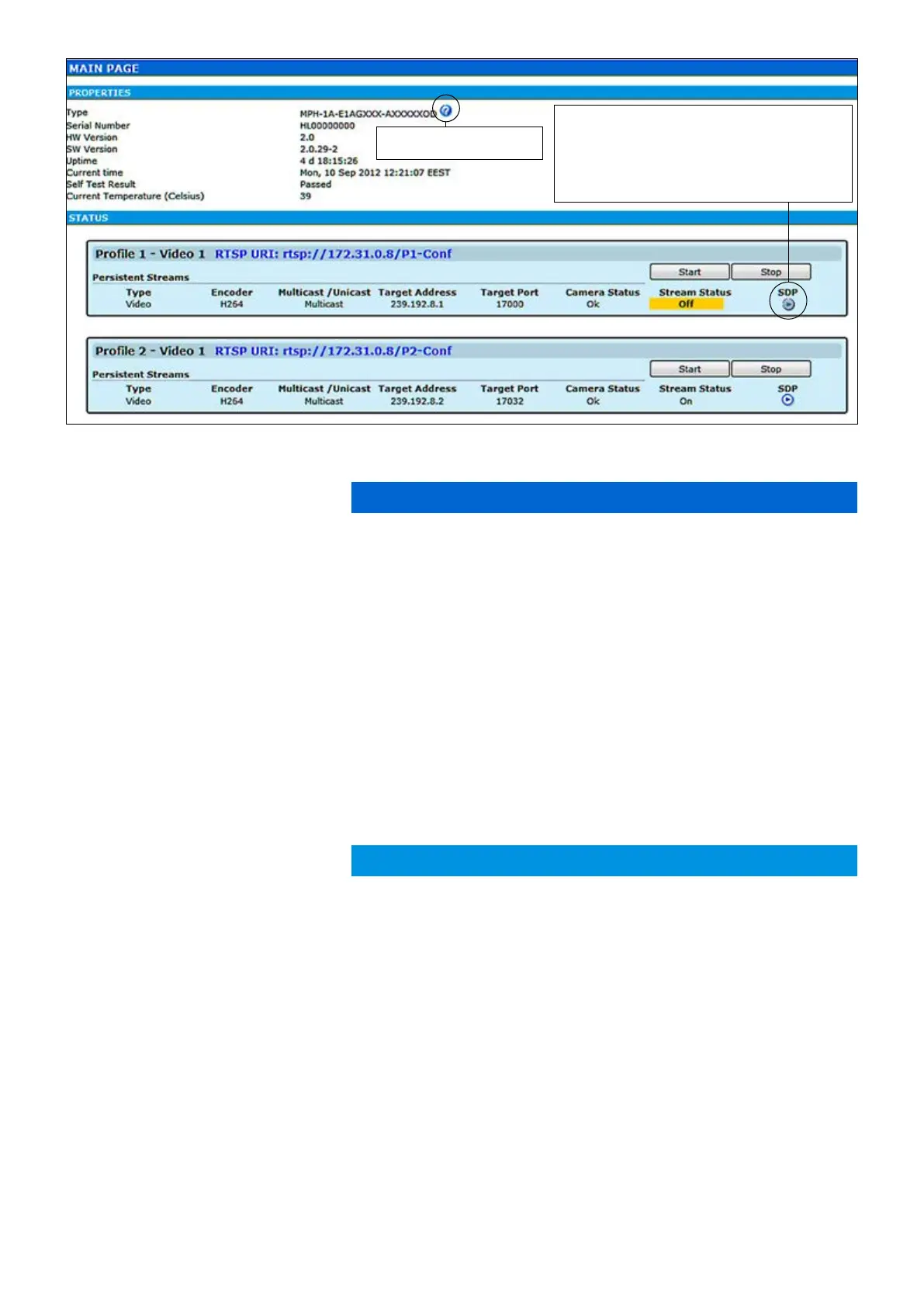
The MAIN PAGE is opened after the WebUI session has been estab-
lished to the MPH200 series video encoder.
MPH200 encoder contains maximum six (6) encoding proles, which
can be individually congured. On this page you can see each prole’s
current status and start/stop their video streaming.
PROPERTIES
Device type (conguration map code)
Device serial number
Device hardware version
Device rmware version
Device uptime
Device current time
Device test result
Current ambient temperature
STATUS
Here you can see each
prole’s current status.
Stream type (Video)
Encoding format (H.264/MJPEG/MPEG-4,MPEG-2)
Video transmission mode (multicast/unicast)
Multicast: Multicast IP address / multicast group
Unicast: IP address of receiving decoder
UDP port number
Camera status (Ok/No signal)
Video stream status (On/Off)
Link to SDP le (Session Description Protocol). The SDP le contains
stream parameters that are meant for 3rd party applications (e.g. SW
decoders) to open/view the stream. SDP-link requires that video stream-
ing is active.
Debug log le
Debug log le
Type:
Serial Number:
HW Version:
SW Version:
Uptime:
Current time:
Self Test Result:
Current Temperature:
Type:
Encoder:
Multicast /Unicast:
Target Address:
Target Port:
Camera Status:
Stream Status:
SDP:
Download short term logs:
Download long term logs:
Hint! You can open sdp le with the VLC player to
view the stream, but notice the following requirements:
Stream port number should be even number. If you
are using multicast stream, ensure that you have set
valid multicast IP address. Make sure that windows
rewall is congured to allow this connection.
Shows installed and available
licenses for device.



 To Next Page