43 MPH200 series video encoders WebUI user manual
Triggering
General
MPH internally controls events as specied by ONVIF. Events are gener-
ated from digital IO inputs, motion detection, tampering detection and
video signal loss and each of those generate event with different topic.
Operation
MPH can trigger actions for video, audio and contact closers output.
These events are also available for video management system to trigger
congurable alarms. You can add multiples event at the same time and
each one triggers action.
Following events are available:
In addition to event topics, events contain data describing the event such
as the video interface related, amount of motion and threshold, etc.
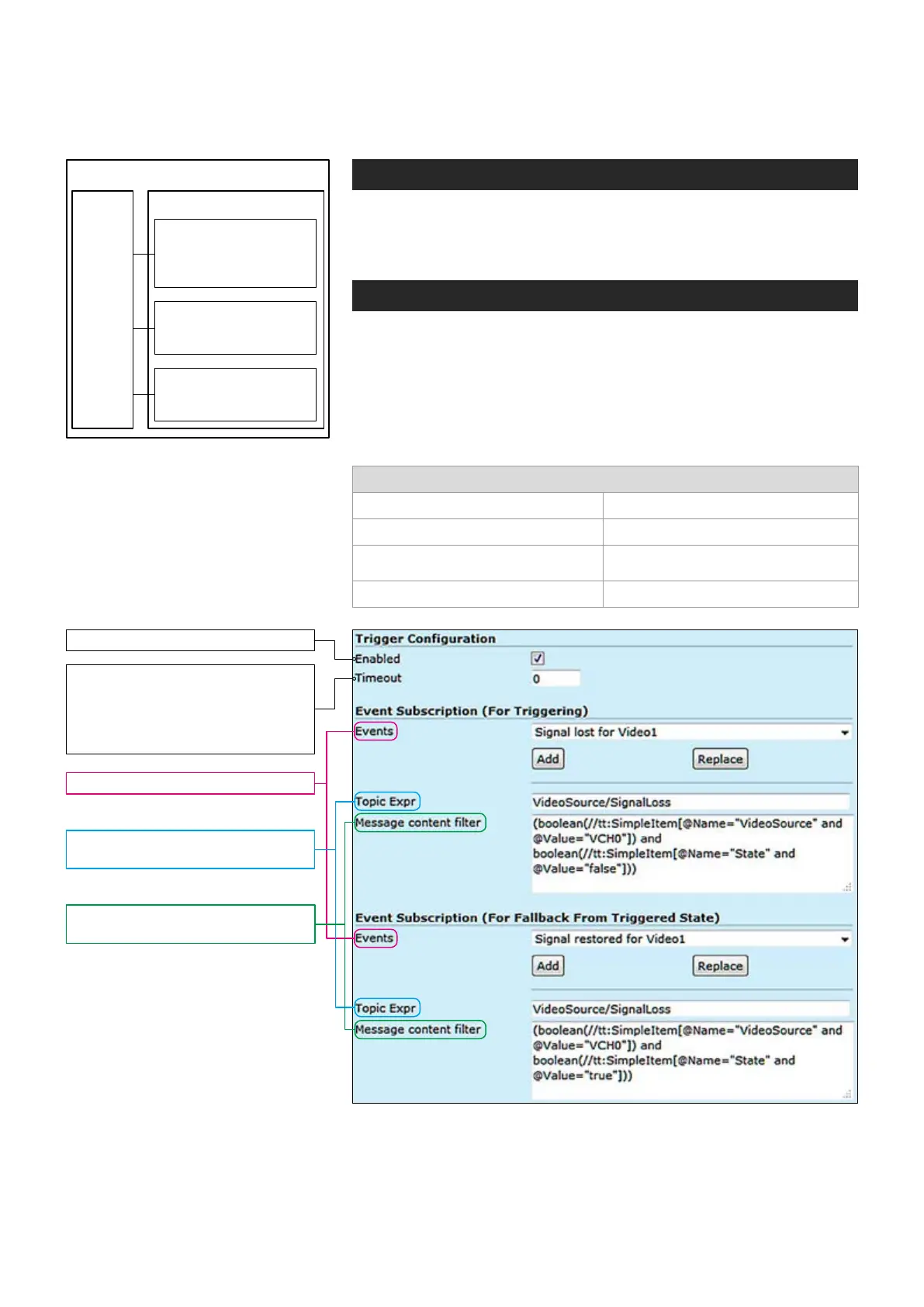
The event data is available in the “Message Content lter” box, which is
XPath format for matching XML content. Triggering occurs when dened
“Topic expression” and “message content lter” matches the internal event.
Event management
Enables and disables the feature.
Events: Select the event type.
Topic Expr: The topic expression
of the event.
Message content lter: Event
description, lter and values.
Keeps the event state unchanged
for the dened period for instance
if an event clears quickly, it does
not change its state for the dened
timeout, recommended 5 seconds.
Events Actions
Video
Changes video settings,
frame rate, bit rate and
video quality
Audio
Activates / deactivates
audio transmission
I/O (contact closure)
Changes the output
state in case of an event
Event
Signal lost for video 1 and 2 Signal restored for video 1 and 2
I/O Inputs activation I/O Inputs deactivation
Motion Detection above the threshold
for video 1 and 2
Motion Detection below the threshold
for video 1 and 2
Camera tampered Camera tamper removed
Flowchart how MPH triggers actions
to different events.



 To Next Page