14 MPH200 series video encoders WebUI user manual
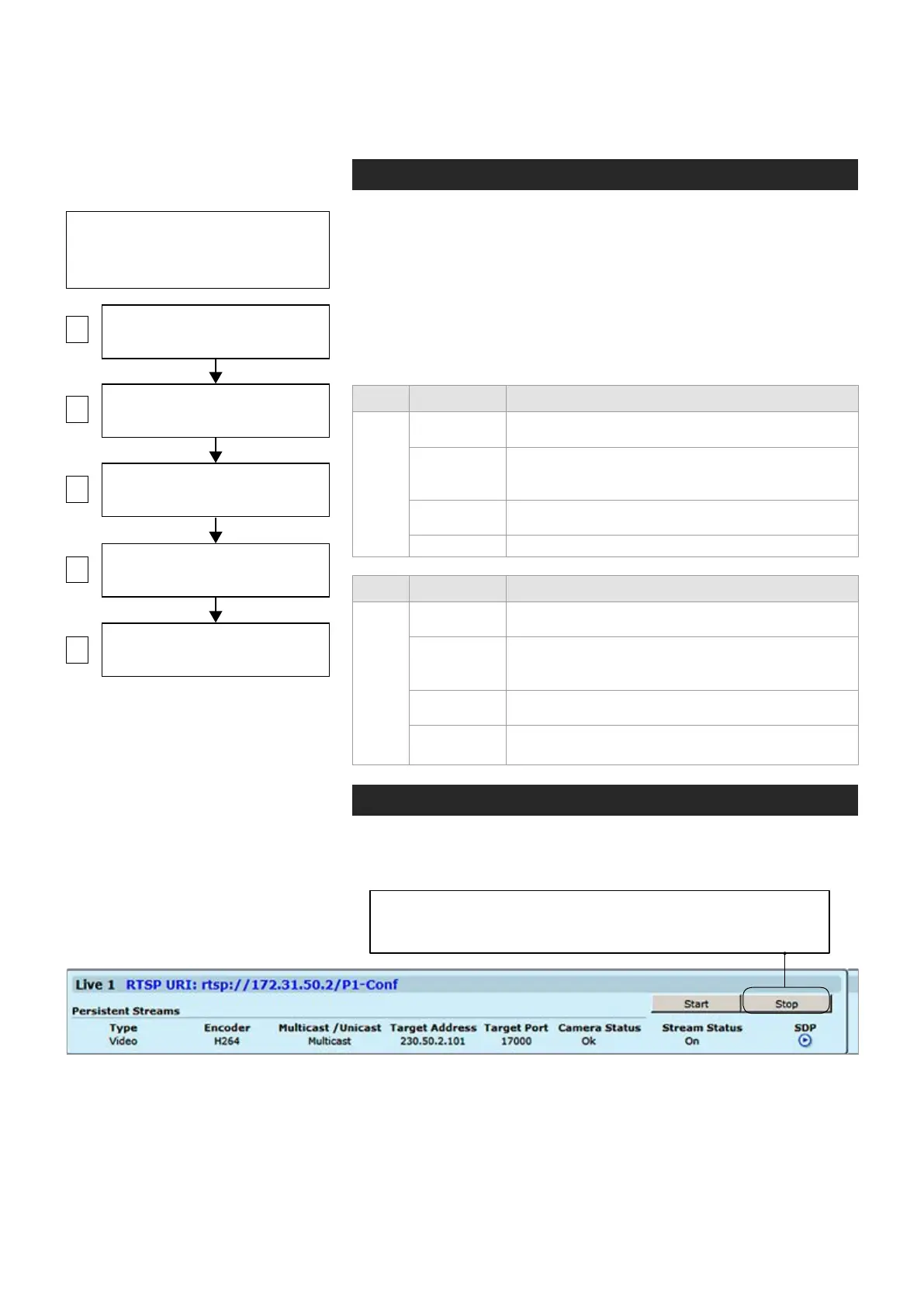
Step-by-step owchart how to congure
video channel in the MPH encoder.
Conguring video channels
Video connection
MPH encoder is available in one and two video input models. One
channel model has support for
CVBS or HD-SDI video signal,
two
channel model has support only for
CVBS video signal.
One channel
(CVBS input) model has equipped with additional loop-though output
connector. The video connector type is a BNC female. The video input
impedance is 75 Ω. The nominal input level is 1 Vpp. Video inputs are
equipped with dual colour VIDEO indicator led’s on the front panel.
Video port settings can be congured from web user interface (WebUI).
Led Colour Video mode
Video 1
Green
Video connector is used as video input and is locked
to valid video signal
(Short)
Blinking
Green
The video input is not used in any active media
prole, but is locked to video
Orange
Video connector is used as video input, but no valid
video signal is detected
Off / Dark Power is OFF or device is restarting.
Led Colour Video mode
Video 2
Green
Video connector is used as video input and is locked
to valid video signal
(Short)
Blinking
Green
The video input is not used in any active media
prole, but is locked to video
Orange
Video connector is used as video input, but no valid
video signal is detected
Off / Dark
Power is OFF or device is restarting, or congured
for loop-through output (1-ch version only)
Note! MPH encoder has automatic
NTSC/PAL video format detection.
When changing the video format, the
device must reboot.
VIDEO INTERFACES
(Physical video input)
VIDEO SOURCE CONFIGURATIONS
(Video overlay settings)
VIDEO ENCODER CONFIGURATIONS
(6 encoding combinations)
MEDIA PROFILE CONFIGURATIONS
(up to 12 media profiles)
MAIN PAGE
(Start / Stop video streaming)
1
3
4
5
2
Video channel conguration
MPH is an ONVIF compliant encoder and video channel conguration is
designed according to ONVIF standard.
Note! Before modifying the conguration of a video prole, make
sure that video stream is stopped on the MAIN page (changing
only encoding parameters don’t require stopping of the stream).



 To Next Page