74 MPH200 series video encoders WebUI user manual
Storm control – introduction
This page allows you to set up a threshold for incoming broadcast and
multicast packets. Too many incoming packets can severely cripple the
switch and network performance. Rate limiting protects the switch and
network by keeping the amount of data passing through the ports to a
safe limit. The use of VLANs and Trunks to partition ports and network
devices into separate groups can also keep the network from
unnecessary trafc by restricting the packet destination. The same
setting is applied to all the ports on the switch.
Storm control conguration
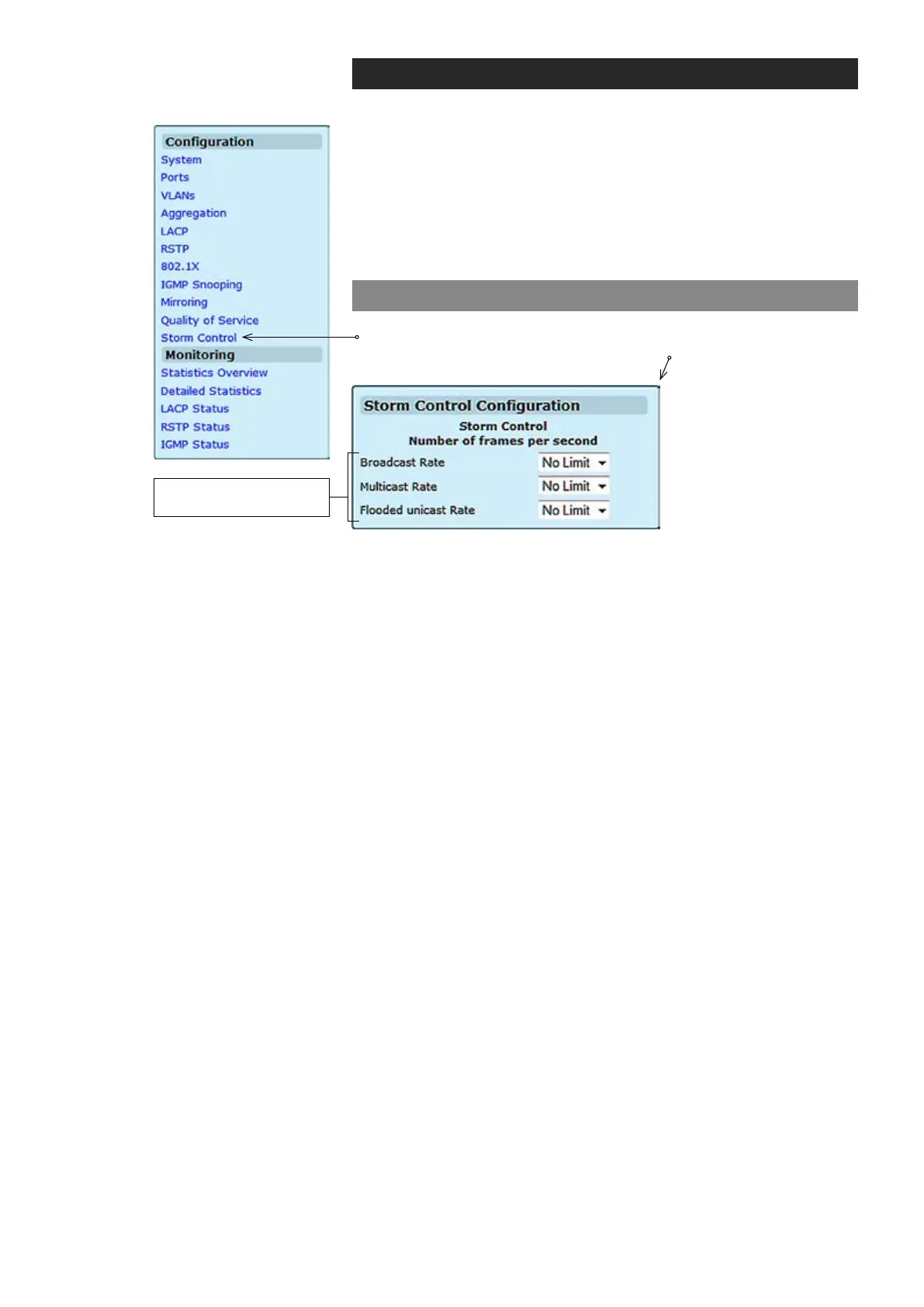
Click “Storm Control” under the Conguration menu. Storm Control
Conguration page appears on the screen.
List the type of trafc which can be rate limited, including Broadcast,
Multicast and Flooded unicast frames.
The Rate eld is set by a single drop-down list. The same threshold is
applied to every port on the switch. When the threshold is exceeded,
packets are dropped, irrespective of the ow-control settings.
Type of trafc which
can be rate limited



 To Next Page