GREER COMPANY
1918 EAST GLENWOOD PLACE, SANTA ANA, CA 92705 PN W450250 Rev A 06/01/00
TEREX RCI 510 RATED CAPACITY INDICATOR OPERATOR'S MANUAL TEL:(714) 259-9702 FAX:(714) 259-7626
31 of 35
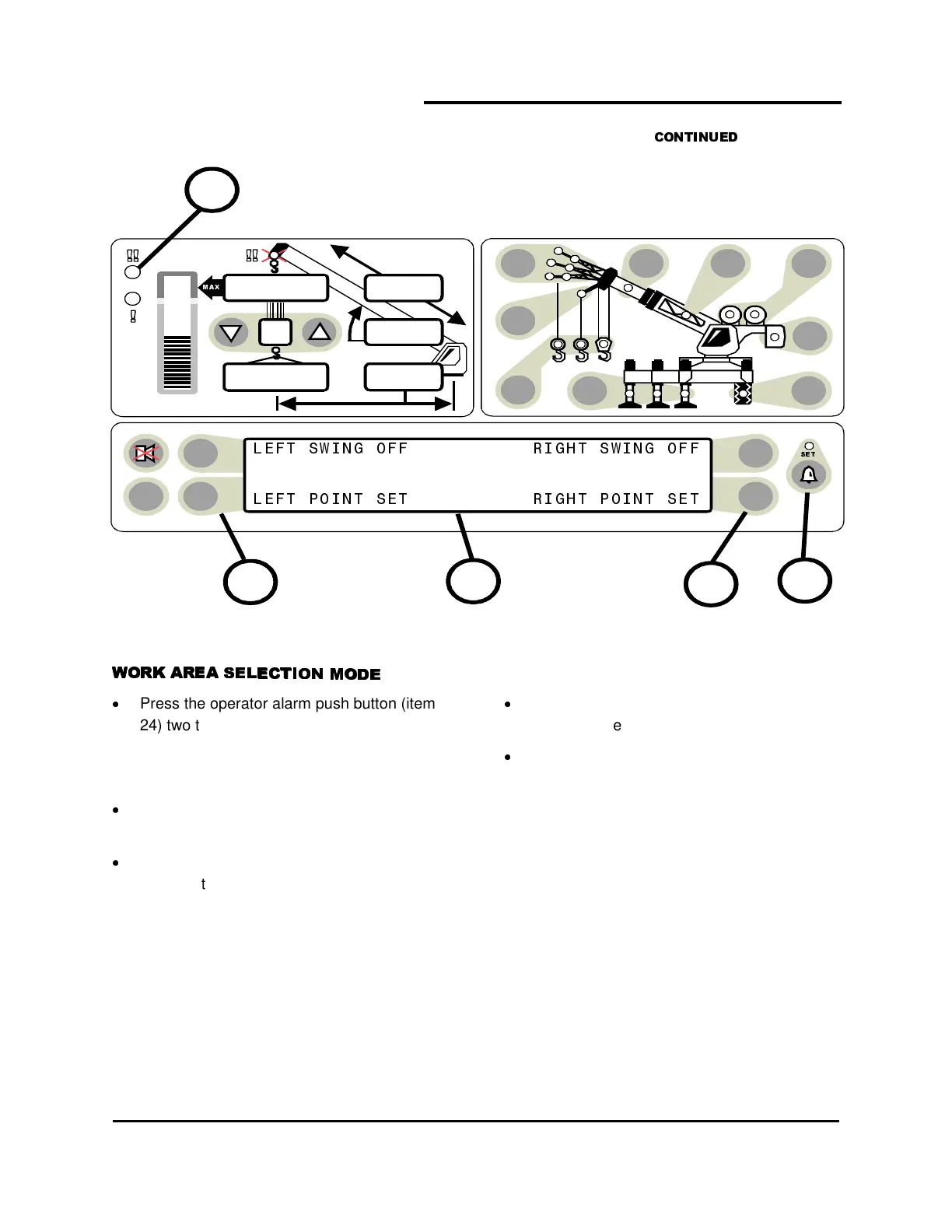
Press the operator alarm push button (item
24) two times to access the Work Area
alarm screen.
SETTING POINTS 1 AND 2
Move the boom, attachment, load, rigging
etc. to the desired LEFT SET POINT.
Press the push button (item 25) pointing to
Left Point. The information screen (item 1)
will read LEFT POINT SET.
Both Left and Right Points must be set for the
system to operate correctly. The red warning
light (item 5) will flash and the audible alarm will
sound whenever only one of the left/right swing
limits is set.
Move the boom, attachment, load, rigging
etc. to the desired RIGHT SET POINT.
Press the push button (27) pointing to Right
Point. The information screen (item 1) will
read RIGHT POINT SET.
The red warning light (item 5) will flash and the
audible alarm will sound whenever the boom tip
penetrates the exclusion zone.
Pressing the LEFT POINT and RIGHT POINT
push buttons (25 & 27) again will cancel the
alarm and the information screen (item 1)
will read
LEFT POINT OFF RIGHT POINT OFF
TEST
6
23,500
i2,300
44.8
62.7
26.4
2425
5
27
1



 To Next Page