Appendix A: Functions and Instructions 201
limit() uses methods such as L’Hopital’s rule, so
there are unique limits that it cannot determine. If
expression1
contains undefined variables other
than
var
, you might have to constrain them to
obtain a more concise result.
Limits can be very sensitive to rounding error.
When possible, avoid the
APPROX setting of the
Exact/Approx mode and approximate numbers
when computing limits. Otherwise, limits that
should be zero or have infinite magnitude
probably will not, and limits that should have
finite non-zero magnitude might not.
limit(a^x,x,ˆ) ¸ undef
limit(a^x,x,ˆ)|a>1
¸ ˆ
limit(a^x,x,ˆ)|a>0 and a<1
¸ 0
Line CATALOG
Line
xStart
,
yStart
,
xEnd
,
yEnd
[,
drawMode
]
Displays the Graph screen and draws, erases, or
inverts a line segment between the window
coordinates (
xStart
,
yStart
) and (
xEnd
,
yEnd
),
including both endpoints.
If
drawMode
= 1, draws the line (default).
If
drawMode
= 0, turns off the line.
If
drawMode
= ë 1, turns a line that is on to off or
off to on (inverts pixels along the line).
Note: Regraphing erases all drawn items. See
also
PxlLine.
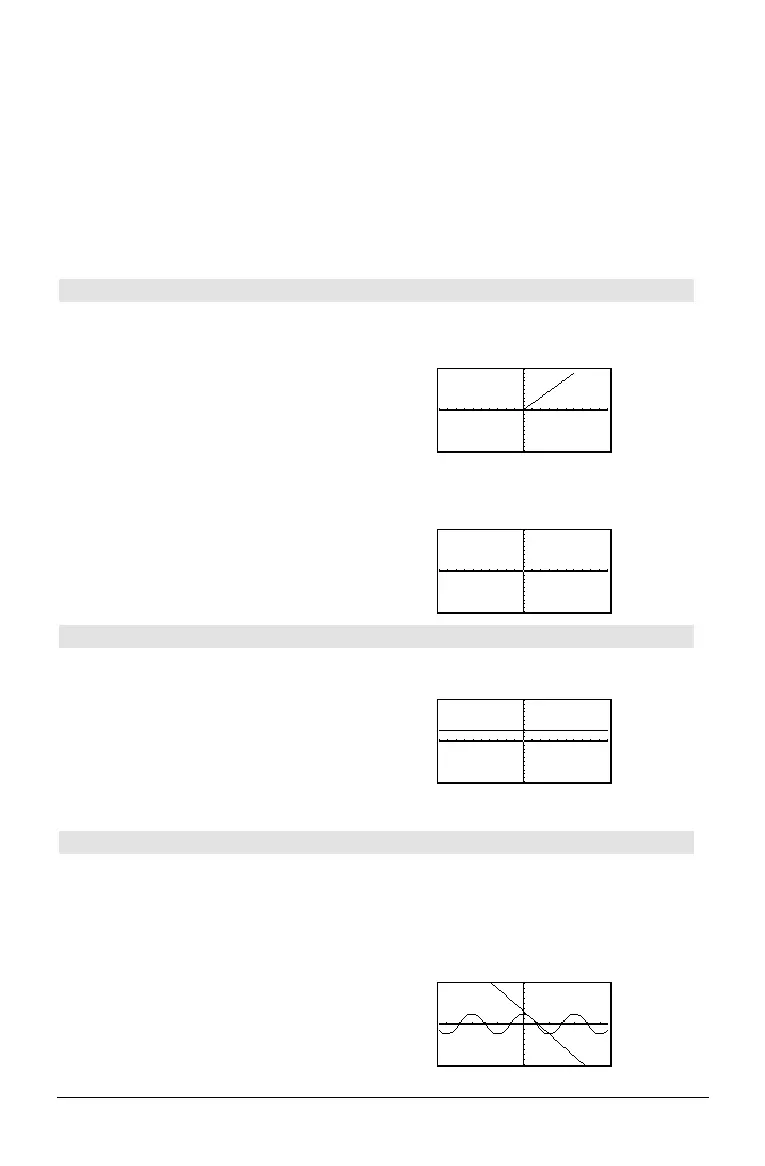
In the
ZoomStd window, draw a line and then
erase it.
Line 0,0,6,9 ¸
@ "
H ¥ "
Line 0,0,6,9,0
¸
LineHorz CATALOG
LineHorz
y
[,
drawMode
]
Displays the Graph screen and draws, erases, or
inverts a horizontal line at window position
y
.
If
drawMode
= 1, draws the line (default).
If
drawMode
= 0, turns off the line.
If
drawMode
= ë 1, turns a line that is on to off or
off to on (inverts pixels along the line).
Note: Regraphing erases all drawn items. See
also
PxlHorz.
In a
ZoomStd window:
LineHorz 2.5 ¸
LineTan CATALOG
LineTan
expression1
,
expression2
Displays the Graph screen and draws a line
tangent to
expression1
at the point specified.
expression1
is an expression or the name of a
function, where
x is assumed to be the
independent variable, and
expression2
is the x
value of the point that is tangent.
Note: In the example shown,
expression1
is
graphed separately.
LineTan does not graph
expression1.
In function graphing mode and a ZoomTrig
window:
Graph cos(x)
@ "
H ¥ "
LineTan cos(x),p/4
¸



 To Next Page
 Loading...












