iCNC PERFORMANCE
5-42 NESTING Manual 0-5399
5.14 EIA input Options
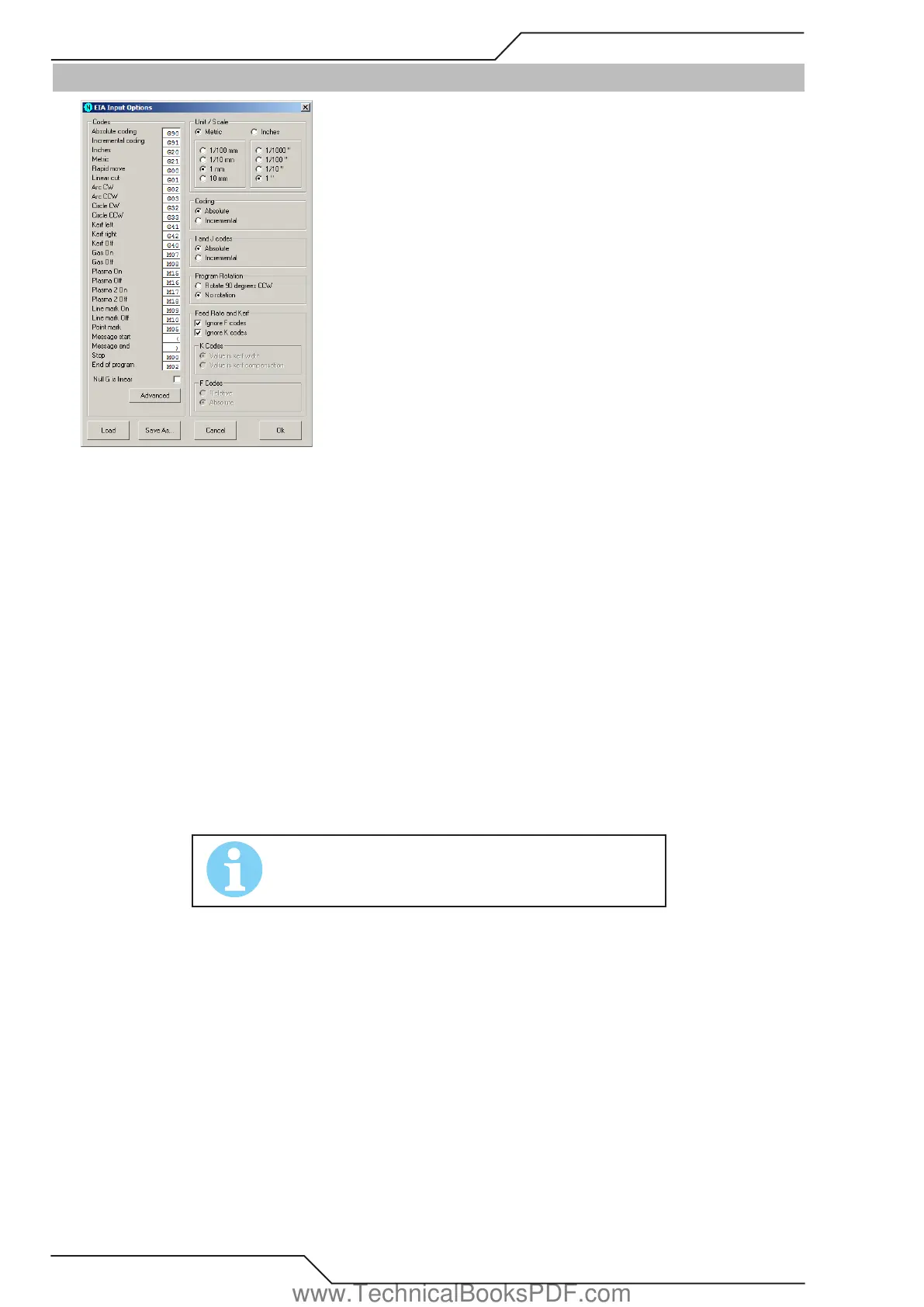
These options are used when ProMotion® Nest reads EIA files.
Codes
EIA files are interpreted according to these codes. These codes should match the codes used in the EIA file.
Null G is linear
When this option is set, ProMotion® Nest interprets lines without G-codes as linear movement. If the cutting is on, then it is linear
cutting, otherwise it is just rapid movement. When this option is not set, lines without G-codes are interpreted as the same type that
was the last read G-code.
Unit / Scale
These options set the default units and scale used in EIA files. If an EIA file has unit definition, then that overrides this setting. The
scale is always defined here.
Coding
If coding is set to absolute, then all X and Y coordinates are absolute. Otherwise they are incremental.
I and J codes
I and J codes are the coordinates of the center point of an arc. If set to absolute all I and J codes, as well as X and Y codes, are absolute,
if not they are incremental. If X and Y codes are set to incremental then I and J are also incremental.
NOTE!
“Coding” and “I and J codes” have eect only when they are not
dened in the EIA le.
Program Rotation
If rotation is selected, then all new nestings read from EIA files are rotated 90 degrees counter clockwise.
Feed Rate and Kerf
• Ignore F codes If this option is set, then all F codes (feed rates) are ignored when reading files.
• Ignore K codes If this option is set, then all K codes (kerf) are ignored when reading files.
• K Codes
a. Value is kerf width If this option is set, then the value of the K code is interpreted as kerf width.
b. Value is kerf compensation If this option is set, then the value of the K code is interpreted as kerf compensation.
• F Codes
a. Relative If this option is set then F codes are interpreted as percentage of the full feed rate.
b. Absolute If this option is set then F codes are interpreted as millimeters or inches per minute.
www.TechnicalBooksPDF.com



 To Next Page