iCNC PERFORMANCE
5-38 NESTING Manual 0-5399
5.12 Options Menu
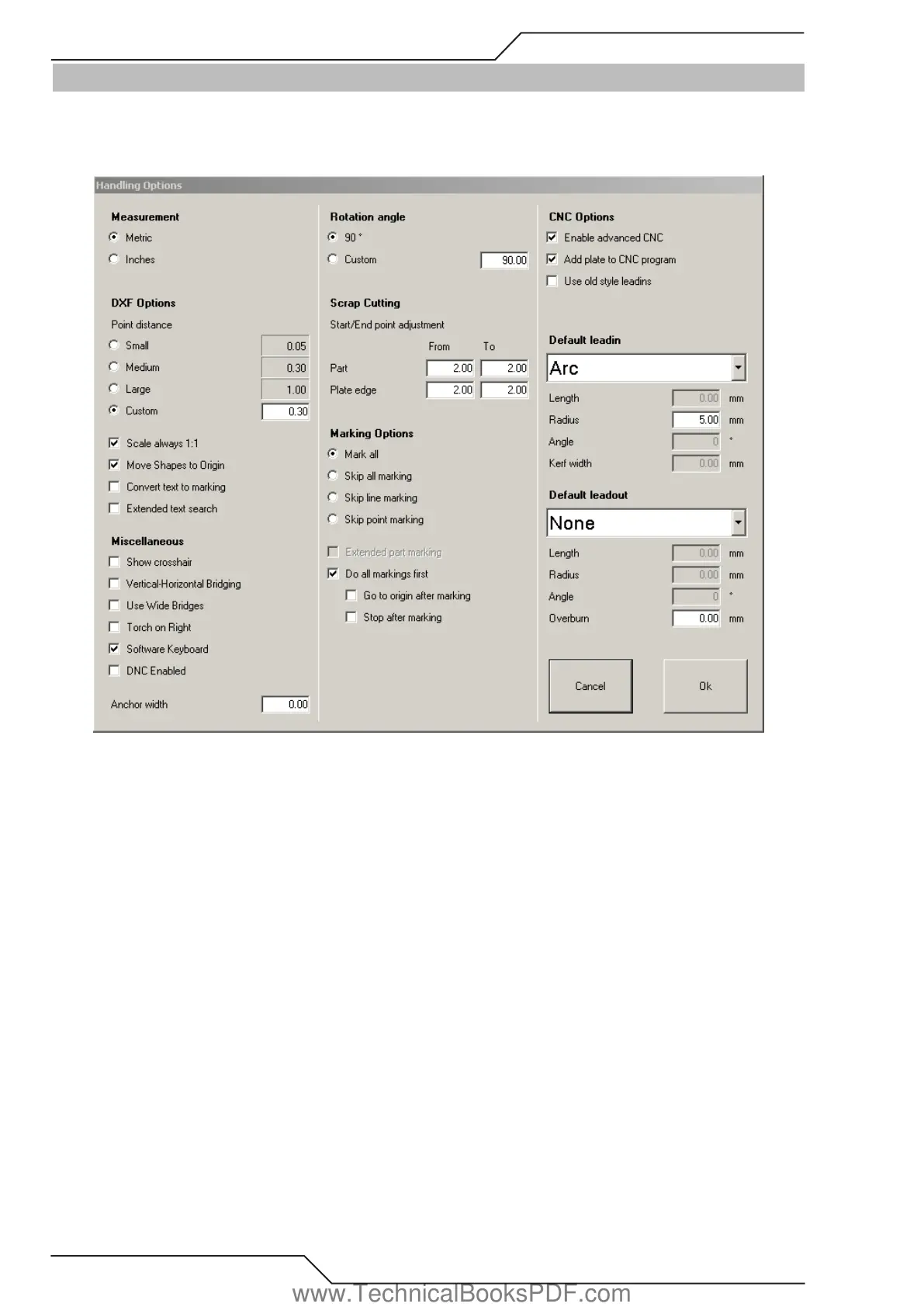
The Options menu provides tools to configure the ProMotion® Nest software.
5.12.1 Handling Options
Measurement
Measurement is either in millimeters or inches. This option defines which.
DXF Options
• Point Distance If two points are this close to each other, then they are assumed to be the same point. Important! Note: Change the
point distance before loading a file.
• Scale always 1:1 When reading DXF files ProMotion® Nest tries to detect which measurement is used in the file. This detection is
ignored, if Scale always 1:1 is checked. Then the DXF file is read in millimeters or inches depending on the measurement setting.
• Move Shapes to Origin If this option is selected, then the shape in DXF file is moved so that its minimum coordinates are at 0,0
point. If the DXF file contains a nesting (more than one shape), then the nesting is moved so that its minimum coordinates are
at 0,0 point. All the shapes in the nesting are moved exactly the same distance, so their relative position to each other does not
change.
• Convert text to marking If this option is checked, ProMotion® Nest converts DXF text entities (TEXT and MTEXT) to marking lines.
Those marking lines form the same text that was in the DXF file. Note: This option is part of the marking text module. Marking text
module is an optional module and it’s not part of the basic module.
• Extended text search Usually ProMotion® Nest searches the text entities at the same region (of DXF file), where the other entities
are located. If you check this option ProMotion® Nest searches text entities from the beginning of the file to the end of the file.
www.TechnicalBooksPDF.com



 To Next Page