iCNC PERFORMANCE
Manual 0-5399 NESTING 5-31
5.8.5 AutoFill
This tool fills the remaining area of the plate with the copied shapes. ProMotion® Nest nests all shapes automatically to get optimal
fill. The nesting options affect to the performance of this tool.
Follow these steps to fill a sheet:
1. Copy a shape by using the Copy tool.
2. Click the AutoFill button .
5.9 Cutting
5.9.1. Optimize Cutting Order
Use this tool to let ProMotion® Nest to make cutting order for you. ProMotion® Nest will calculate the optimum cutting order so that
parts are always cut near the edge of the plate. Please note that when a part is cut off the plate it leaves a hole, which is now the edge.
The idea is to prevent the heat to bend the plate.
If you are not happy with the result, you can easily change the cutting order using the Change Cutting Order tool.
5.9.2 Change Cutting Order
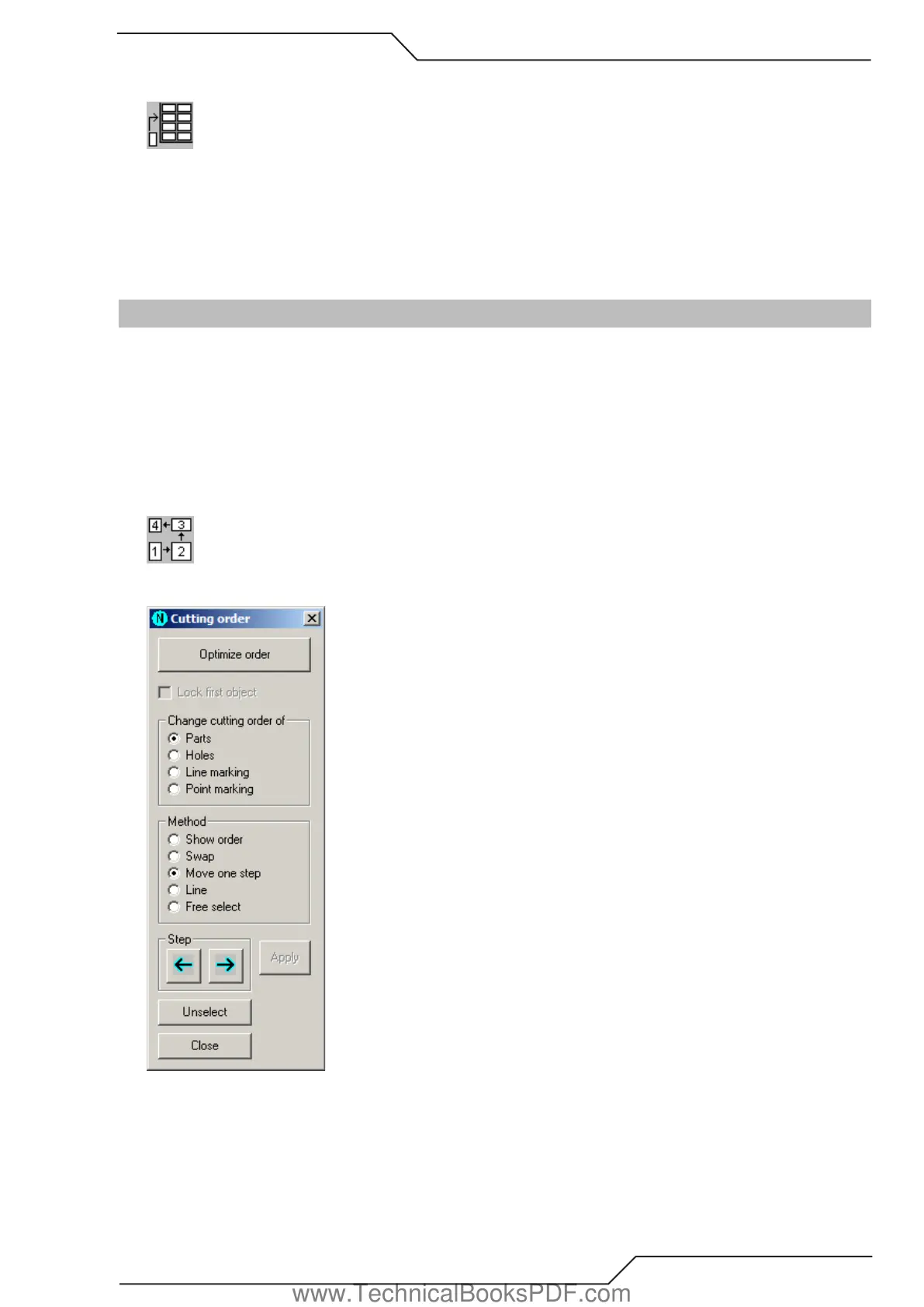
When this tool is activated, the following dialog will appear:
You can let ProMotion® Nest to do the cutting order for you by clicking the Optimize order button. See more details at Optimize Cut-
ting Order. You can also do the cutting order yourself by using this tool.
The cutting order can be changed between Parts (shapes), Holes, Line Marking Profiles and Point Marking points.
There are five methods which can be used to change the cutting order: Show Order, Swap, Move One Step, Line and Free Select.
www.TechnicalBooksPDF.com



 To Next Page