iCNC PERFORMANCE
Manual 0-5399 OPERATION 3-15
3.9 Homing Procedure
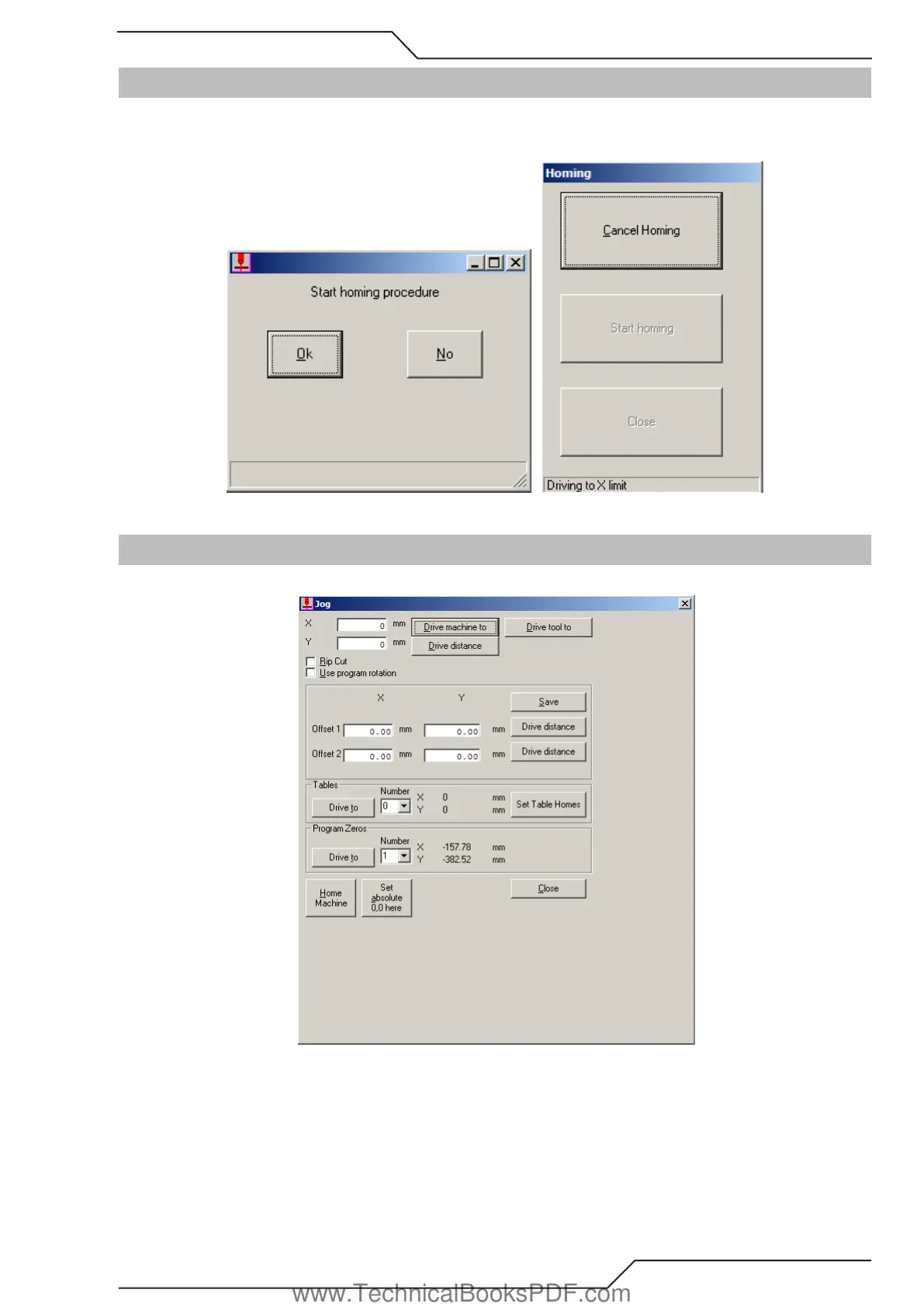
During initial power up, the iCNC Performance may display a Start homing procedure dialog box. If you select Yes, the machine will
automatically locate the absolute zero home location. As a default, this is normally set at the bottom left corner of the cutting table, however
this is selectable in the set-up parameters. If you select No, the dialog box disappears and no movement is executed.
3.10 Jog
When selecting the Jog Button, the Jog dialog box will appear.
You can use the Jog tool only when a cutting program is not running and the controller is not in Manual Mode. Use this tool to drive the
machine to a position (X,Y) or to drive a distance (X,Y) from the current position. Driving is usually done in rapid speed. It is also possible
to cut with this tool, if you have checked the Rip Cut box.
If “Use program rotation” is checked, the coordinates where you drive are corrected according to the program rotation. The program rota-
tion is set in the parameter quick view screen.
www.TechnicalBooksPDF.com



 To Next Page