iCNC PERFORMANCE
3-8 OPERATION Manual 0-5399
3.3 Front Panel Buttons
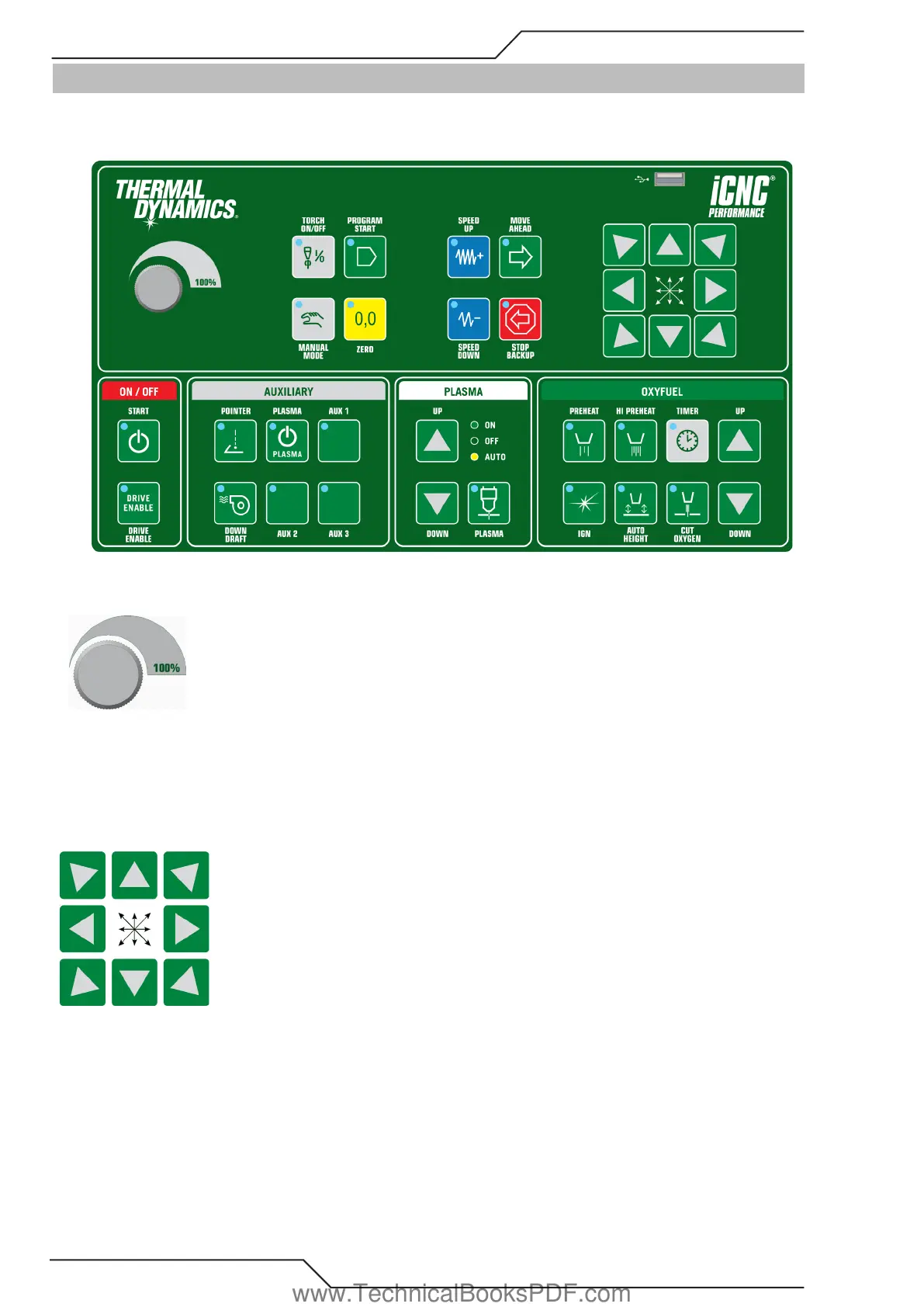
The iCNC Performance operating control panel is located below the LCD graphics screen. Most machine motion and cutting
functions are initiated using this operating control panel.
3.3.1 Speed Potentiometer
Turning the potentiometer counter clockwise decreases the actual speed in comparison with the programmed speed. This potentiometer
is only used in special cases, such as temporarily slowing down the cutting speed. Turning the dial down below 100 % causes the
Torch Hold / Corner signal to be activated, which freezes the automatic torch height control at that height. In most cases the speed
potentiometer is set at 100% clockwise.
3.3.2 Direction Jog Keys
MANUAL MODE must be activated before using the jog function. Press and hold a directional button and the machine will move in
that direction. Releasing the button will cause the machine to stop. Pressing and holding two adjoining directional buttons will move
both axis simultaneously in a 45 degree direction.
www.TechnicalBooksPDF.com



 To Next Page