iCNC PERFORMANCE
Manual 0-5399 OPERATION 3-7
3.2.1 Plasma Setup
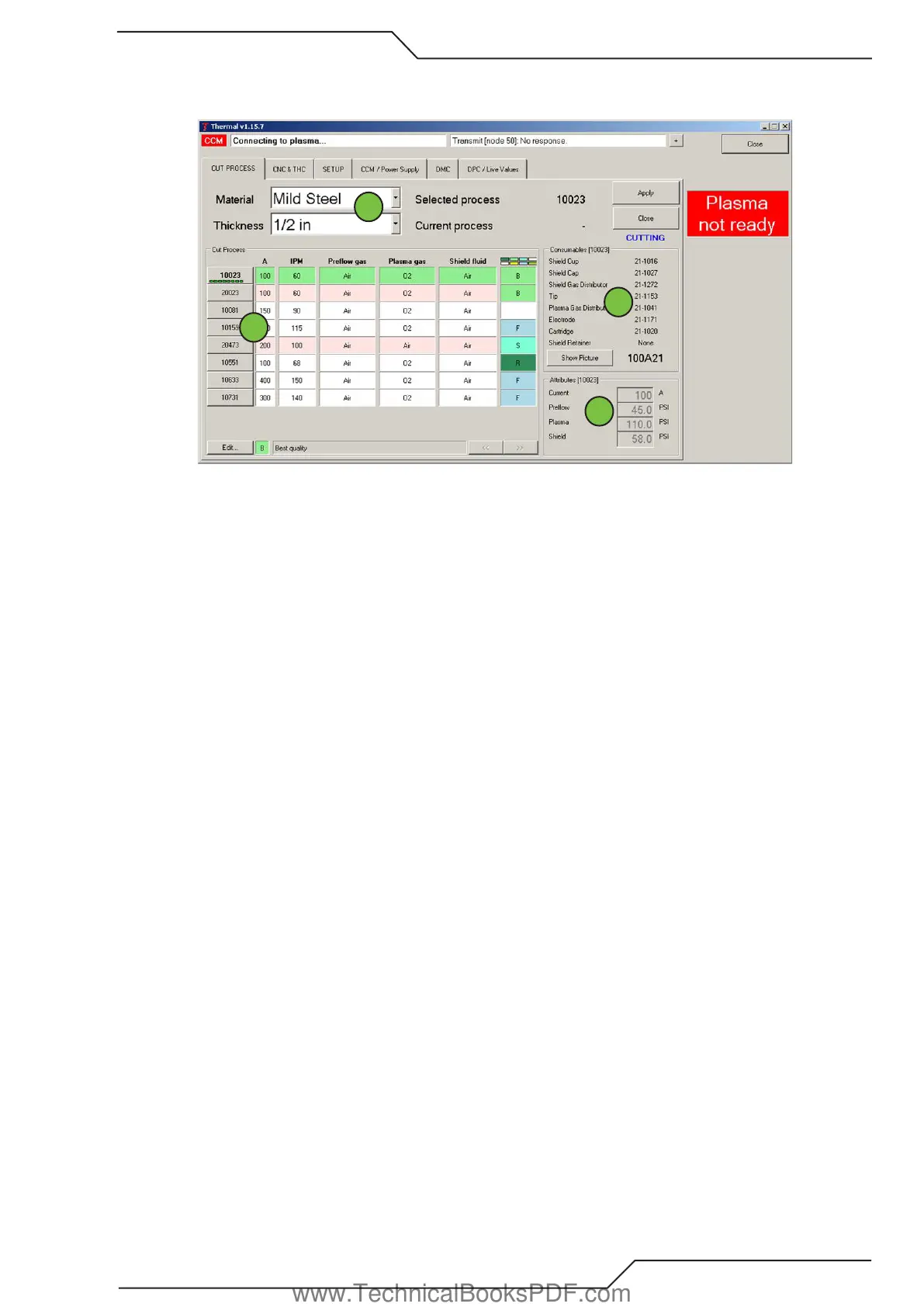
Definition of areas under the Cut Process Tab are shown on the bottom of the Thermal Screen
1
2
3
4
1. Use the drop down boxes to select the material and thickness to be cut.
2. The available cut processes for the selected material and thickness will be displayed along with information indicating which
process is “B” for Best cut quality. “F” for Fastest cut speed. “R” using the robotic consumables for beveling. “M” indicating
maximum piercing thickness. Select the desired process by clicking on the Cut Process number and clicking the “Apply” button.
When “Current process” equals “Selected process” the plasma is ready to cut. If red “Plasma not ready” is on check that the
plasma is enabled via a switch located on the CNC panel.
3. This area shows the consumable to be used for the selected process. Click on “Show Picture” to see a picture of the consumables.
4. This area shows the cutting current and gas pressures that will be used for the selected cutting process.
www.TechnicalBooksPDF.com



 To Next Page