iCNC PERFORMANCE
4-2 iHC Manual 0-5399
4.2 iHC User Interface
The iHC can be almost invisible to the operator because the Height Control Parameters can come from the cutting program or fully automati-
cally from the Material/Thickness/Tool parameter sets. This window does not hide any controls normally used to run the iCNC Performance
it can be viewed at all times. This chapter describes the User Interface at the controller when the automatic parameter setting features are
not in use. This allows for changes at the time of cutting and/or settings before starting to cut.
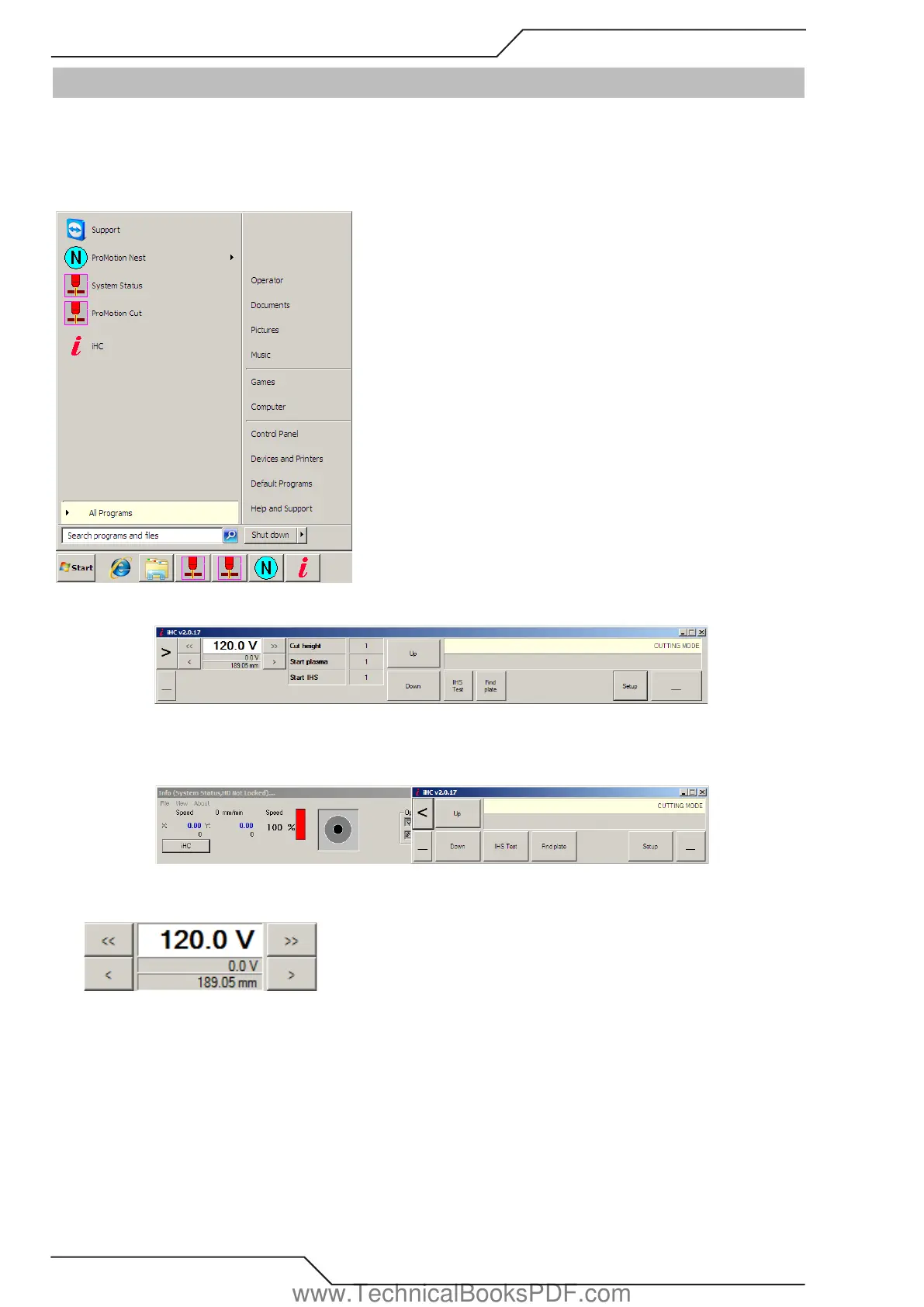
To start the software select “iHC.exe-Shortcut” from the Windows Start menu.
Main Bar
The large right pointing arrow can be used to make the iHC main bar smaller. This allow operator to see position and other information
about the machine.
• On the left side of the main window there is a display showing the set value for Arc Voltage. The Arc Voltage can be modified using
the left and right arrows on the sides of the slider. One click changes the voltage 1V or 0.1V.
• If AVC Sampling is used the left side of the main window will show the cutting distance. One click changes the cut height 0.5mm or
0.1mm.
www.TechnicalBooksPDF.com



 To Next Page