iCNC PERFORMANCE
Manual 0-5399 NESTING 5-43
Load & Save As...
If you need to read different EIA files from different sources it is useful to save the settings for each EIA type separately. Save the
settings by using the Save as button and load them back with the Load button.
See also EIA Programming.
5.14.1 Advanced EIA
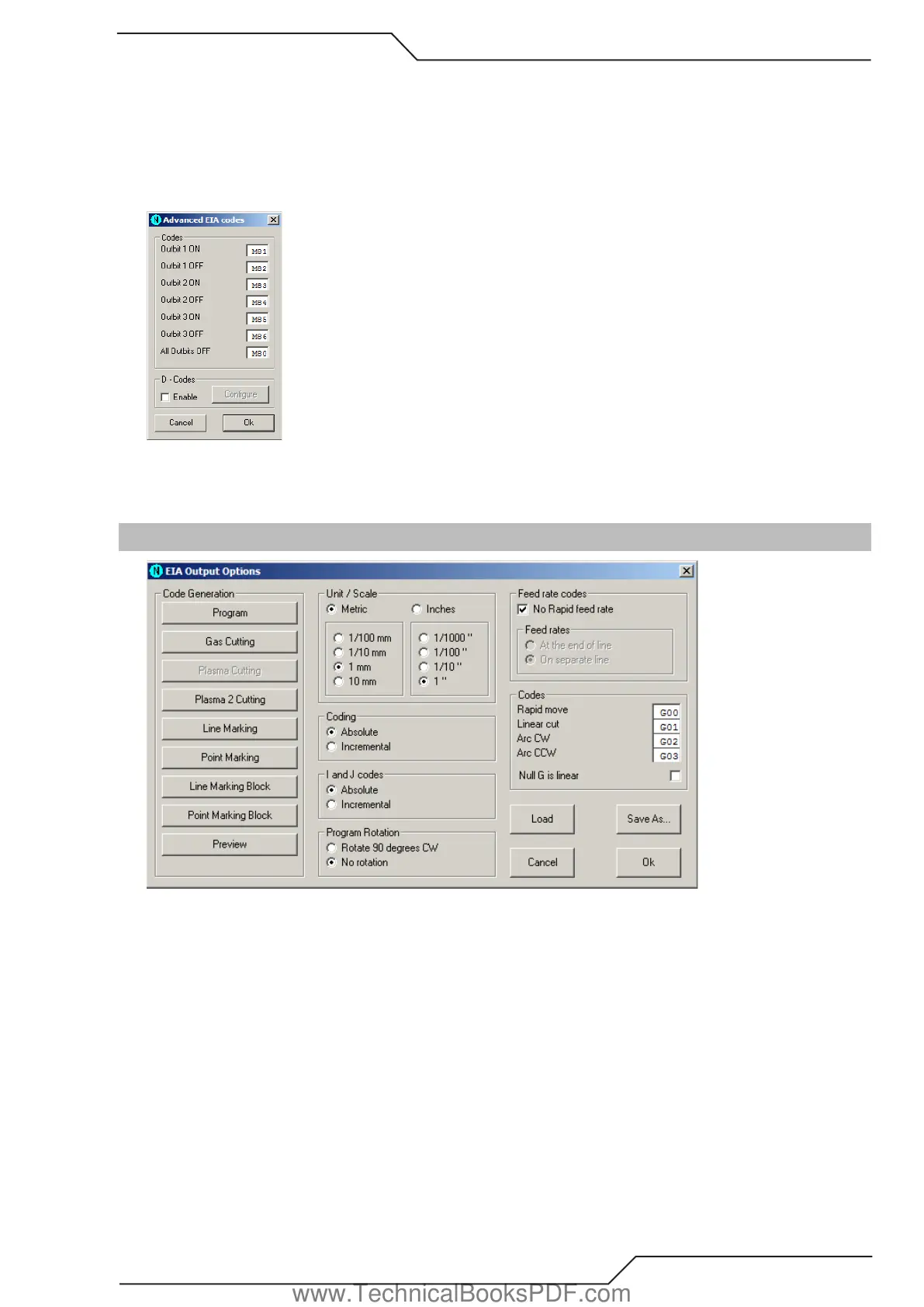
Here you can configure the outbits for EIA input. The meaning of these outbits are explained in the ProMotion® Cut manual.
D codes are predefined kerfs used in some systems. Choose Configure to change the kerf values of D codes.
5.15 EIA Ouput Options
These options apply to the saving of EIA files.
Code Generation
Use these commands to define start and end sequences of different actions. See Code Sequences for more information.
Unit / Scale
These options set the unit and scale used in saved EIA files.
Coding
If coding is set to absolute, then all the X and Y coordinates are absolute. Otherwise they are incremental.
I and J codes
I and J codes are the coordinates of the center point of an arc. If set to absolute, all I and J codes are absolute. Otherwise they are
incremental. If X and Y codes are set to incremental, then I and J are also incremental.
Program Rotation
If rotation is selected then all generated EIA files are rotated 90 degrees counter clockwise.
www.TechnicalBooksPDF.com



 To Next Page