iCNC PERFORMANCE
Manual 0-5399 NESTING 5-1
SECTION 5: NEST
5.1 ProMotion
®
Nest
ProMotion® Nest is software which converts CAD pictures (DXF format) to cutting programs. It is also possible to modify existing
cutting programs (EIA, ESSI or CNC-2 format).
Basics
When ProMotion
®
Nest loads a CAD picture it adds cutting technology (kerf side, piercing points, cutting order, etc.) to shapes auto-
matically. If you want, you can easily change any of those settings. Copy the shapes to a plate, nest, set cutting order, etc. and either
send the cutting program to ProMotion® Cut or save it for later use.
ProMotion® Nest user interface
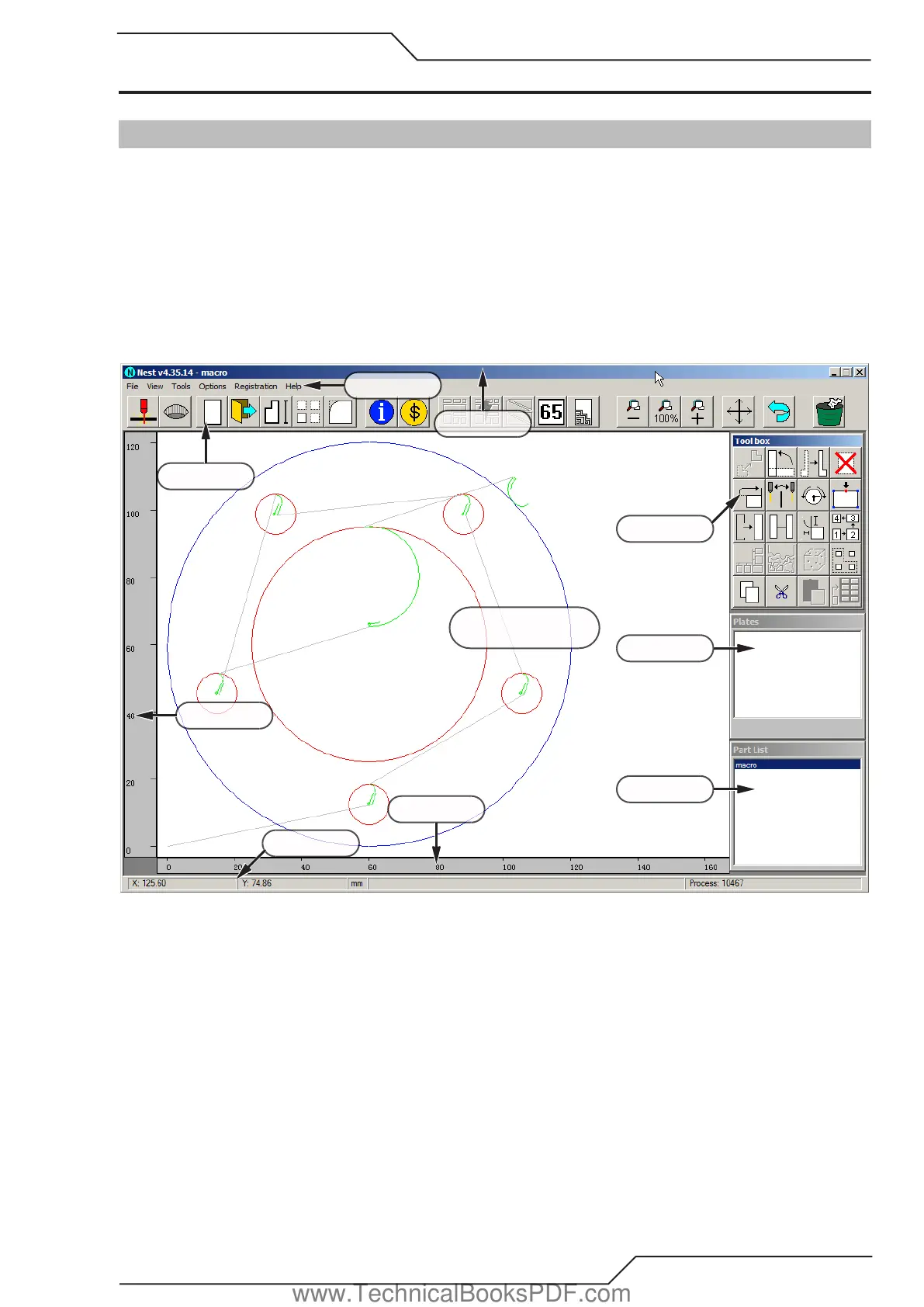
ProMotion® Nest user interface is a collection of several small windows, buttons and bars. Below is a brief description of all of them.
Menu bar
Tool bar
Title bar
Y-coordinates
X-coordinates
Status bar
Toolbox
Work window
Plate list
Part list
Title bar
The Title Bar is at the top of the ProMotion® Nest window. It contains the version number, the name of the registered user and the
name of the active job.
www.TechnicalBooksPDF.com



 To Next Page