iCNC PERFORMANCE
3-6 OPERATION Manual 0-5399
3.2 Process Selection / Plasma and Gas
1
2
3 4
7
65
8
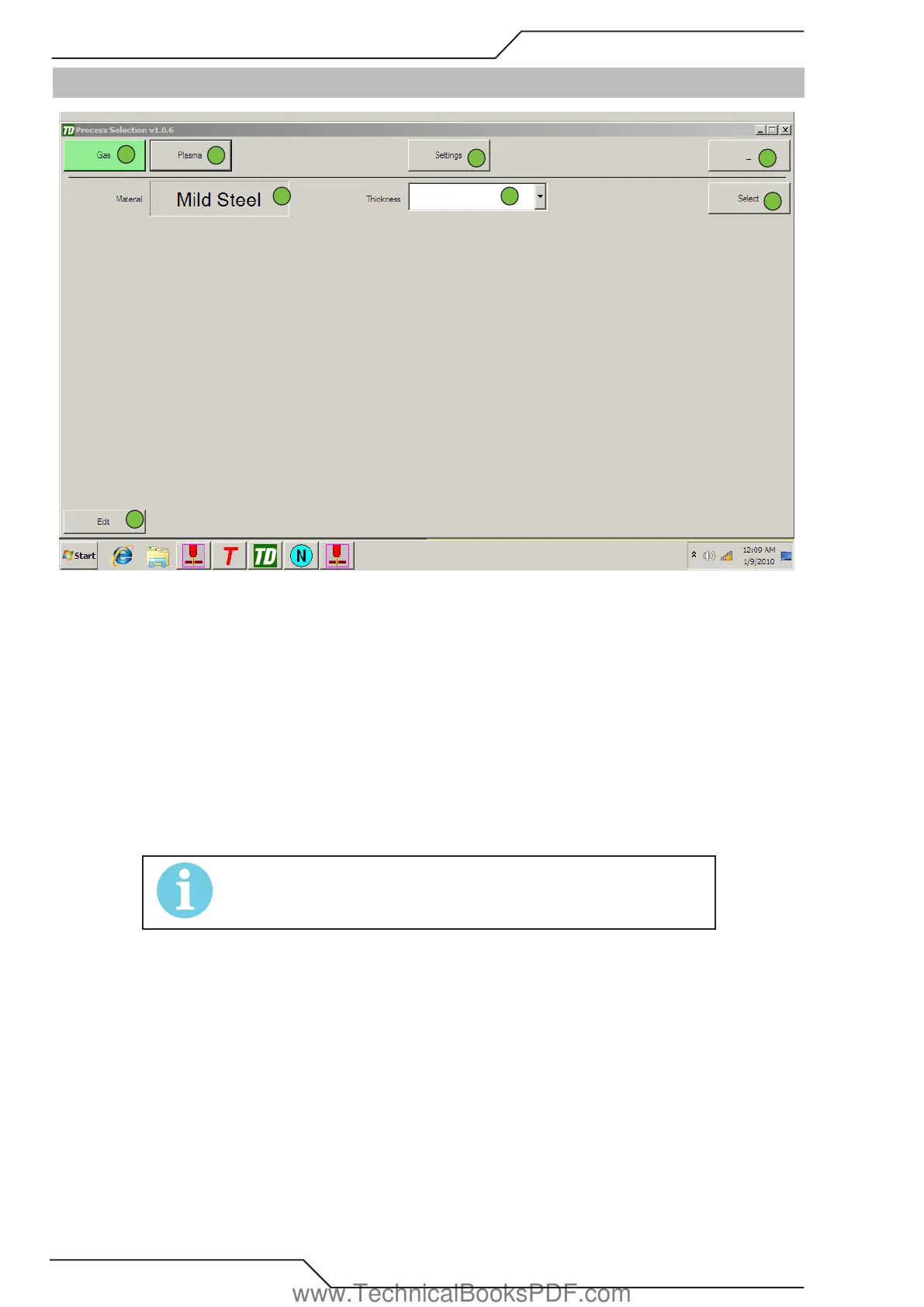
In this window you can select the process used to cut or edit existing processes.
1. Clicking Gas will open the gas parameter set selection.
2. Clicking Plasma will open the plasma process window.
3. Settings opens common setting like tool offsets, rapid speed etc.
4. Minimizes the window.
5. Shows the material. If there are more than one material you can change between materials.
6. Select thickness
7. Applies the selected process and sets all cutting parameters.
8. Lets you edit the selected process..
NOTE!
See more details from “3.14 Advanced Process Selection Fea-
tures” on page 3-20“
www.TechnicalBooksPDF.com



 To Next Page