iCNC PERFORMANCE
3-2 OPERATION Manual 0-5399
3.1.1 Info (System Status)
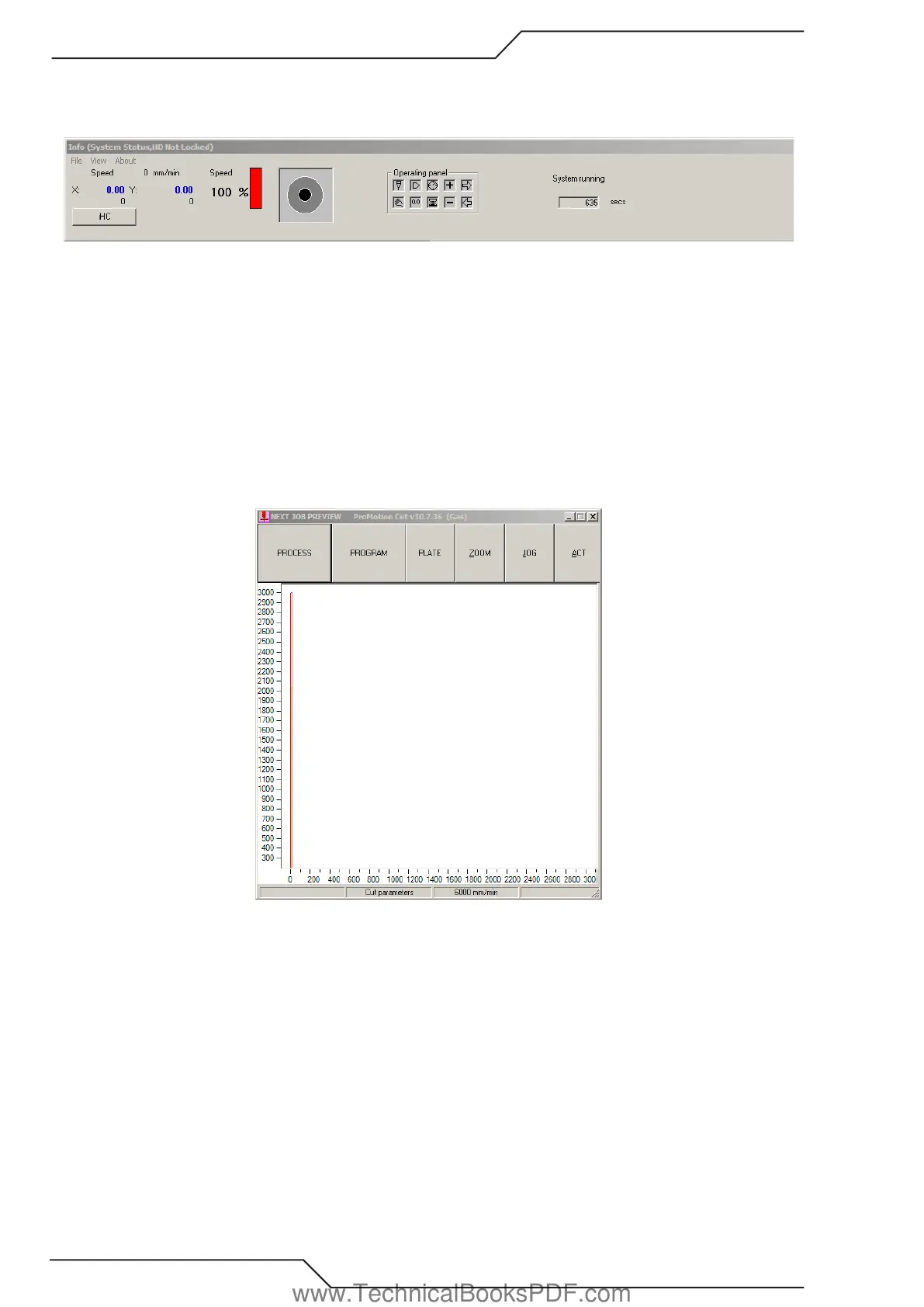
This is located on top of the screen. The info screen shows system information and is used for diagnostics and troubleshooting.
• Speed IPM (or metric) indicates machine speed.
• X & Y readouts indicate absolute position of the cutting tool.
• Speed Bar in %. This is interfaced directly with the Speed Potentiometer and will reflect the speed pot setting.
• Jogging direction indicator. Monitors and shows which direction/jogging key is pressed.
• Operational Panel – Interfaced with the 9 push buttons. Monitors which button is pressed or activated.
• System Running – Indicates that the second CPU is activated and functionally properly.
3.1.2 ProMotion Cut – Next Job
Located on the left hand side of the screen, the ProMotion Cut Screen is the starting point to navigate throughout the different screens.
www.TechnicalBooksPDF.com



 To Next Page