iCNC PERFORMANCE
5-28 NESTING Manual 0-5399
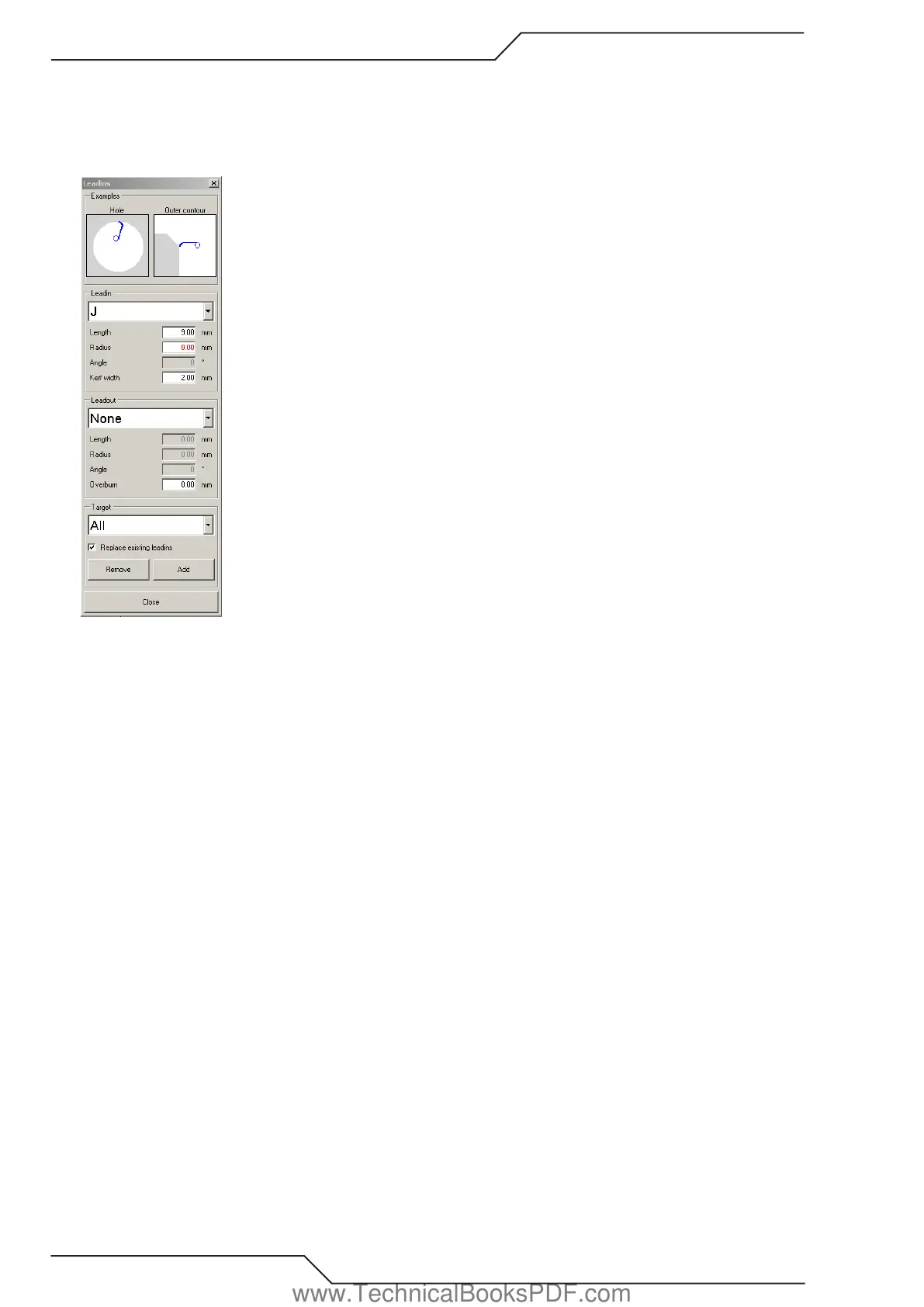
Examples:
How to add a leadin/out:
1. Choose the type of leadin you want. Set Length, Radius etc.
2. Choose the type of leadout you want. Set Length, Radius, Overburn etc.
3. Click the profile where you want to add a leadin.
How to change a leadin into another:
Repeat steps 1-2 above.
3. Check the “REPLACE EXISTING LEADINS” box.
4. Click the profile that has the leadin you want to change.
How to add a leadin and leadout to a profile:
1. Check the “LEADIN” box.
2. Choose the type of leadin you want.
3. Check the “LEADOUT” box.
4. Choose the type of leadout you want.
5. Click the profile to add the leadin and leadout.
How to change all leadins and leadouts of Hole profiles:
Repeat steps 1-4 above.
5. Check the “ REPLACE EXISTING LEADINS “ box.
7. Select “HOLE PROFILES”
8. Choose “ADD”.
How to remove all leadouts:
1. Set leadin to “None”.
2. Set leadout to “None”.
3. Select target “ALL PROFILES”
4. Click “ADD”.
www.TechnicalBooksPDF.com



 To Next Page