iCNC PERFORMANCE
5-36 NESTING Manual 0-5399
5.10.7. Drill Select
Adds a special tool selection code for a point marking (drill) point. Select the tool from the menu that pops up when you right-click
the screen. When this tool is active you can see small flags on each point marking point. The flags show the currently selected tool.
5.10.8. Plate-Part-Plate
This tool simply converts a plate to a part and vice versa.
Exceptions: Conversion does not work if...
• There are any parts on the plate.
• There are multiple parts on screen.
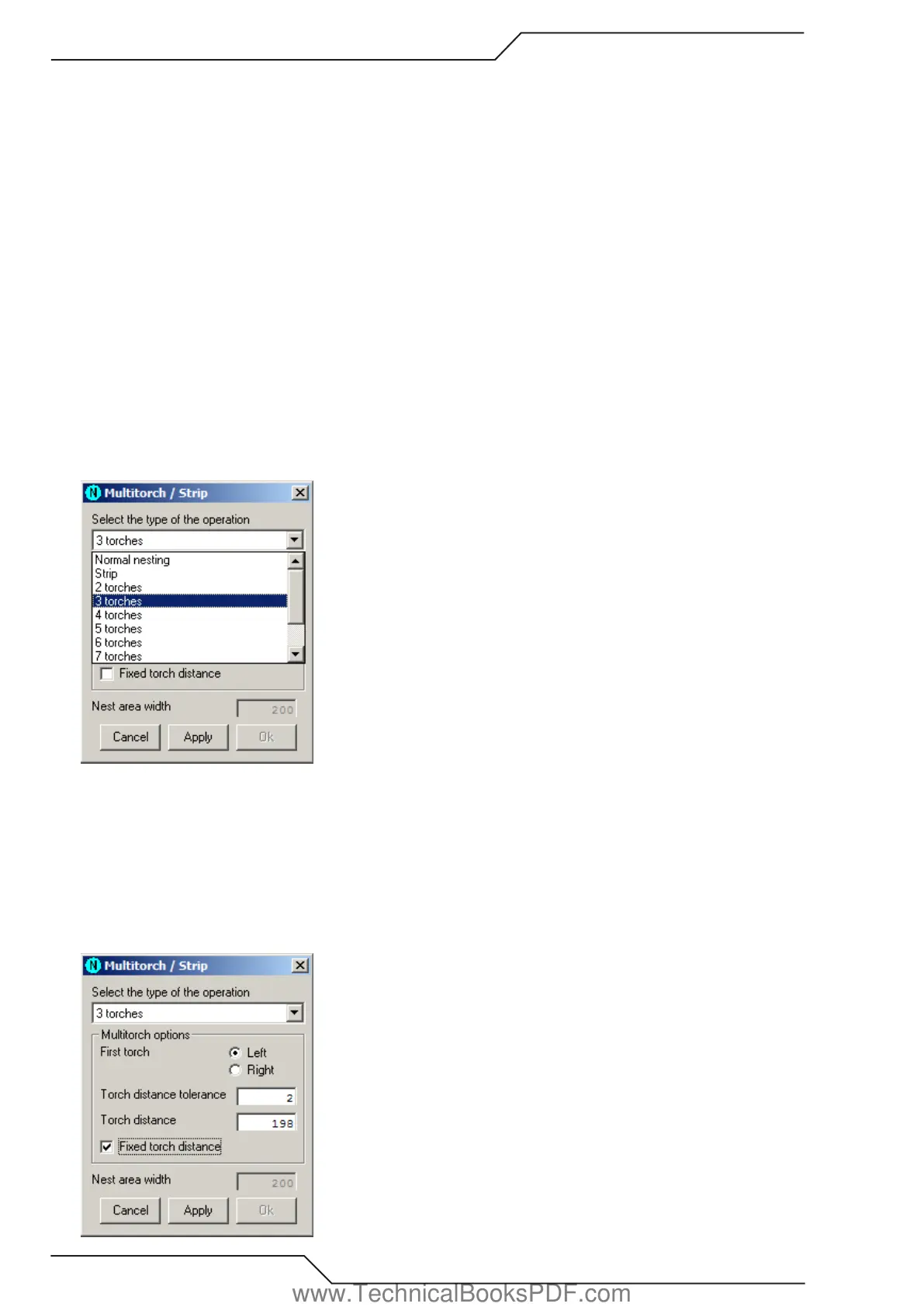
5.10.9. Single/Multitorch settings
Select the type of the operation from the following list:
• Normal nesting Removes all multitorch data from the plate and it becomes a normal plate again.
• Strip There is only one torch, but the automatic nesting process uses only a narrow strip instead of the whole plate. The strip’s
width is given to the textbox Nest area width. It is also possible to show nesting area with Show nesting area tool.
• n torches You can set the maximum number of torches in Handling options. This operation divides the plate into n parts of equal
size and divides the shapes of the current nesting between them. Only those shapes which the first torch will cut are displayed
normally and the rest are displayed as shadows.
Multitorch options:
• First torch Sets the first torch on left or right.
• Torch distance tolerance The maximum error allowed in distance between two torches and also in distance measured from the first
torch.
• Torch distance The distance between two torches. The system calculates this for you, if you haven’t chosen the fixed torch distance.
• Fixed torch distance If you want to set the torch distance by yourself, check this option. This way you can define narrow nesting
areas.
www.TechnicalBooksPDF.com



 To Next Page