21
Operating Instruction TNI soft Flow 50 homecare system
3.2) Starting and stopping the TNI soft Flow 50
WARNING
To avoid electric shocks,
• make sure that the TNI soft
Flow 50 is dry before connecting it to the power supply.
• make sure that the voltage (100-240 V) and mains frequency (50-60 Hz) admissible for the
TNI soft
Flow 50 comply with your local characteristics.
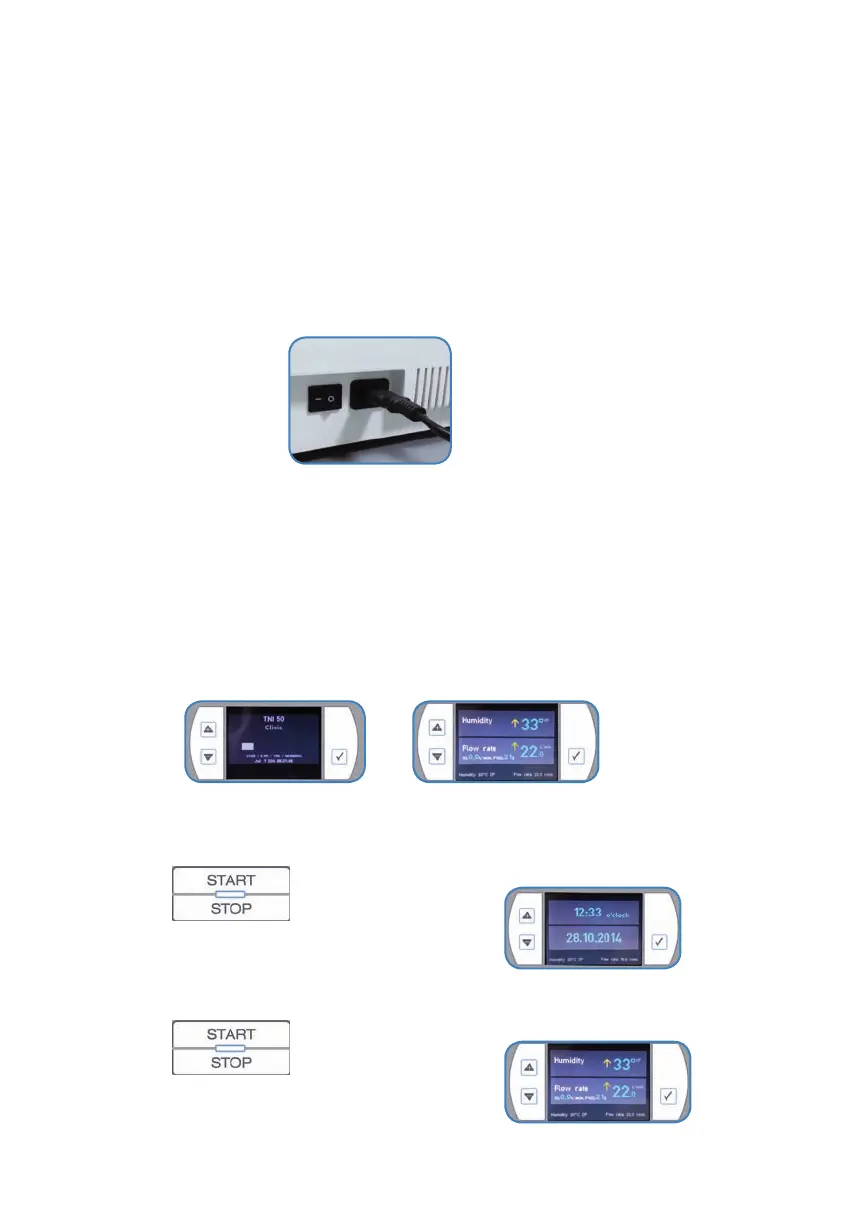
3.2.1)Switchingon/o
• ToturnontheTNI soft Flow 50pressthemainswitchattherightsideofthedevice.Move
therockerswitchto„1“.
• Thedeviceswitchesonshowingforapproximately5seconds
o thermware-statusand
o theselectedhumidiertype
• andbeginstooperate.
• Duringtherstcommissioningthesystemstartswiththefactury-setsystemandparameter
values(humidication=30°TPandowrate=10l/min).
• Aftertherstapplicationthesystemstartswiththepreviouslysetvalues.
• Ifnecessary,applytherequiredquantityoxygentotheTNI soft
Flow 50.
3.2.2)Activatingstandby-mode
• Stopptheoxygensupply.
• Press
• Thesystemturnso.
• TheTNI soft
Flow 50showsthestandbydisplay.
3.2.3)Deactivatingstandby-mode
• Press
• Thesystemturnson.
• Thedisplayshowstheoperationmode.



 To Next Page