22
Operating Instruction TNI soft Flow 50 homecare system
3.3) Operating elements of TNI soft Flow 50
• TheTNI soft Flow 50isoperatedviamembranekeys.
3.3.1)OperatingelementsofTNI soft Flow 50
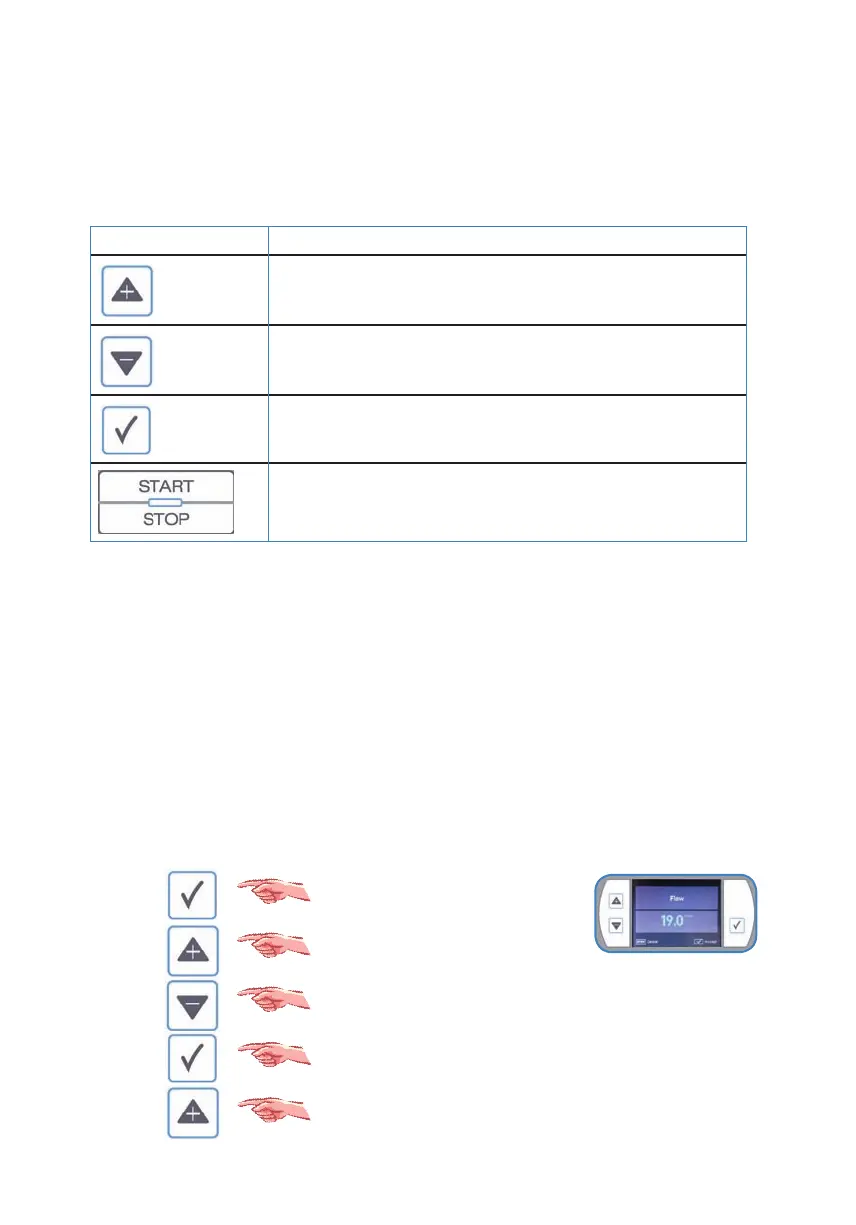
TheTNI soft Flow 50 functionkeysarepositionedtotheleftandrightofthedisplay.
KEY FUNCTION
Eachkeystrokeincreasestherespectivevalueormovesthe
selectedcursorupwardsthroughthemenu
Eachkeystrokedecreasestherespectivevalueormovesthe
selectedcursordownwardsthroughthemenu.
Activatesthesetupmenuor
conrmsthedatainput
Startsandstopsthetherapyor
Stopsthemenuinput
3.3.2)Basicusermenue
• TheTNI soft Flow 50hasasophisticatedusermenu:
o Clinic menu accessblocked,fortechnicalstaonly!
o Date
o Time
o Language
o System information
o Therapy hours
o Humidity
o Service menu accessblocked,fortechnicalstaonly!
• Basicsystemsettingsandmodicationoftherapyparameterscanberealizedviamenu.
Opensthemenudisplay
Markmovesupwards
Markmovesdownwards
Takestheselectedmenupoint
Increasestheparametervalue



 To Next Page