28
6.4.5 Key Function Parameter Mode
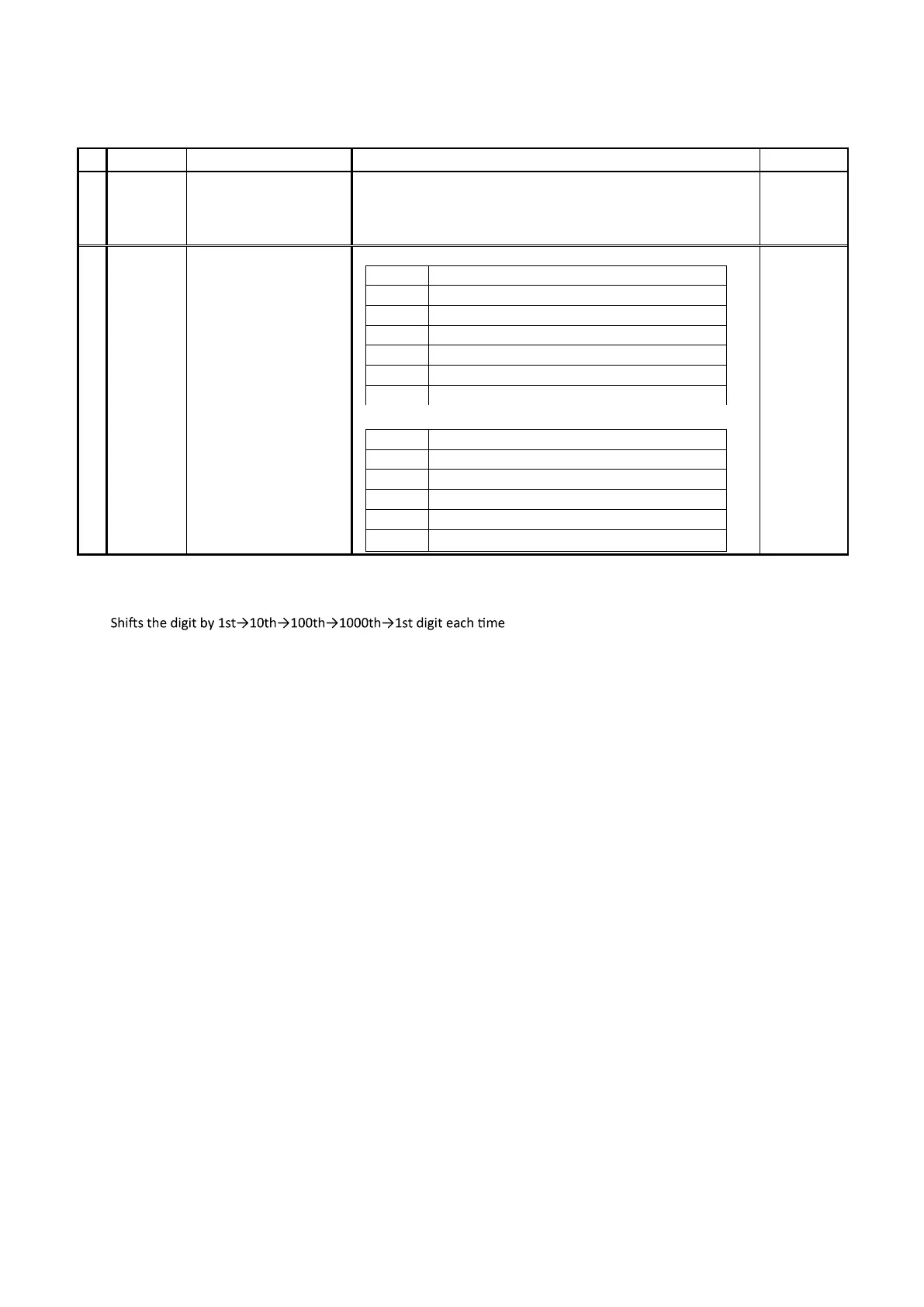
■ Function key function setting
Character
Name
Description
Initial Value
1
SET2
KEY
Setting Mode Selection
Screen
Key Function Parameter
Mode
Settings about Key Function
2
FU
Function key function
setting
Function Settings
*0
No Function
*1
Digit Shifting Key
*2
RUN/READY Key
*3
AT Start/Stop Key
*4
Timer Start/Reset Key
*5
Alarm Reset Key
*6
ENTER Key
Setting of the Length of Time in which the Key Is Being Pressed
0*
None
1*
Key is pressed for 1 second
2*
Key is pressed for 2 seconds
3*
Key is pressed for 3 seconds
4*
Key is pressed for 4 seconds
5*
Key is pressed for 5 seconds
00
・ Function Settings
1) Digit Shifting Key
the F key is pressed. This allows the user to change the
setting smoothly.
2) RUN/READY
Pressing the F key will switch the control mode from start to stop and vice versa.
3) Start AT/Stop AT
It serves as the key to start/stop automatic tuning during the control of PID.
4) Start/Reset Timer
It serves as start/reset key when the timer setting is set to manual start. It also serves as start/reset key for the timer
operation that was ended.
5) Reset Alarm
Allows the user to reset the event output condition.
6) ENTER
Uses the F key as the key to memorize the setting value.
Note 1: Proceeding to the next parameter without memorizing the changed setting will cause the resumption of the
previous setting.
Note 2: To change the function from ENT to another function, press the F (ENT) key after selecting the other function.
・ Setting of the Length of Time in which the Key Is Being Pressed
Allows the user to set the length of time the key needs to be pressed before the F key takes effect.


 To Next Page