32
■ Tuning type setting
Character
Name
Description
Initial Value
1
SET3
CNT
Setting Mode Selection
Screen
Control Parameter Mode
Settings about Control
6
DIR
Tuning type setting
0
Reverse Action
1
Direct Action
0
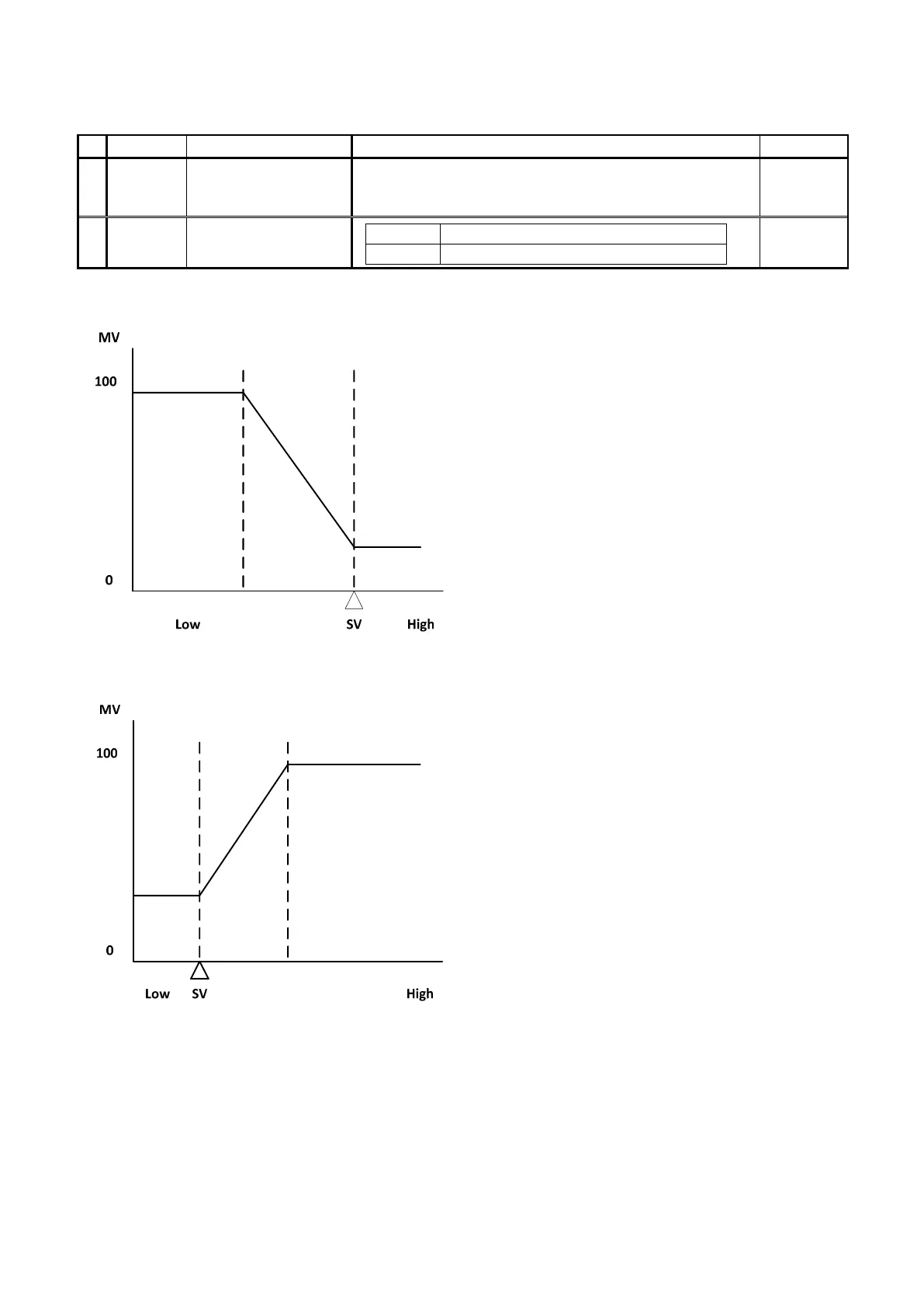
<Reverse Action>
・ The control that increases the manipulated variable while PV (measurement value) is lower than SV (setting value) is called
“Reverse Action (Heating Control).”
<Direct Action>
・ The control that increases the manipulated variable while PV is higher than SV is called “Direct Action (Cooling Control).”
Note: Please take note of the following upon setting Output 2.
・ If Output 1 is set to 0 (Reverse Action), Output 2 will be automatically set to Direct Action.
・ If Output 1 is set to 1 (Direct Action), Output 2 will be automatically set to Reverse Action.


 To Next Page