12
COMPONENTS
OPERATION METHOD OF CONTROL PANEL
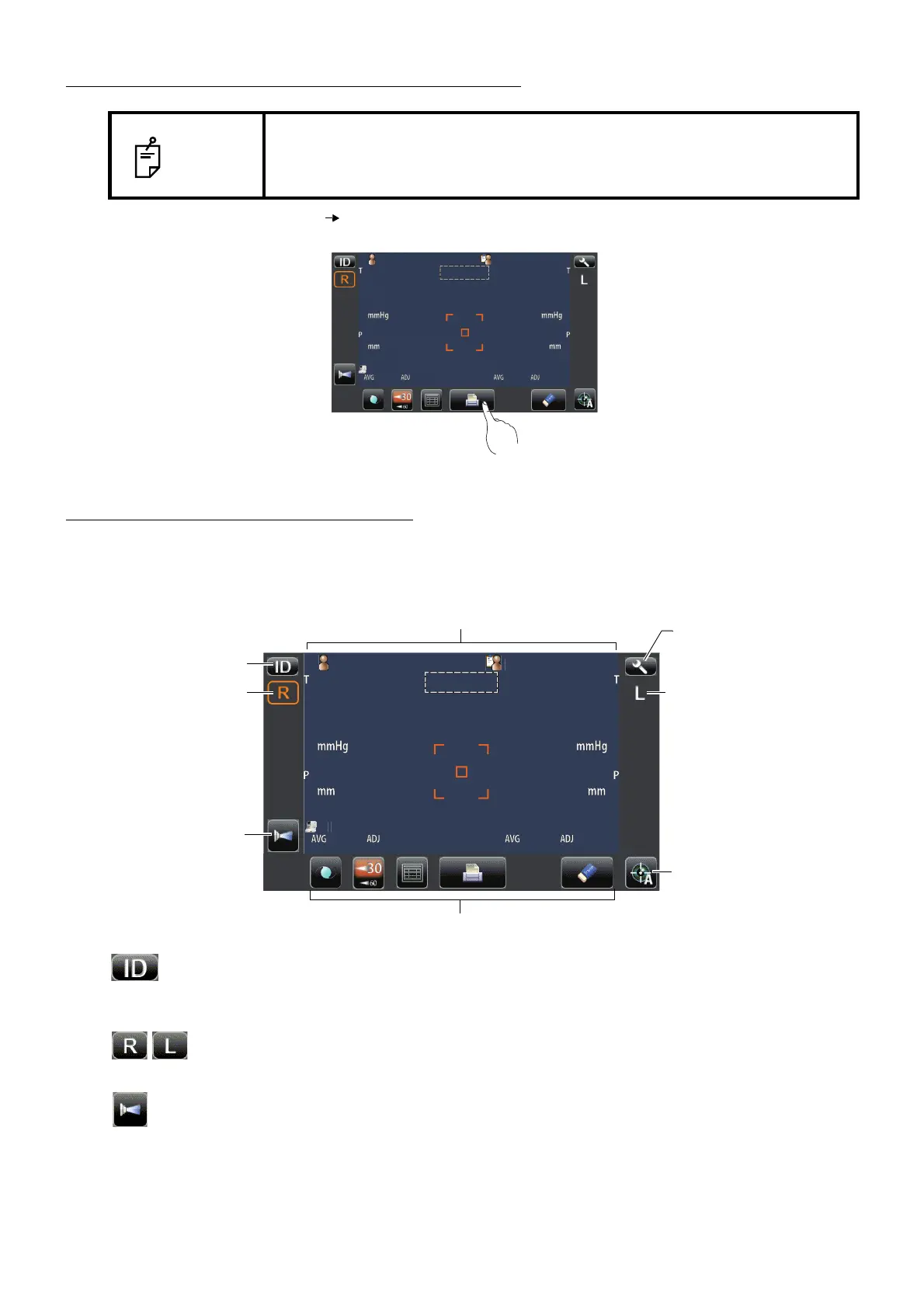
CONTROL PANEL COMPONENTS
The control panel is designed as a touch panel for performing various operations and settings. It dis-
plays images and shows information, including set conditions and measurement results.
ID button...............................................Input the patient ID (up to 13 characters) and operator ID (up
to 13 characters). However, if no patient ID is input, the
patient No. is allocated automatically.
R display/L display...........................Shows the measured eye is R (Right eye) or L (Left eye).
The measured eye is framed in orange.
Air check button.......................................Checks that the measurement system of the instrument oper-
ates properly.
NOTE
• The control panel is a touch panel. Do not use any sharp tools; e.g. ball
point pen.
• Do not touch two points on a control panel simultaneously.
Tap To select any relevant item.
Touch the control panel softly with a finger.
tientI
1
TOPCON
ARO
tientI
1
TOPCON
ARO
Auto Shoot button
Settings button
Function button
R display
L display
Display
ID button
Air check button



 To Next Page