42
OPTIONAL OPERATIONS
OPTIONAL OPERATIONS
MEASUREMENT IN AUTO SHOOT MODE OFF
SETTING OFF IN AUTO SHOOT MODE
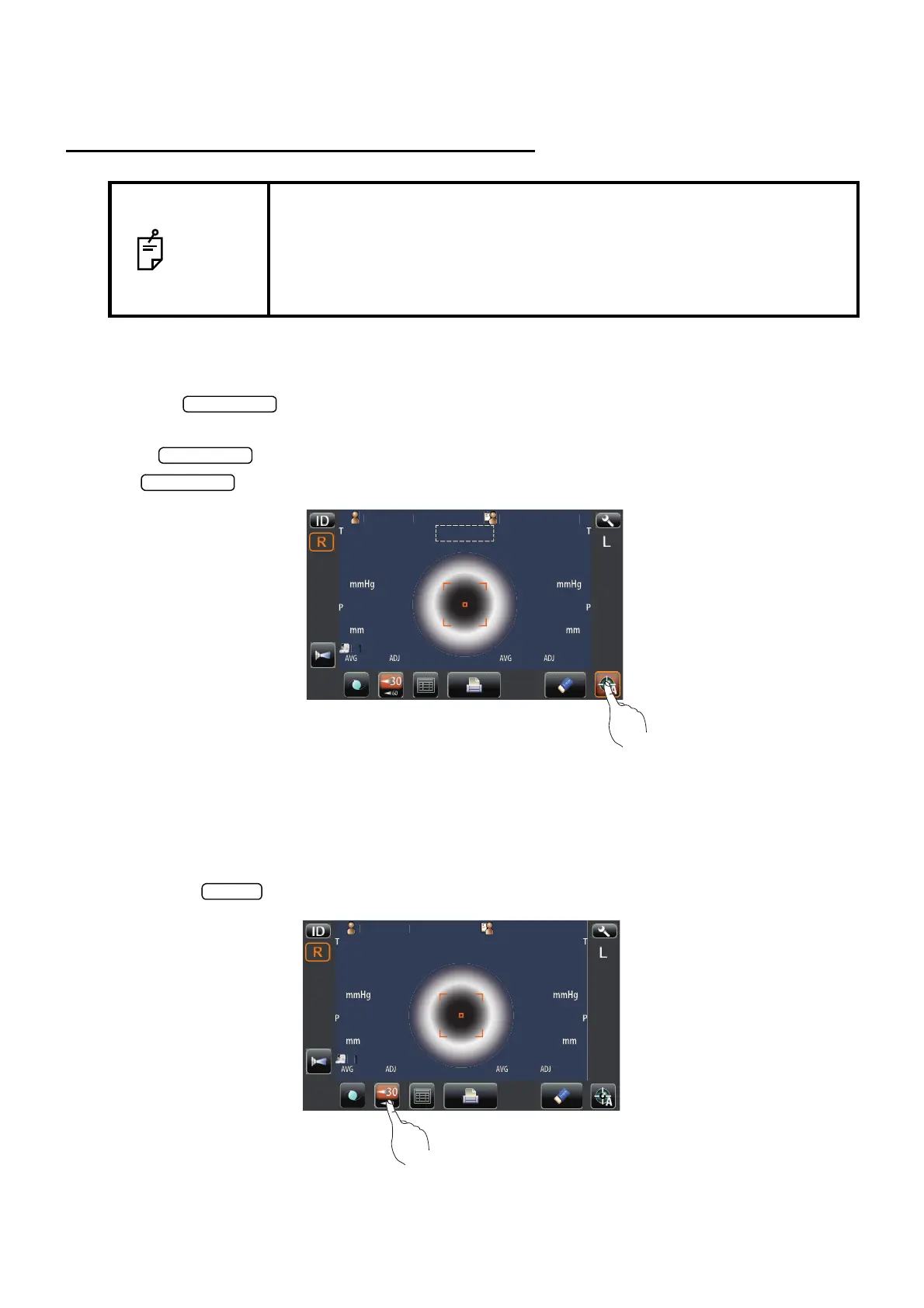
1 If the button of the measurement screen is not framed in orange, it is in Auto Shoot
mode off.
2 If button is framed in orange, it is in Auto Shoot mode. In this case, tap the
button to change to Auto Shoot mode off.
SETTING THE MEASURING RANGE
In this instrument, the measuring range can be switched in 2 steps between "1-30" and "1-60."
Normally, "1-30" is used, but if the patient's ocular pressure is high, switch it to "1-60." The default
setting is "1-30" upon power on.
1 Tap the button of the measurement screen and set the measuring range.
NOTE
• Adjust the height of the instrument table so that the patient can sit com-
fortably. Otherwise, correct measurement values may not be obtained.
• Do not perform measurement if the patient stops breathing or is nervous.
Otherwise, correct measurement values may not be obtained.
• If the machine is moved before measurement values are displayed, it may
cause incorrect measurement results.
P
tientI
PatientID
1
OPCON
AROU
TOPCONTAROU
Auto Shoot
P
tientI
TOPCON
ARO



 To Next Page