27
BASIC OPERATIONS
BASIC OPERATIONS
PREPARATION BEFORE MEASUREMENT
SETTING THE PATIENT ID
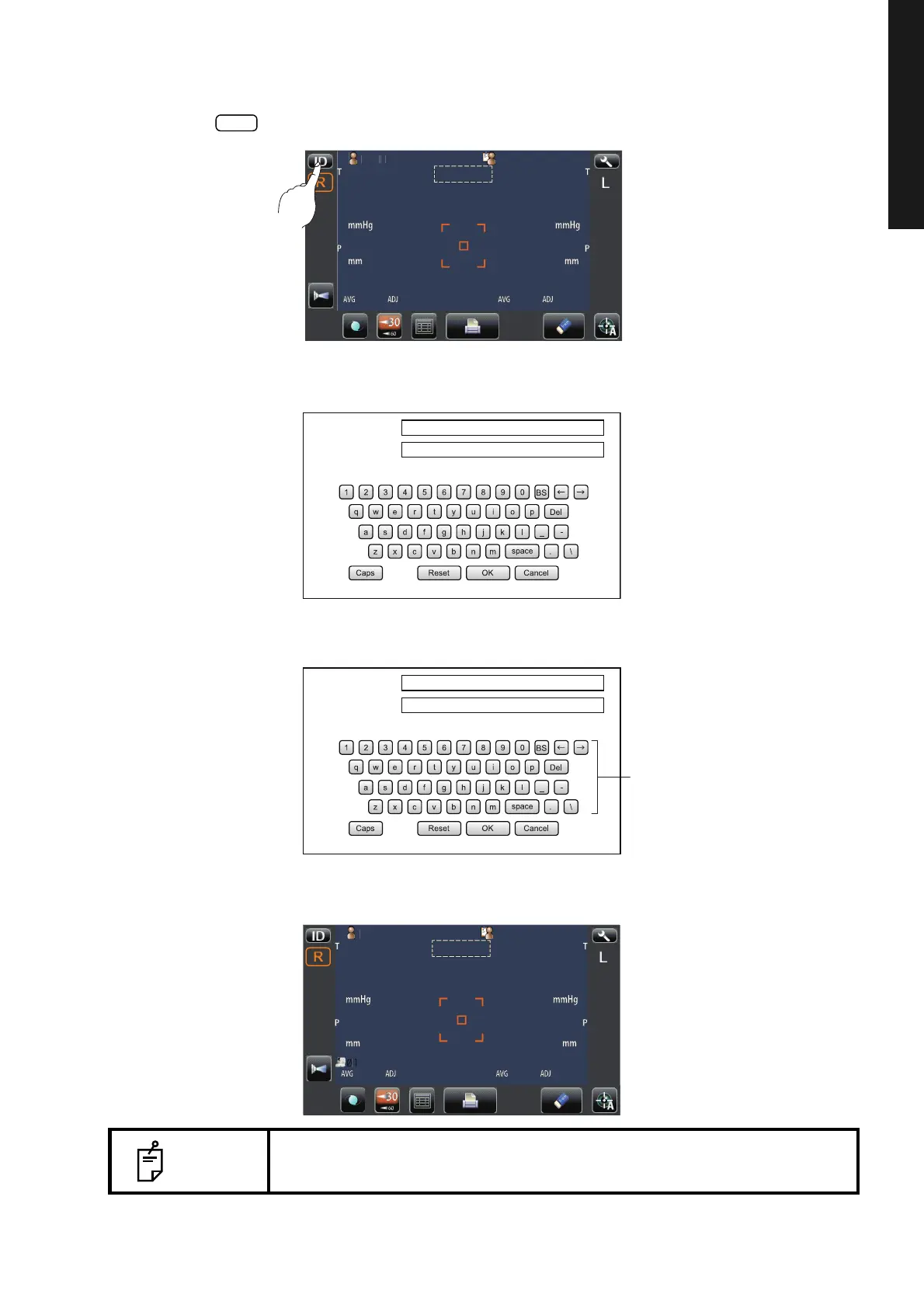
1 Tap the button on the control panel.
2 The Patient ID Input screen is called up.
3 Enter the patient ID using the keyboard on the screen.
4 Return to the Measurement screen, and confirm that the patient ID is updated.
NOTE
If "Display of patient ID" is set to "OFF" in the initial setting, the patient No./
patient ID is not displayed on the measurement screen.
2
Auto Shoot
Patient ID (13)
Operator ID (13)
Patient ID (13)
Operator ID (13)
Patient_ID
Patien
I
PatientID
Auto Shoot



 To Next Page