46
OPTIONAL OPERATIONS
DISPLAYING MEASUREMENT VALUES
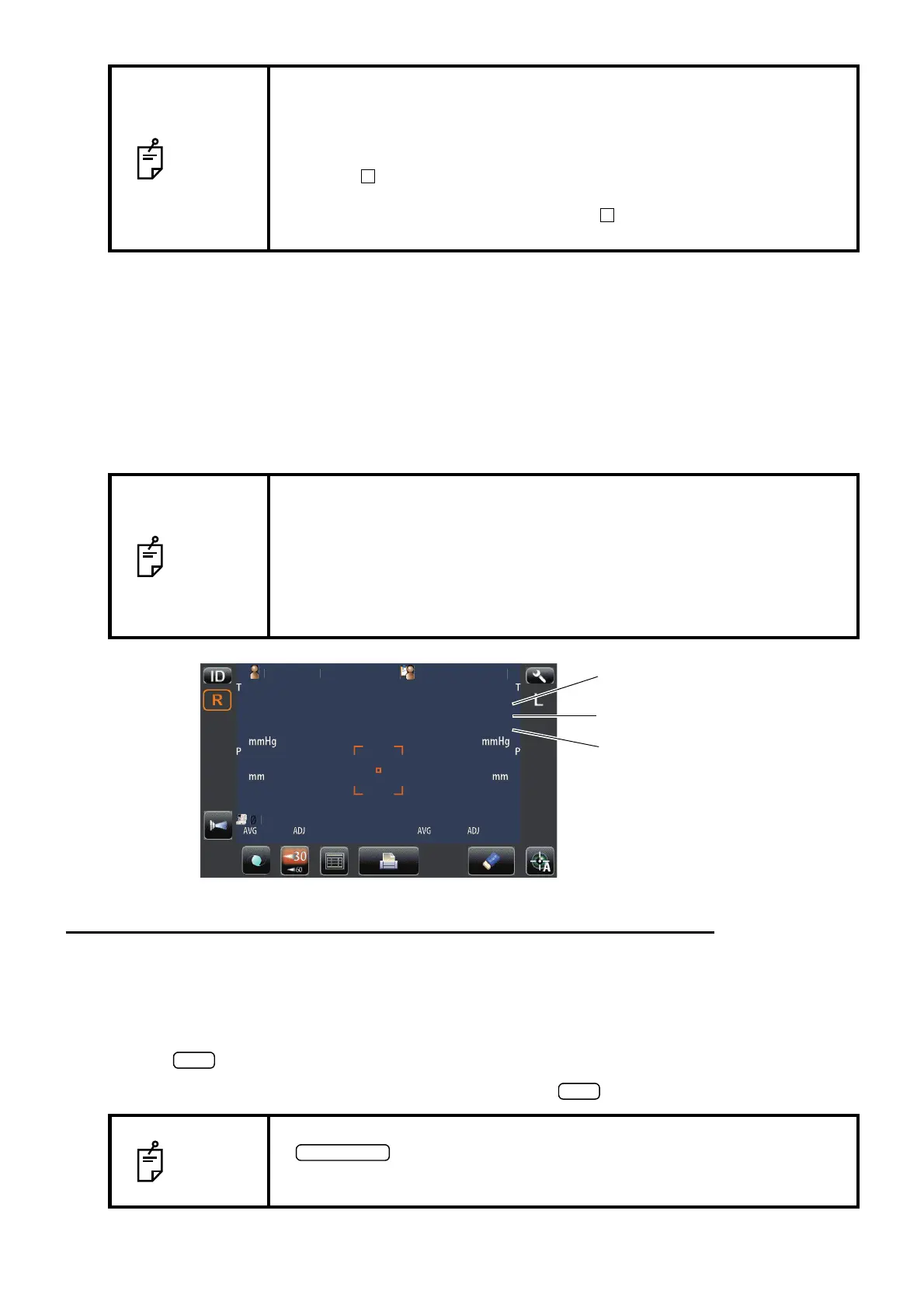
With regard to TONO measurement values, data of the latest three measurements are displayed on
the control panel.
Figures only: Measurement was done correctly.
[ ] figures: When the reliability of measurement is low.
ERROR: Measurement was not done correctly.
OVER: When the measurement range is exceeded.
DISPLAYING THE PATIENT ID (PATIENT No.) OR OPERATOR ID
A patient ID or operator ID of up to 13 characters can be input and displayed on the control panel
and printout.
However, if no patient ID is input, the patient No. is allocated automatically by the device.
1 Tap button.
2 Tap keyboard on the screen and enter characters. Tap button and fix the input value.
NOTE
• Even if an alignment is not correct under auto shoot mode off, the mea-
surement can be performed by pressing the MEASUREMENT switch. To
ensure correct measurement with high accuracy, try to get correct align-
ment.
• Even if you seem to get correct alignment, the alignment mark does not
become . In this case, please carry out a measurement after confirming
surely that the alignment is performed correctly.
• The alignment mark may not become according to patient's cornea
condition.
NOTE
• In TONO average value display, low-reliability numerical data with [ ] are
not added to the average value calculation.
However, if all measurement data are numerical data with [ ], the average
value calculation is done using these data.
• When data is printed out, the "M" mark is printed on the value measured
in auto shoot mode off.
• For explanation of the messages on the control panel screen, refer to
"MESSAGE LIST" on page 62.
NOTE
• Patient ID is reset when measurement values are printed or if the
button is tapped.
• Patient No. reset condition can be selected such that the patient No. is
reset upon power on or not, in the initial setting of setup screen.
tientI
PatientID
14
[15]
16
14
[15]
16
15
17
14
15
17
14
3
3
3
3
0.499
0.499
15
15
15
15
15
15
15
15
01
01
1
1
0.500
0.500
1
TOPCON
ARO
Latest data
Data of 2 times ago
Data of 1 time ago



 To Next Page