45
OPTIONAL OPERATIONS
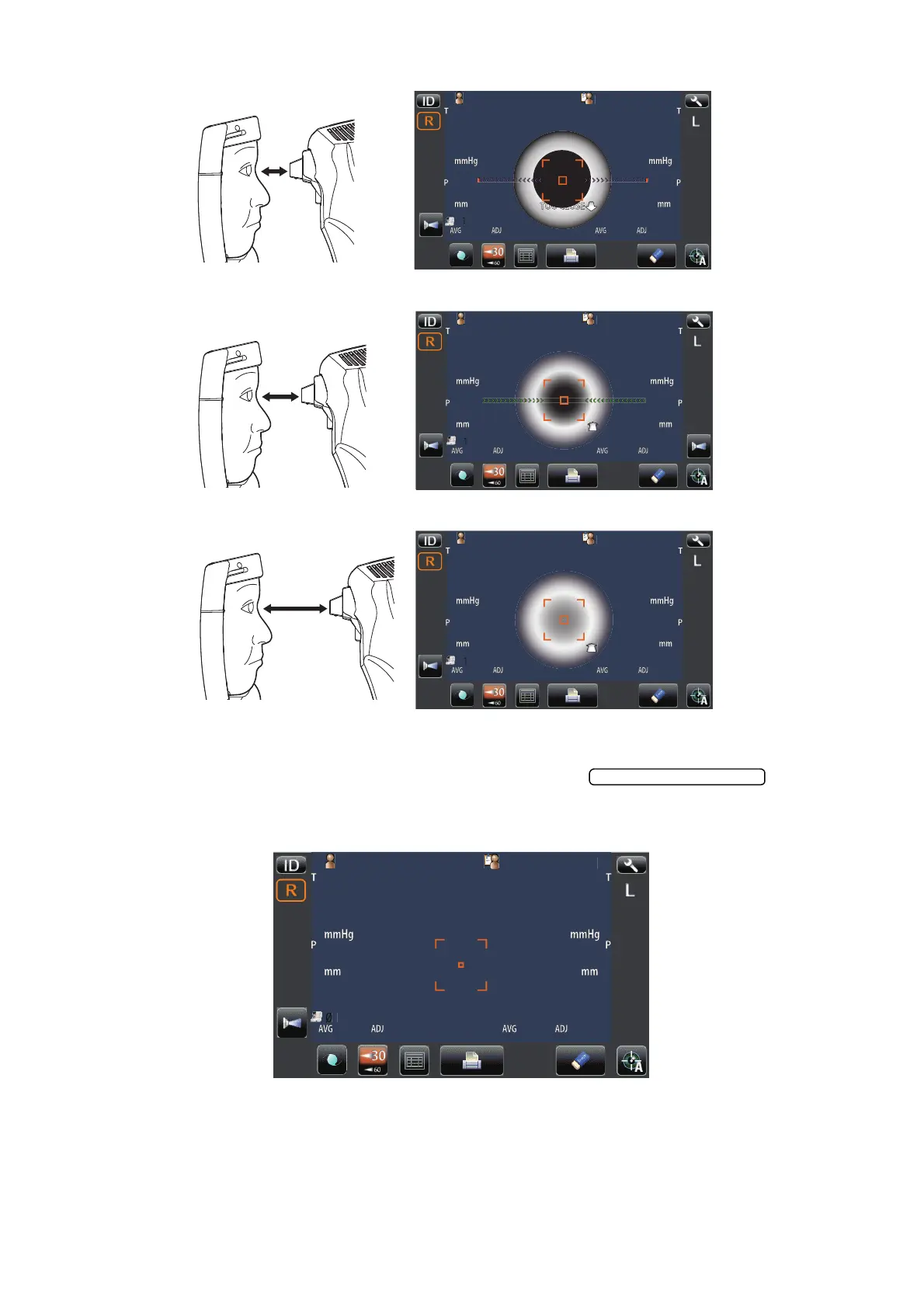
6 Align to make the Z alignment arrows short, and press the when the Z
alignment arrows reach minimum.
7 Measurement is carried out, and the measurement value is displayed on the control panel.
8 Hold the control lever and pull the main body to the operator side, then switch R or L and repeat
the same procedure from "SETTING THE SAFETY STOPPER" on page 29 to previous item for
the next eye measurement.
P
tientI
OPCON
AROU
P
tientI
PatientID
1
OPCON
AROU
TOPCONTAROU
TOOFAR
P
tientI
PatientID
1
OPCON
AROU
TOPCONTAROU
TOOFAR
Too close
Too far
Positioning is incorrect at all.
Outward Z alignment arrows (purple)
Inward Z alignment arrows (Green)
Z alignment arrows are not appeared.
tientI
PatientID
14
[15]
16
14
[15]
16
15
17
14
15
17
14
3
3
3
3
0.499
0.499
15
15
15
15
15
15
15
15
01
01
1
1
0.500
0.500
1
TOPCON
ARO



 To Next Page