21
PREPARATIONS
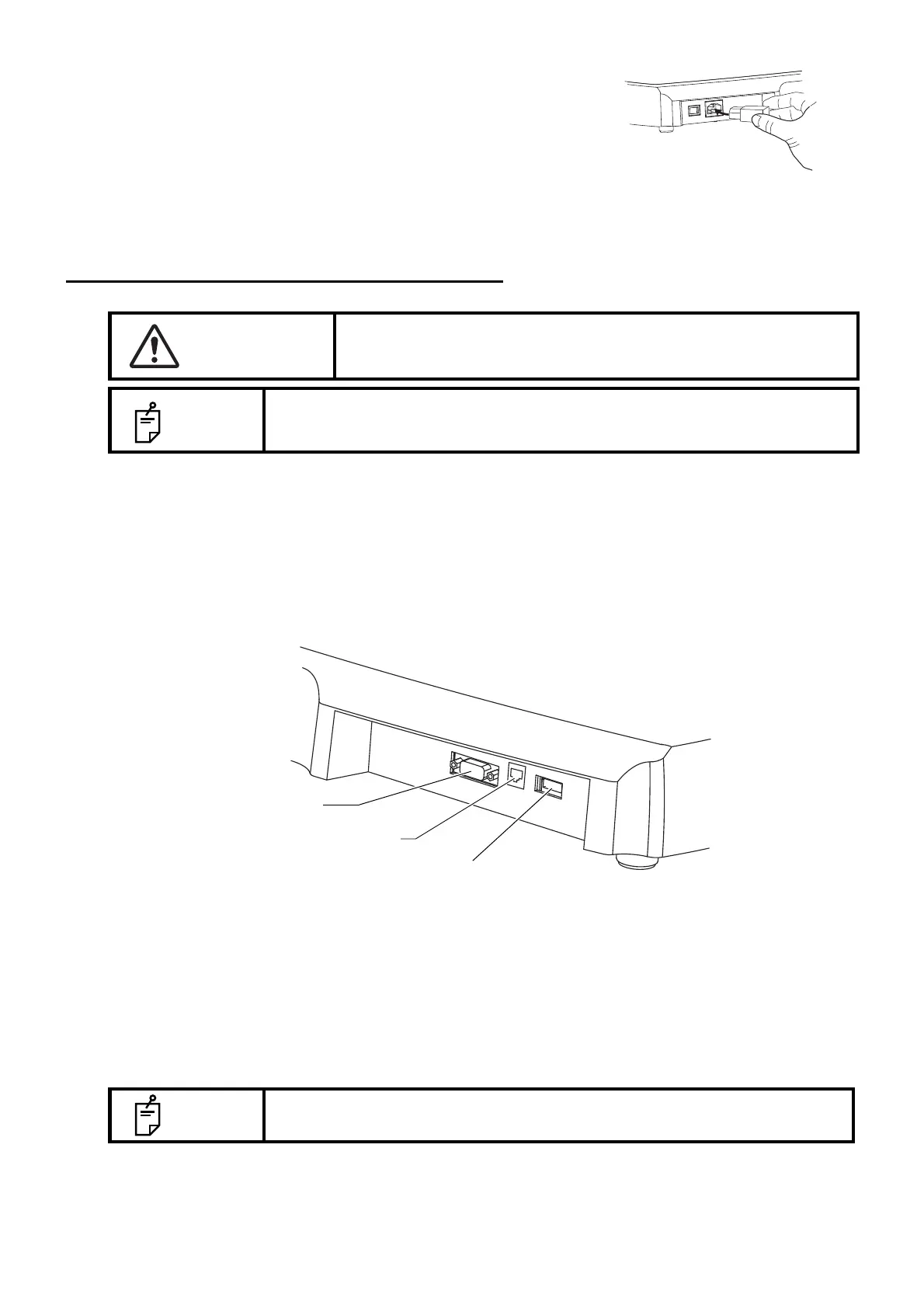
2 Connect the power cable to the power inlet at the right side
of the instrument.
3 Insert the power cable plug into the 3-pin AC grounding
receptacle.
CONNECTING EXTERNAL I/O TERMINALS
DATA OUTPUT
This product can be connected to a personal computer (PC) and other external devices via the RS-
232C or LAN.
1 Connect the connection cable to the output terminal of the instrument
2 Connect the other end of the connection cable to the PC, etc.
DATA INPUT
This product can be connected to a bar-code reader and other external devices via USB.
1 Connect the connection cable to the USB input terminal of the instrument.
2 Connect the other end of the connection cable to the external device.
CAUTION
To avoid electric shock, do not touch the external connection
terminal and the patient at the same time.
NOTE
When connecting this product with a commercial personal computer, use
one conforming to IEC60950-1, with a separation unit.
NOTE
For questions about connections, contact your TOPCON dealer.
USB input terminal
RS-232C output terminal
LAN output terminal



 To Next Page