40
BASIC OPERATIONS
BASIC OPERATIONS
WHEN CORNEA THICKNESS IS REFLECTED ON MEASUREMENT DATA
WHEN CORNEA THICKNESS IS REFLECTED ON MEASUREMENT DATA
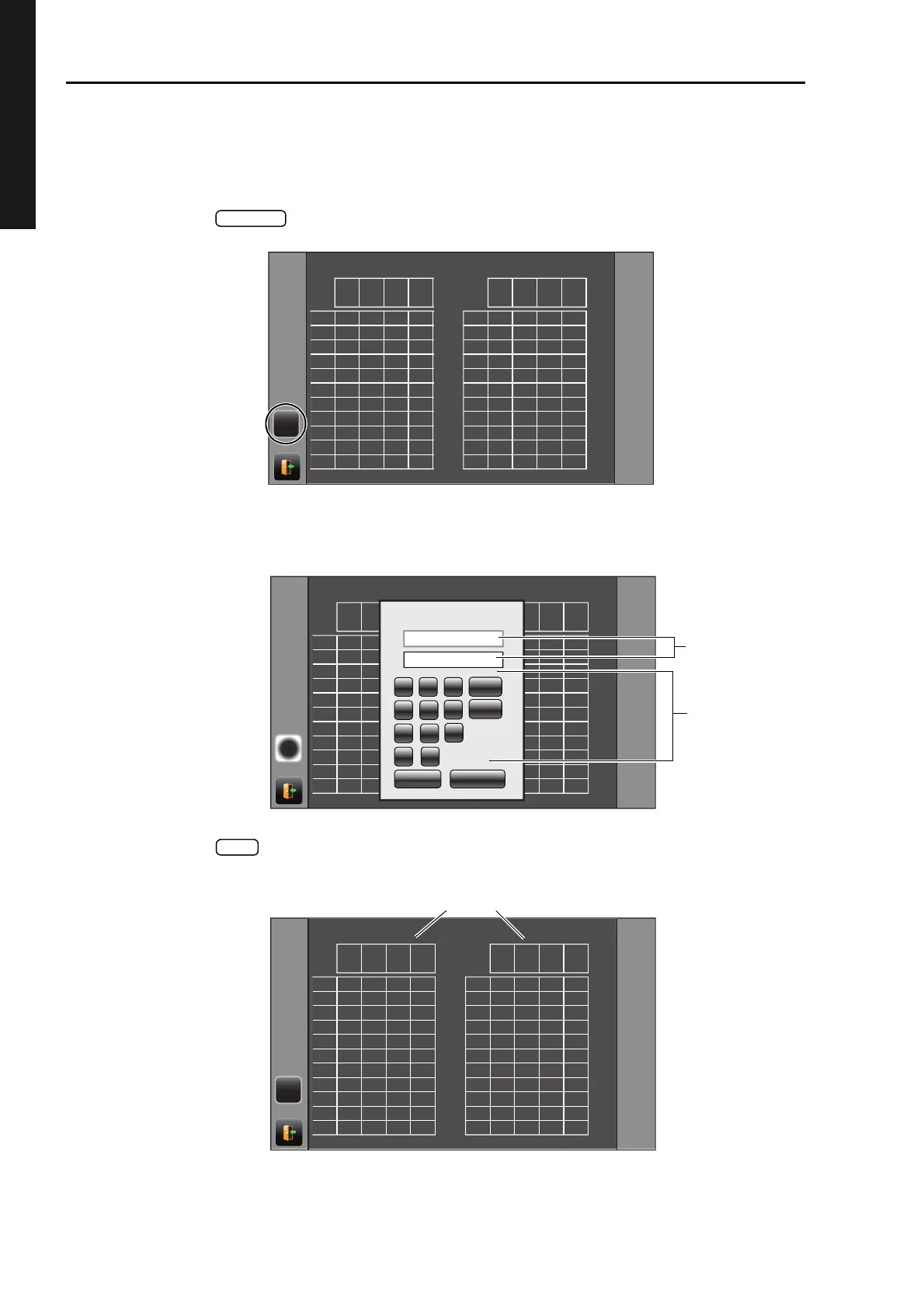
Measurement data calculated including cornea thickness can be displayed by inputting a PACHO
(cornea thickness) data.
When carrying out this setup, it is required to select ON at "Show Adj value" of "Initial".
1 Tap the button on the Data Display screen.
2 The PACHO data input screen appears. Select enter window of "R" (right eye) or "L" (left eye)
by tapping, and enter the cornea thickness value using ten key.
3 Tap the button and fix the input value. The entered cornea thickness value is displayed
on the Data display screen and is reflected to the measurement data.
TONO
(hPa)
ADJ
(hPa)
TONO
(mmHg)
ADJ
(mmHg)
PACHO
(mm)
TONO
(hPa)
ADJ
(hPa)
TONO
(mmHg)
ADJ
(mmHg)
PACHO
(mm)
1
2
3
4
5
6
7
8
9
10
AVG
RIGHT
1
2
3
4
5
6
7
8
9
10
AVG
18
LEFT
RCEJQ
PACHO:0.000mm PACHO:0.000mm
24 ERR ERR
ERR ERR
ERR ERR
ERR ERR
ERR ERR
ERR ERR
22 17
24 18 24 18
23 17 24 18
25
25 19
19
TONO
(hPa)
ADJ
(hPa)
TONO
(mmHg)
ADJ
(mmHg)
PACHO
(mm)
TONO
(hPa)
ADJ
(hPa)
TONO
(mmHg)
ADJ
(mmHg)
PACHO
(mm)
1
2
3
4
5
6
7
8
9
10
AVG
RIGHT
1
2
3
4
5
6
7
8
9
10
AVG
LEFT
2#%*1
PACHO:0.000mm PACHO:0.000mm
OK
CANCEL
0 㧚
1 2
3
4 5
6
7 8 9
AC
BS
R
L
0.57
0.57
24
22
24 18
23 18
19
19
ADJ= IOP - (CCT - 0.520) x 12.0
Input CCT R or L.
TONO
(hPa)
ADJ
(hPa)
TONO
(mmHg)
ADJ
(mmHg)
PACHO
(mm)
TONO
(hPa)
ADJ
(hPa)
TONO
(mmHg)
ADJ
(mmHg)
PACHO
(mm)
1
2
3
4
5
6
7
8
9
10
AVG
RIGHT
1
2
3
4
5
6
7
8
9
10
AVG
24 23 18 17
22 21 17 16
24 23 18 17 24 23 18 17
23 22 17 16 24 23 18 17
25 24 19 18
25 24 19 18
LEFT
RCEJQ
PACHO:0.57mm PACHO:0.57mm



 To Next Page