39
BASIC OPERATIONS
BASIC OPERATIONS
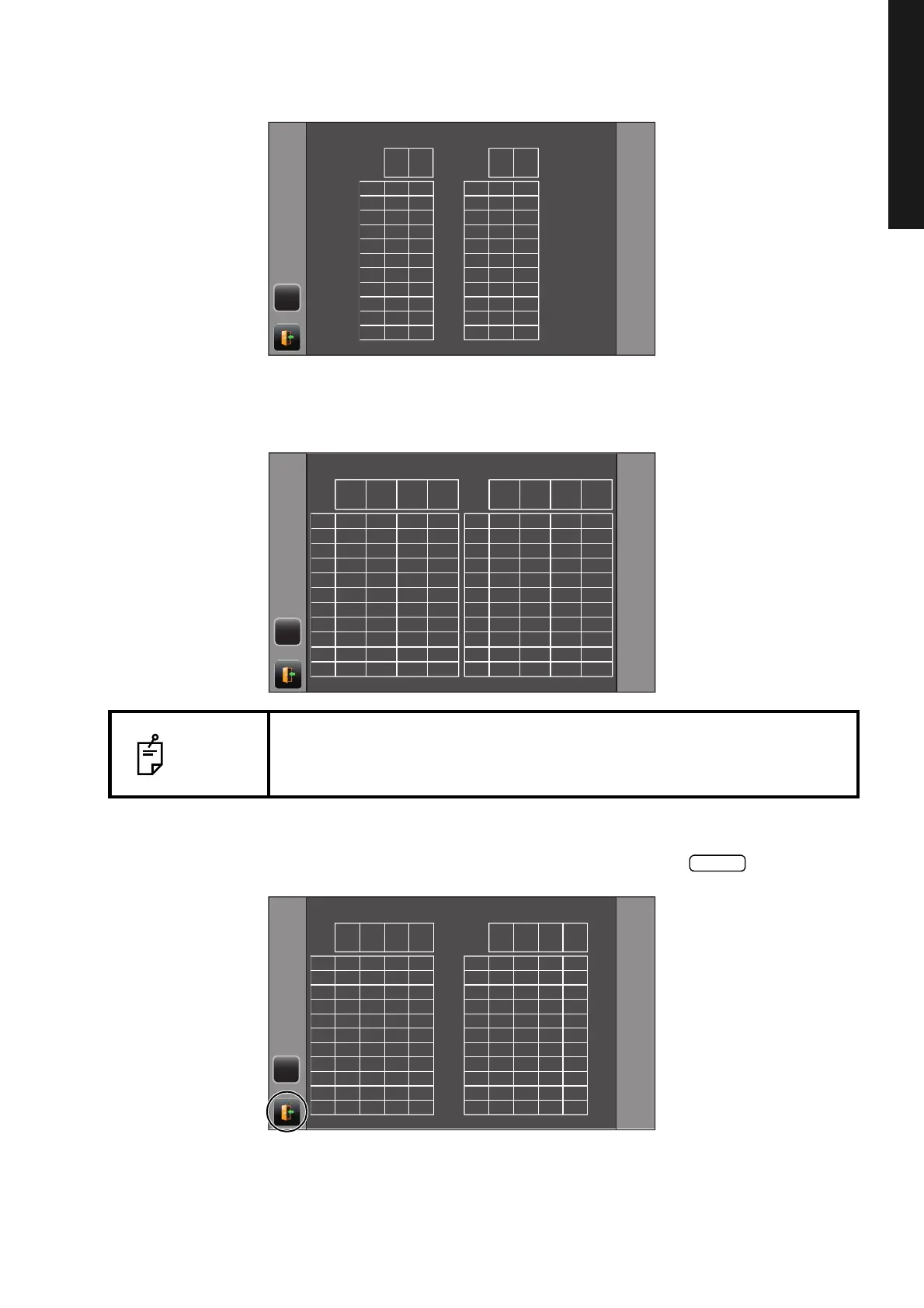
DISPLAYING ALL MEASUREMENT DATA
Setup setting: Display unit in intraocular pressure measurement "mmHg," IOP adjustment
"ON"
Setup setting: Display unit in intraocular pressure measurement "hPa," intraocular pressure
adjustment "ON"
3 To exit the data display and return to the Measurement screen, tap the button.
NOTE
For the value measured by auto shoot mode off and the value measured by
using the measurement switch in auto shoot mode, the color of a character
turns to yellow.
TONO
(mmHg)
ADJ
(mmHg)
TONO
(mmHg)
ADJ
(mmHg)
1
2
3
4
5
6
7
8
9
10
AVG
RIGHT
1
2
3
4
5
6
7
8
9
10
AVG
LEFT
RCEJQ
PACHO:0.555mm PACHO:0.555mm
TONO
(hPa)
ADJ
(hPa)
TONO
(mmHg)
ADJ
(mmHg)
TONO
(hPa)
ADJ
(hPa)
TONO
(mmHg)
ADJ
(mmHg)
1
2
3
4
5
6
7
8
9
10
AVE
RIGHT
PACHO:0.555mm PACHO:0.555mm
1
2
3
4
5
6
7
8
9
10
AVE
LEFT
RCEJQ
TONO
(hPa)
ADJ
(hPa)
TONO
(mmHg)
ADJ
(mmHg)
PACHO
(mm)
TONO
(hPa)
ADJ
(hPa)
TONO
(mmHg)
ADJ
(mmHg)
PACHO
(mm)
1
2
3
4
5
6
7
8
9
10
AVG
RIGHT
1
2
3
4
5
6
7
8
9
10
AVG
LEFT
RCEJQ
PACHO:0.555mm PACHO:0.555mm



 To Next Page