49
SETTING FUNCTIONS ON SETUP SCREEN
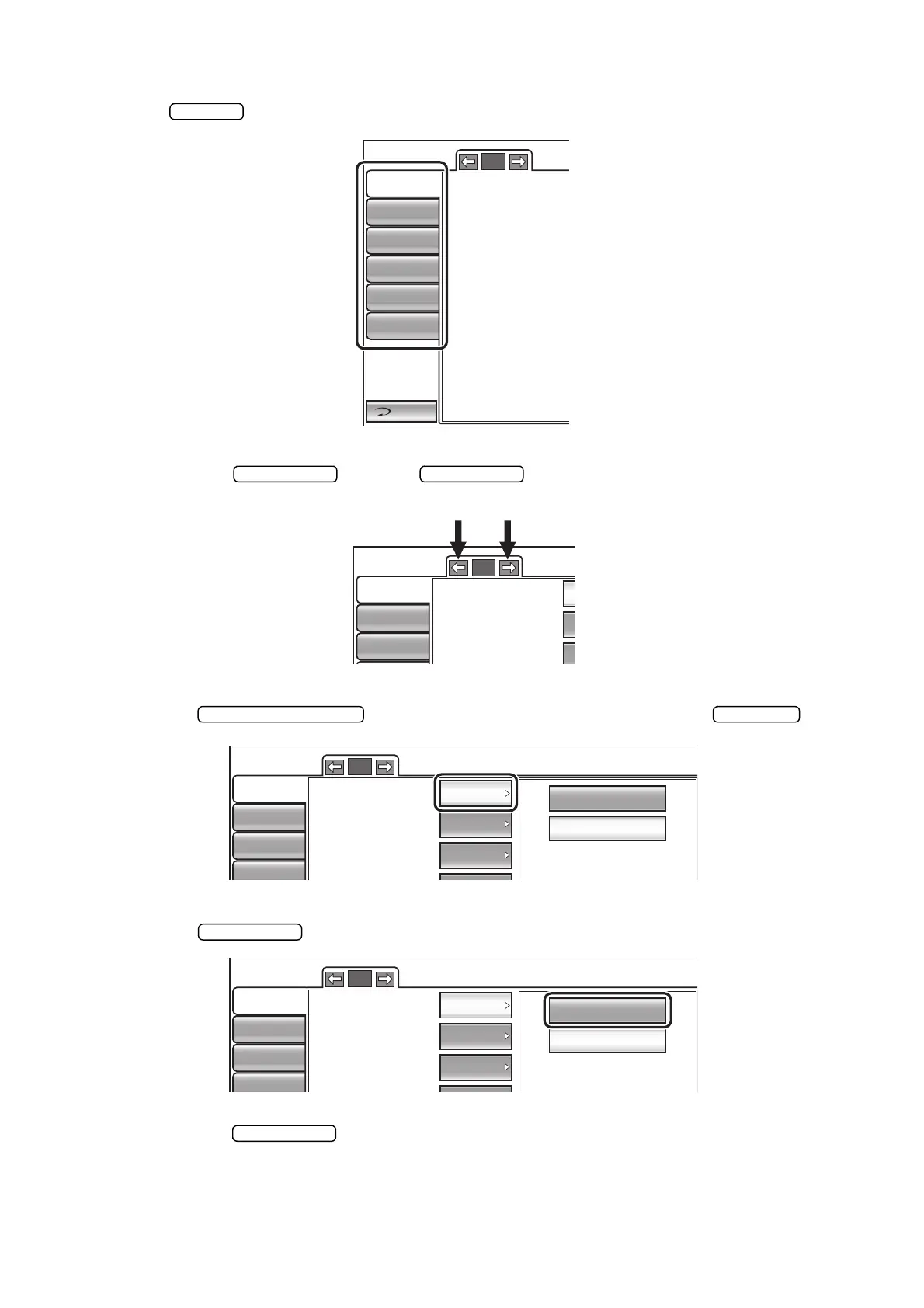
OUTLINE OF SETUP SCREEN OPERATIONS
1 Tap and select the subject of setting.
2 Operate the button or button, as necessary, and display the page
to confirm/change.
3 Tap the button of the item to be changed and find the button.
4 Tap the button and change the setting.
• Instead of the button, up/down buttons and ten-key would be displayed.
Return
Initial
Print
Comm
LAN
Special
Operator ID
1/3
Buzzer sound
Auto Shoot
Printer output
Show Pacho value
Show Tono average
Show Adj value
Patient No. reset
Display of patient ID
Initial
Print
Comm
1/3
Buzzer sound
Auto Shoot
Printer output
OFF
ON
Initial
Print
Comm
LAN
1/3
Buzzer sound
Auto Shoot
Printer output
ON
ON
ON
OFF
ON
Initial
Print
Comm
LAN
1/3
Buzzer sound
Auto Shoot
Printer output
ON
ON
ON



 To Next Page