50
SETTING FUNCTIONS ON SETUP SCREEN
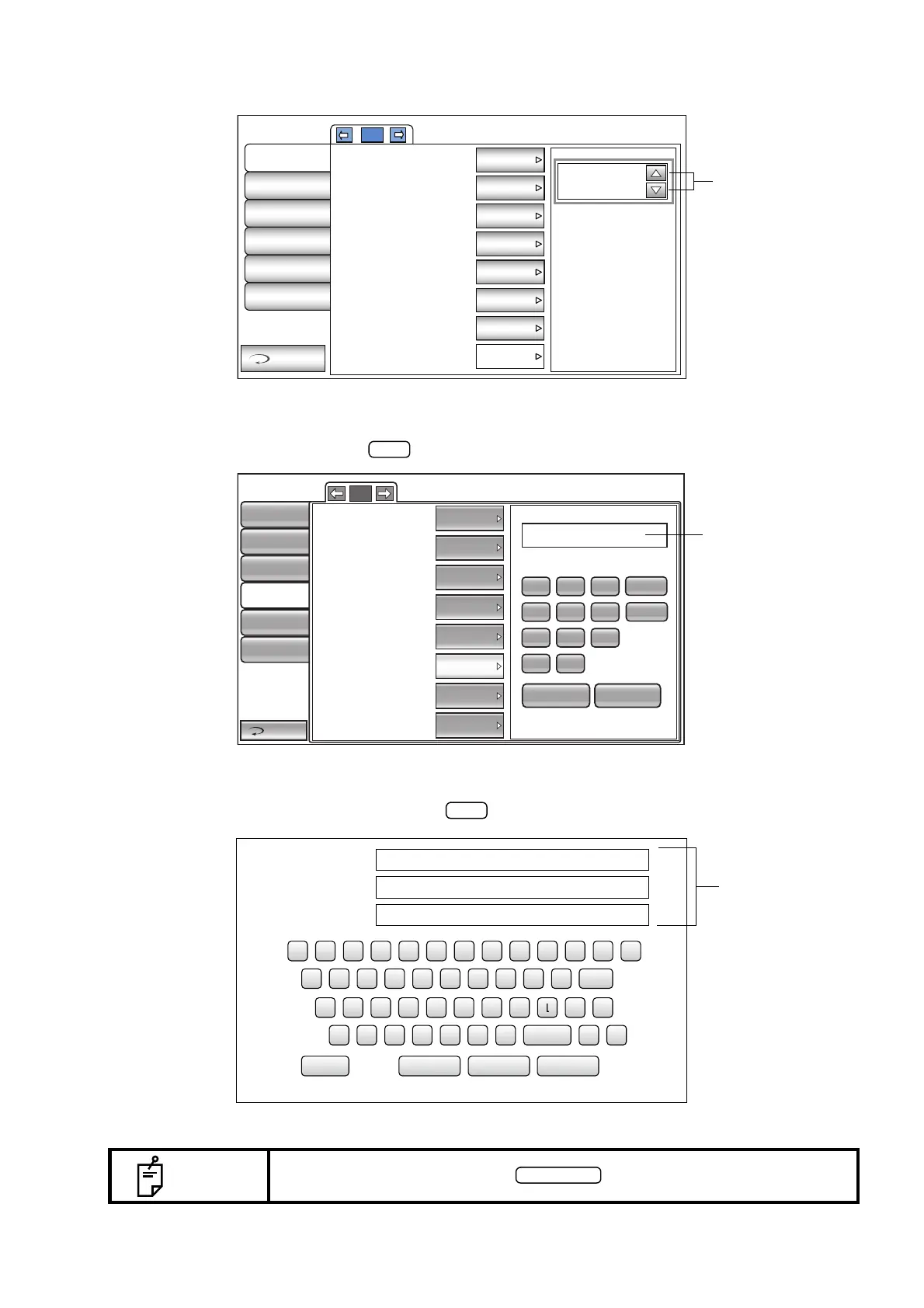
UP/DOWN BUTTON:
Tap the up or down button on the screen to change the setting.
TEN-KEY:
Tap ten-key on the screen and enter the figure. If there are several windows to enter, tap the window
to enter the figure by ten-key. Tap and fix the input value.
KEYBOARD:
Tap keyboard on the screen and enter characters. If there are several windows to enter, tap the
window to enter the figure by keyboard. Tap and fix the input value.
NOTE
The set value is updated when an button is tapped.
LAN
Comm
Initial
Print
OperatorID
Special
Return
28(%)
3/3
IOP Adjustment
Center CCT Base
Adjustment Coefficient
R/L or OD/OS
Control panel brightness
Shaded character
Meas. data recording way
IOL LED Brightness
OFF
545
500
R/L
ON
LEVEL 4
Data on cre...
28
BS
192.168.0.1
7
4
1
0
8
5
2
.
9
6
3
AC
OK CANCEL
1/1
NULL
OFF
FIX
0.0.0.0
0.0.0.0
0.0.0.0
0.0.0.0
0.0.0.0
LAN connection
Shared Folder Setting
IP Address Setting
IP Address
Subnet Mask
Default Gateway
Primary DNS Server
Secondary DNS Server
Return
Initial
Print
Comm
LAN
Special
Operator ID
1 7
ψ
23 4 56 890
φ
BS
z mx c v b n
space
㧚
q uw e r t y i o p
Del
ajs d f g h k _ -
\
OK Cancel Reset Caps
Shared folder (32)
User Name (32)
Password (16)
Sample
topcon
*****



 To Next Page