59
MAINTENANCE
MANUFACTURER MAINTENANCE ITEMS
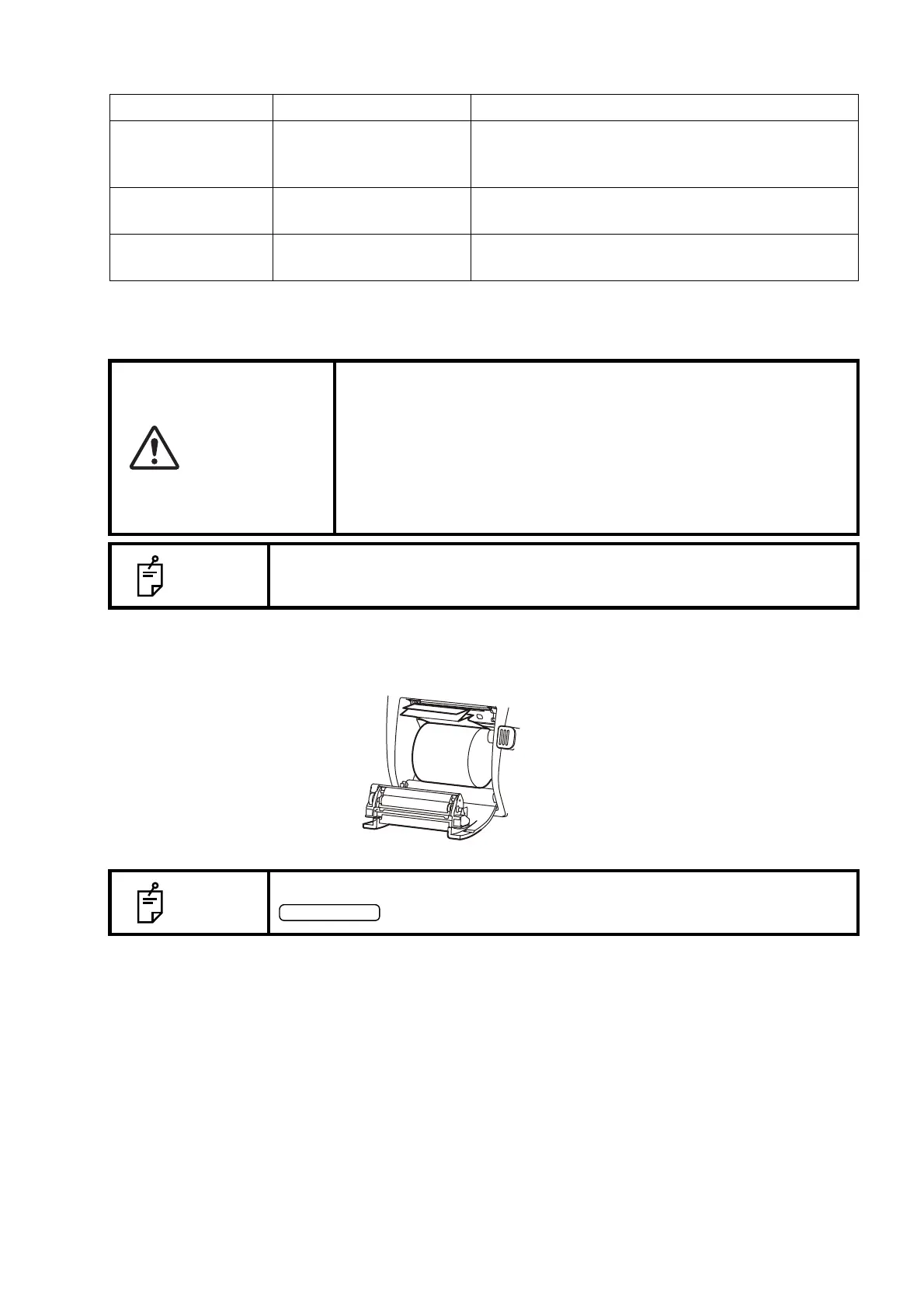
PRINTER PAPER JAM
1 Shut off the power and open the printer cover, take out the jammed paper pieces.
Item Checking time Contents
Cleaning each
component
Within 12 months
• Cleaning outer covers
• Checking the optical system
• Cleaning POWER unit
Operation check Within 12 months
• Checking the main body operation
• Checking switches
Accuracy check Within 12 months
• Confirming the ocular pressure measurement
functions (using special tools)
CAUTION
• When setting a printer paper, keep a patient's face away from the
instrument. Some part of the instrument may touch the patient's
lip or nose if the printer button is pressed.
• To avoid potential injury in case of malfunction, including a paper
jam, be sure to shut off the power before attempting to repair it.
• To avoid potential injury, do not touch the printer body including
metal parts or the paper cutter, while the printer is in operation or
when replacing the printer paper.
NOTE
If the printer paper is jammed in the printer, printing will stop and the jam
should be cleared.
NOTE
After shutting off the power and removing the jammed printer paper, tap the
button to print out a blank sheet.



 To Next Page